



Trying to install my purchased CS5.5 from 7years ago on my new Imac OSX Sierra without success
First Point: I had gone through the Adobe Student and Teacher Licensing process for my CS/Master Collection 5.5 package 7 years ago and received my serial number by email back then. Recently, Nov 25/2017, I checked my Adobe account and found out that there was no such package registered, proceeding to register the serial number on that date.
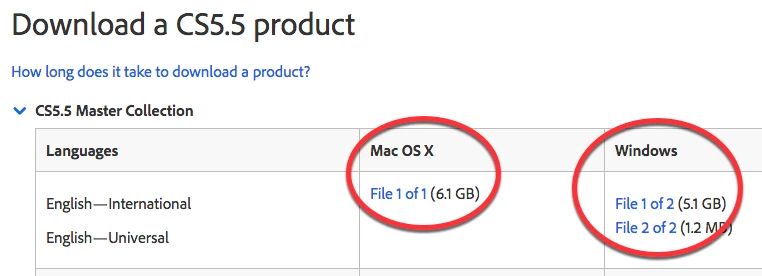
Second Point: Because my new Imac with OSX Sierra has no DVD/ROM Drive, I went to the Adobe page where I could download CS5.5 versions of the package I had bought, after reading the set of instructions I downloaded Illustrator 5.1 and InDesign 5.5.
Third Point: Attempting to install these versions of 5.5 on OSX Sierra proved problematic but found out on one of the Adobe forum pages that there was a workaround
whereby: 1) open mounted DMG file. 2) Right-click on install.app and Open Package Contents from context menu. 3) Navigate to Contents>MacOS. 4) Drag Unix executable to the Terminal in Imac's Utilities folder. 5) Press return key to launch Installer.
After following through this workaround, the installer did in fact launch. It got to the point where I accepted the Adobe terms and then asked for my package serial number. After filling in my serial number, I received a prompt saying the serial number did not match any on the Adobe files. I went through this process with launching the installers with both Illustrator and InDesign with this result.''
I could use some advice with this. Does the Student/Teacher licensing serial number have anything to do with this process? Any other suggestions.
Thanks, Don.
 AdChoices