


Exit
  • Global community
    • Language:
      • Deutsch
      • English
      • Español
      • Français
      • Português
  • 日本語コミュニティ
  • 한국 커뮤니티
0

Updating Creative Cloud app for Mac persistently stuck at 0%

New Here ,
Apr 23, 2023 Apr 23, 2023

For months, I have had ‘Updating Creative Cloud’ stuck at 0%.
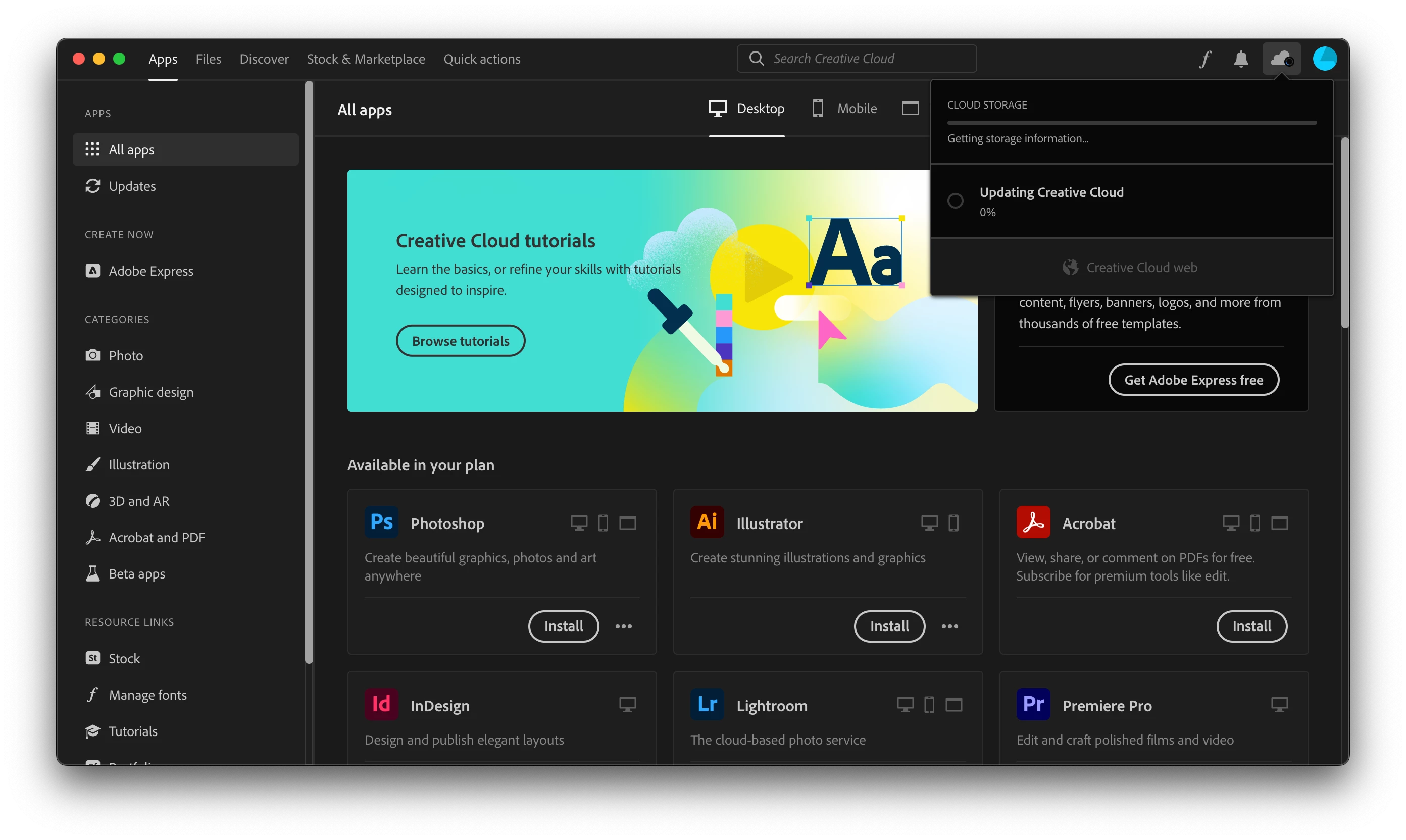
Screenshot 2023-04-23 at 6.16.51 pm.png

I could open the apps but not update them—nothing will install until this Creative Cloud ‘update’ is complete. Recently I've needed update the apps to complete a project. Without finding any way to get the Creative Cloud app to update automatically, I have repaired the app, uninstalled and reinstalled the app, cleaned out Creative Cloud and all the associated apps, reinstalled, cleaned the app and deleted any Adobe-related file I could on my computer, and reinstalled again under a different account and again in my own account; and every time I reinstall, Creative Cloud is showing ‘updating…0%’ from the get-go. This can't be right as the latest version should be downloaded upon reinstall, right?


(note I restarted between most stages of my trial and error)


There is no networks protections on my computer or my home network itself that I'm aware of.


I feel like I have taken every step besides wiping my entire computer. I don't know how to proceed. Has anyone else had this issue and/or know of a a solution. Or even the slightest idea?


Thanks in advance,

Zachary.

TOPICS
Creative Cloud , Installation
1.0K
Translate
Report
Community guidelines
Be kind and respectful, give credit to the original source of content, and search for duplicates before posting. Learn more
community guidelines
New Here ,
Apr 23, 2023 Apr 23, 2023

I've also just just tried a reinstall with the alternative direct download of Creative Cloud as per this discussion: https://community.adobe.com/t5/enterprise-teams-discussions/creative-cloud-stuck-at-updating-can-t-d...

Translate
Report
Community guidelines
Be kind and respectful, give credit to the original source of content, and search for duplicates before posting. Learn more
community guidelines
Community Expert ,
Apr 23, 2023 Apr 23, 2023
LATEST

if you carefully followed each step in the linked thread and post marked correct, contact adobe support. there are 3 ways to contact adobe; chat, phone and twitter:

chat:
use a browser that allows popups and cookies
and click here, https://helpx.adobe.com/contact.html?rghtup=autoOpen
in the chat field (lower right), type AGENT
be patient, it can take quite a while to reach a human.

phone:
https://helpx.adobe.com/contact/phone.html

twitter:
tweet @AdobeCare

p.s. if you're contacted by anyone (via email or private message), it's much more likely to be a scammer than an adobe representative. ie, double check for an employee badge if contacted in the forums and look for an adobe.com domain in the email address if you click reply to an email. then check again and be very suspicious. any other method of contacting (or offering to contact you) is almost certainly a scam, https://community.adobe.com/t5/using-the-community-discussions/staying-safe-in-the-adobe-support-com...

Translate
Report
Community guidelines
Be kind and respectful, give credit to the original source of content, and search for duplicates before posting. Learn more
community guidelines