


janm71550407
Participant
September 25, 2017
質問

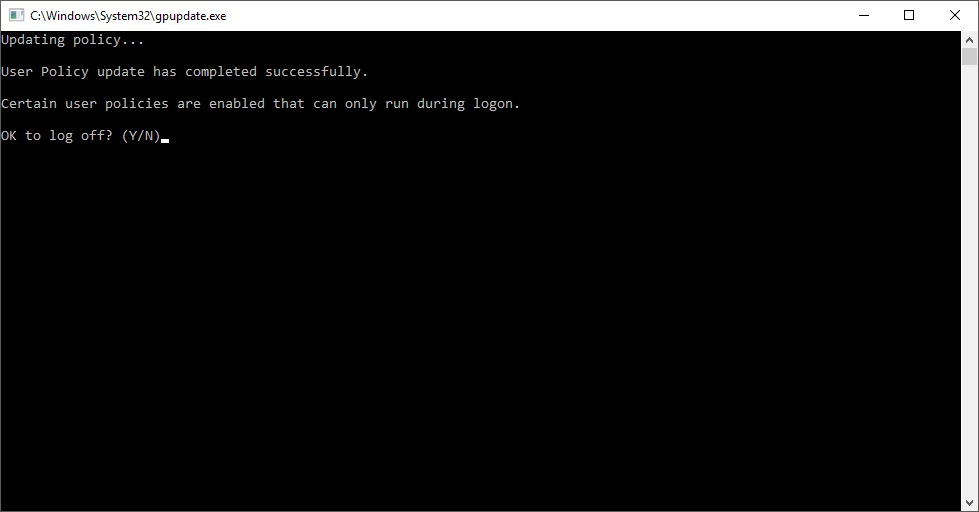
Updating Policy...User Policy has completed successfuly.

  • September 25, 2017
  • 返信数 1.
  • 934 ビュー

We recently deployed Acrobat 2017 to our Windows Server 2016 XenDesktop environment. Today all users received a CMD window pop up stating "Updating Policy...User Policy has completed successfully. Certain user policies are enabled that can only run during logon." At the same time, the Acrobat Update Service was running. We have this disabled using the .mst and with group policy. Is it possible that the Update Service updated Adobe or ran and caused a change in the User Policy?
このトピックへの返信は締め切られました。

返信数 1

DelphinusIT
Known Participant
October 3, 2017

A domain or policy administrator can force group policy updates from a domain controller to all machines in a given Organizational Unit, within a few minutes machines that successfully receive the remote force will (from the user perspective) have a spontaneous cmd prompt appearance followed by the update results.

I have been testing with the adobe updater for my own projects, and even if the updater caused a user policy change, it seems very unlikely any number of machines would execute the update all at the same time and affect all users as you described.

Now, to disable updates: did you use the DC Customization Wizard's GUI, or did you set bUpdater, and Mode values in the registry using the mst or in the registry using group policy? If you used bUpdater, which bUpdater did you set? (there are two different bUpdater prefs with the same name).
I do not know if disabling updates prevents the updater service from starting, even though disabling updates does remove the GUI check for updates option, the service might still have been started even if it is unable to apply updates.