


ronm19746178
Participant
January 11, 2018
解決済み

Adobe CC device licensing not automatically recognizing
  • January 11, 2018
  • 返信数 2.
  • 5774 ビュー

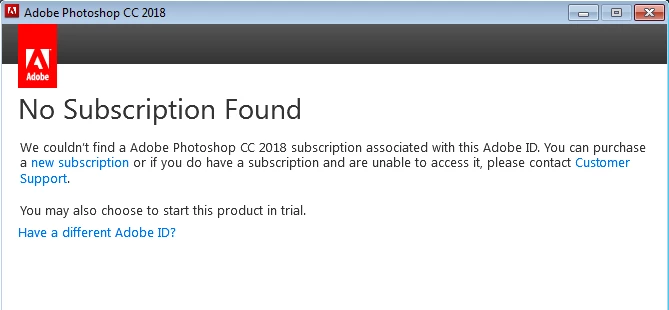
I have a valid VIP agreement and the dashboard shows that I have 46 licenses that are not in use, however, when I install my new deployment that I just created it does not recognize that I have active licenses to be used with the installation.  It now only allows me to use the trial version of the product.  Please advise on how to fix this issue.  Steps already taken are the licensing deployment, clearing cache and logging in with my adobe ID as well as complete uninstall and re-install of the adobe CC products.

    このトピックへの返信は締め切られました。
    解決に役立った回答 alisterblack

    Thank you for your help as far as the info for installing without adobe desktop.  Unfortunately I have had these installed for the last year with the desktop application running and the only way to do it now would be to do a complete uninstall and reinstall as I have tried to no avail to reissue the license using the license deployment package. 


    It sounds likely that users have signed in and this is over-riding the device license.

    Try removing existing licensing information and the re-apply the license file.

    To remove cached licensing information data on the machine

           Mac OS:

    •     /Library/Application\ Support/Adobe/SLCache

    •     /Library/Application\ Support/Adobe/SLStore

       Windows:

    •     C:\Program Files (x86)\Common Files\Adobe\SLCache

    •     C:\ProgramData\Adobe\SLStore

    Remove account information data on the machine

       Mac OS:

    •      ~/Library/Application Support/Adobe/OOBE/OPM.db

       Windows:

    •     \Users\<user name>\AppData\Local\Adobe\OOBE\OPM.db

    You can also uninstall the Creative Cloud Desktop App via Uninstall the Adobe Creative Cloud desktop application

    返信数 2

    alisterblack
    Community Manager
    Community Manager
    January 12, 2018

    Hi,

    Have you assigned a license to the Adobe ID that you are logging in with?

    Please refer to Manage your teams membership

    ronm19746178
    ronm19746178作成者
    Participant
    January 12, 2018

    I have failed to mention, the licenses are device licenses.  I cannot assign them as they are automatically assigned when the program is launched.   

    alisterblack
    Community Manager
    alisterblackCommunity Manager解決!
    Community Manager
    January 12, 2018

    Thank you for your help as far as the info for installing without adobe desktop.  Unfortunately I have had these installed for the last year with the desktop application running and the only way to do it now would be to do a complete uninstall and reinstall as I have tried to no avail to reissue the license using the license deployment package. 


    It sounds likely that users have signed in and this is over-riding the device license.

    Try removing existing licensing information and the re-apply the license file.

    To remove cached licensing information data on the machine

           Mac OS:

    •     /Library/Application\ Support/Adobe/SLCache

    •     /Library/Application\ Support/Adobe/SLStore

       Windows:

    •     C:\Program Files (x86)\Common Files\Adobe\SLCache

    •     C:\ProgramData\Adobe\SLStore

    Remove account information data on the machine

       Mac OS:

    •      ~/Library/Application Support/Adobe/OOBE/OPM.db

       Windows:

    •     \Users\<user name>\AppData\Local\Adobe\OOBE\OPM.db

    You can also uninstall the Creative Cloud Desktop App via Uninstall the Adobe Creative Cloud desktop application

    kglad
    Community Expert
    Community Expert
    January 11, 2018