



Chris  P.  Bacon
Inspiring
December 25, 2022
質問

An effective way to change color of JPG paper texture in Illustrator?

  • December 25, 2022
  • 返信数 1.
  • 1322 ビュー

I mean a temporary change without the need to move over to Photoshop?
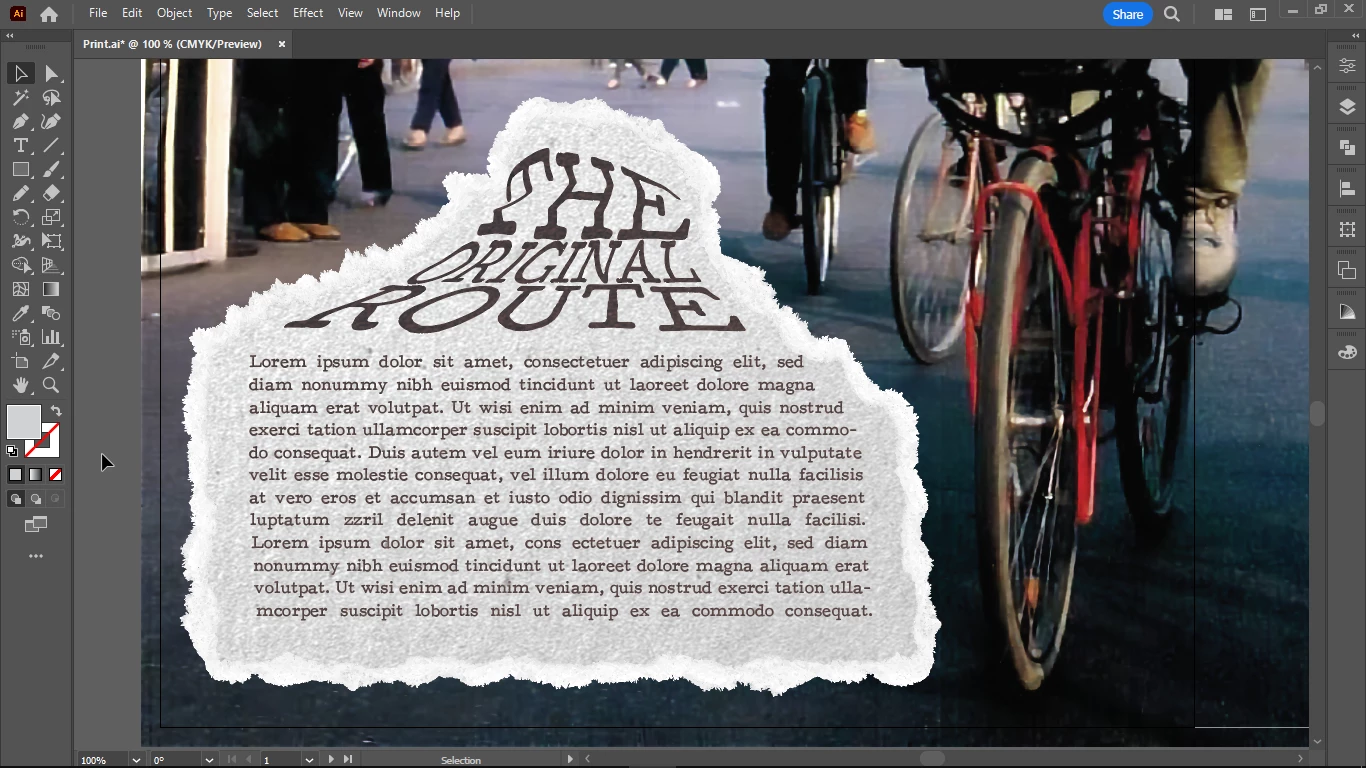
I would like to change the color of the light gray paper texture with the eyedropper tool, I mean to pick a color with the eye dropper tool, from the image.


このトピックへの返信は締め切られました。

返信数 1

Monika Gause
Community Expert
Community Expert
December 25, 2022

For greyscale images it should work to just pick a color from somewhere. But the effect still might not look like what you imagine. This JPEG is already applied as a pattern? Then it will not work. The color has to be applied first.

Chris  P.  Bacon
Inspiring
December 25, 2022

How do I select only the swatch?

Ares Hovhannesyan
Community Expert
Community Expert
December 25, 2022

Usually I use Edit Cilor in Illustrator to change colors of bitmaps without Ps

or Create Object Mosaic for creating swatches from image. 

Create an Object Mosaic in Illustrator - YouTube