


Inspiring
September 7, 2025
解決済み

Jpg Images getting re-sized to 12% size when drag and drop or placing into illustrator.

  • September 7, 2025
  • 返信数 1.
  • 397 ビュー

using Mac with sequoia and the latest version illustrator 2025 in sept of 2025.
For the past several months, when I drag or place a scan (jpg or tiff) into illustrator (2025) the image automatically shrinks down to 12% of actual size.  


It's not because of resolution that I can tell. The actual pixel dimensions of the jpg are not matching up and I can see that by looking at the pixel dimensions in bridge and then comparing to the pixel dimensions in the links advanced panel. In this panel it's showing the size is only at 12% of actual size. Trying to then get the jpg to 100 percent size involves having to copy the correct dimensions and transform the jpg up to the correct size. Why is this happening and can I fix it? Is it a setting somewhere? 
解決に役立った回答 Ton Frederiks

hmm. ok, that makes sense. is there a way to have it automatically display at 100% instead of 12 percent when i drag in a 600ppi image? I am doing large batches of image tracing and it just comes out better when the jpg is at 100%. this isa an extra step to enlarge it to 100% by typing in the pixel dimensions in the transform window for each file.


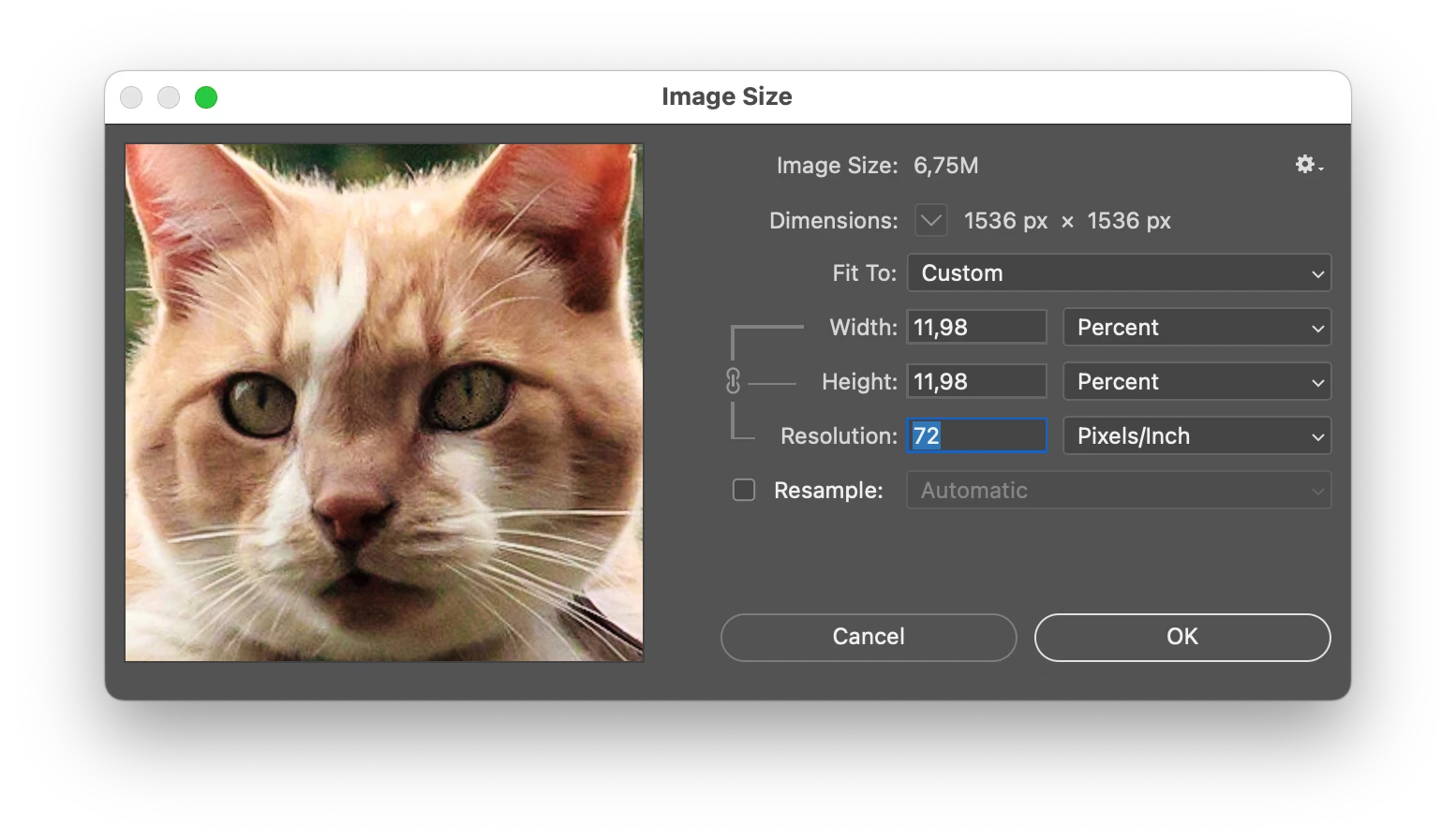
But it is probably better to use Photoshop to set the resolution to 72 ppi without the resampling option checked. This changes the ppi and keeps the number of pixels.

You can record this in Photoshop as an action and apply it to a whole folder of images with the Batch command. 

返信数 1

Ton Frederiks
Community Expert
Community Expert
September 7, 2025

What is the resolution in Photoshop and is that different from the resolution in Illlustrator (Control or Links Panel?)

furzle作成者
Inspiring
September 7, 2025

The Jpg resolution is 600. But it's not a resolution issue. 1000 x 1000 pixels is getting converted to 12 x 12 pixels. Etc. it's not about the onscreen appearance. It's the actual size getting shrunk to 12 percent of actual size.

Ton Frederiks
Community Expert
Community Expert
September 7, 2025

It is a resolution issue. The amount of pixels in the file does not change, the resolution makes them displayed at a smaller size. Look at this GIF. The amount of pixels is the same for all images (look at Dimensions), but the resolution information makes them smaller on screen and in print. The higher the amount of pixels per inch (PPI) the smaller the image will be displayed.