


darrenwu8513
Participant
January 5, 2018
Beantwortet

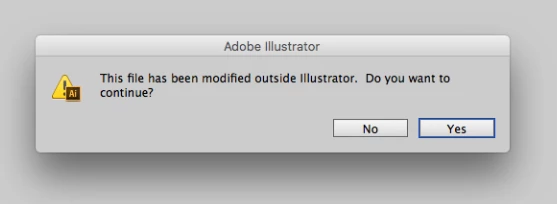
"This file has been modified outside Illustrator. Do you want to continue"

  • January 5, 2018
  • 6 Antworten
  • 26055 Ansichten

I'm recently keep received the same pop-out while try to saving each of my files:

"This file has been modified outside Illustrator. Do you want to continue"

I notice this pop-out is appear once my mac OS upgrade to Sierra high and here I'm attached some screenshot for your references:

Thank you
Dieses Thema wurde für Antworten geschlossen.

6 Antworten

Known Participant
June 11, 2019

I have the latest Illustrator downloaded, latest Mojave, and latest OneDrive. This is still happening (or is happening again).

blackcat725
Participating Frequently
November 4, 2019

Same here and this just started happening when I upgraded to Mojave. 

Monika Gause
Community Expert
Community Expert
November 4, 2019

And the correct answer in this thread does not help you?

Participant
March 5, 2018

Adobe's fix seems to be limited to those using CC. Anyone know of a fix for CS6? I'm sticking with that until my computer will no longer deal with it. There's no way small users can afford the monthly fees of CC. Sucks that Adobe went with this business model .

Monika Gause
Community Expert
Community Expert
March 5, 2018

  schrieb

Adobe's fix seems to be limited to those using CC. Anyone know of a fix for CS6? I'm sticking with that until my computer will no longer deal with it. There's no way small users can afford the monthly fees of CC. Sucks that Adobe went with this business model .

You're on High Sierra with CS6?

The solution for that would be to downgrade the system.

AshutoshChaturvedi
Legend
February 26, 2018
Participating Frequently
February 4, 2018

I have the same issue since upgrading my MacBook pro to High Sierra. I am working only locally and do not have any auto backup on my system. High Sierra is buggy. Ever since I upgraded, my mac is running really slowly.

Consequently, when using AI on Windows 10 (believe me, against my will), after a few minutes of working on a file, I get the message "File in Use, Save under a different name." Let's just say that AI also has some bugs in its saving functions.

sueh77503171
Participant
December 28, 2021

I have the same problem using a Macbook pro with OS Monteray and AI 2022 - also occurs on my iMac as well- I get this message for every file I save.

Participating Frequently
January 5, 2018

Are you saving files over a network?

Re: This file has been modified outside illustrator

darrenwu8513
Participant
January 5, 2018

nope. My editing all the original files and is all located desktop,

I did store my backup to a hard disk Seagate personal cloud through Wi-Fi,

but i won't make modified direct to the backup drive.

sishamIAGD
Community Expert
Community Expert
January 5, 2018

Isn't this the same thing as this post...

Saving my Illustrator files

Steve Werner
Community Expert
Community Expert
January 5, 2018

Moving to Illustrator forum