



Cursor isn't aligned with elements
Hi All,
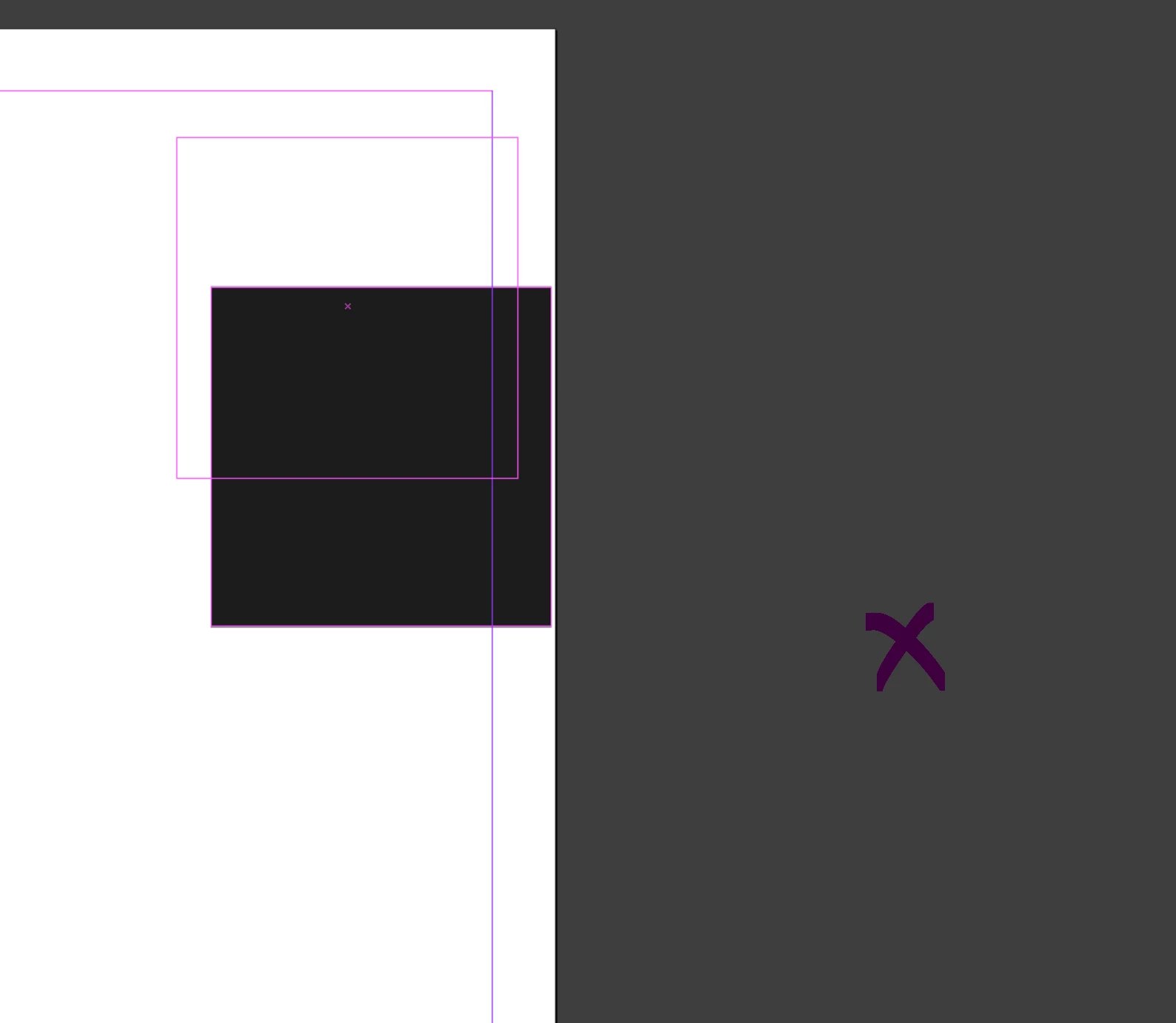
I am experiencing a misalignment in position between the cursor and whatever element I'm trying to move in Indesign.
The black square is an example element I am dragging and the magenta X indicates where my cursor was more or less when I was dragging the element (since it isn't visible on the screenshot)
I am using the following system.
Device name Viki-Dell
Processor Intel(R) Core(TM) i5-8265U CPU @ 1.60GHz 1.80 GHz
Installed RAM 16.0 GB (15.8 GB usable)
Device ID AAA83D03-EEC9-4227-BD54-1A5F6BBA0C79
Product ID 00325-81416-00761-AAOEM
System type 64-bit operating system, x64-based processor
Pen and touch Pen and touch support with 10 touch points
Edition Windows 11 Home
Version 24H2
Installed on 17/02/2025
OS build 26100.3194
Experience Windows Feature Experience Pack 1000.26100.48.0
and this happens on my large monitor
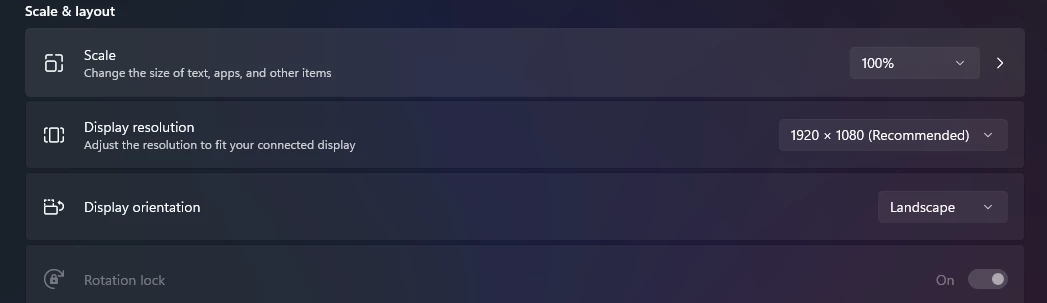
My laptop's screen specs:
My large monitor's specs:
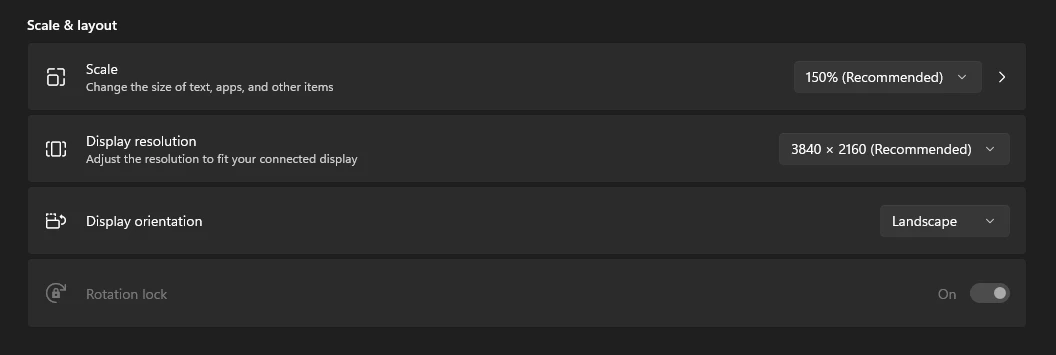
I have tried just now and on 100% it actually works normal but any other % the cursor is way far away from the actual object as soon as I click to do anything with it.
I cannot use 100% as everything is just way too small for me to use my monitor.
This started this week, about a week ago I didn't have any issues.
Indesign has no available update on my creative cloud.
How can this be fixed?
thanks!
 AdChoices