



Charu Rajput
Community Expert
Community Expert
May 25, 2020
解決済み

Disable Link assets missing Warning

  • May 25, 2020
  • 返信数 2.
  • 1872 ビュー

Hi,

Is there way to disable the Link missing warning dialog that comes at the time of opening the document via scripting. Attached image of an dialog which I would like to suppress while opening the document.
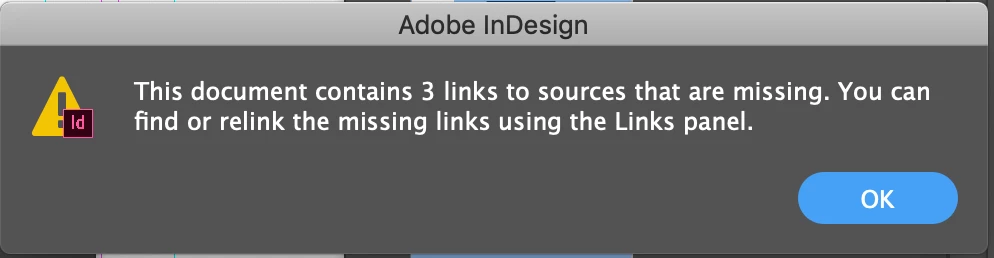


Thanks


このトピックへの返信は締め切られました。
解決に役立った回答 Manan Joshi

Try the following via scripting

app.linkingPreferences.checkLinksAtOpen = false;

  -Manan

返信数 2

Manan JoshiCommunity Expert解決!
Community Expert
May 25, 2020

Try the following via scripting

app.linkingPreferences.checkLinksAtOpen = false;

  -Manan

-Manan
Charu Rajput
Community Expert
Charu RajputCommunity Expert作成者
Community Expert
May 25, 2020

Thankyou! 🙂

It works.

Best regards
Alexandre Becquet
Community Expert
Community Expert
May 25, 2020

Hi, go to preferences (CMD+K) , file Handling, unchecking  the first line "Check links before opening document"


The screenshot from indesignSecrets ;), i'm french and my ID is in French and it's so painfull to put it in english !!!

Pay no attention to the green highlighting 😉


The link to the preferences guide for ID : https://indesignsecrets.com/visual-guide-indesign-preferences.php


Charu Rajput
Community Expert
Charu RajputCommunity Expert作成者
Community Expert
May 25, 2020

Hi,

Thankyou for sharing this information and highly appreciated!


Best regards