Participating Frequently
March 23, 2018
質問

How do I change the default place/search location in CC Apps such as Indesign to be the "Current Folder" and not "This Mac"?

  • March 23, 2018
  • 返信数 2.
  • 862 ビュー

So my company just got around to update me from CS to CC and going from 10.11 to 10.12. First thing I noticed is this bug which I am hoping someone knows a workaround for. Its a PITA!.

I already changed the Finder Preferences to be seach "current folder". Adobe CC apparently ignores that!

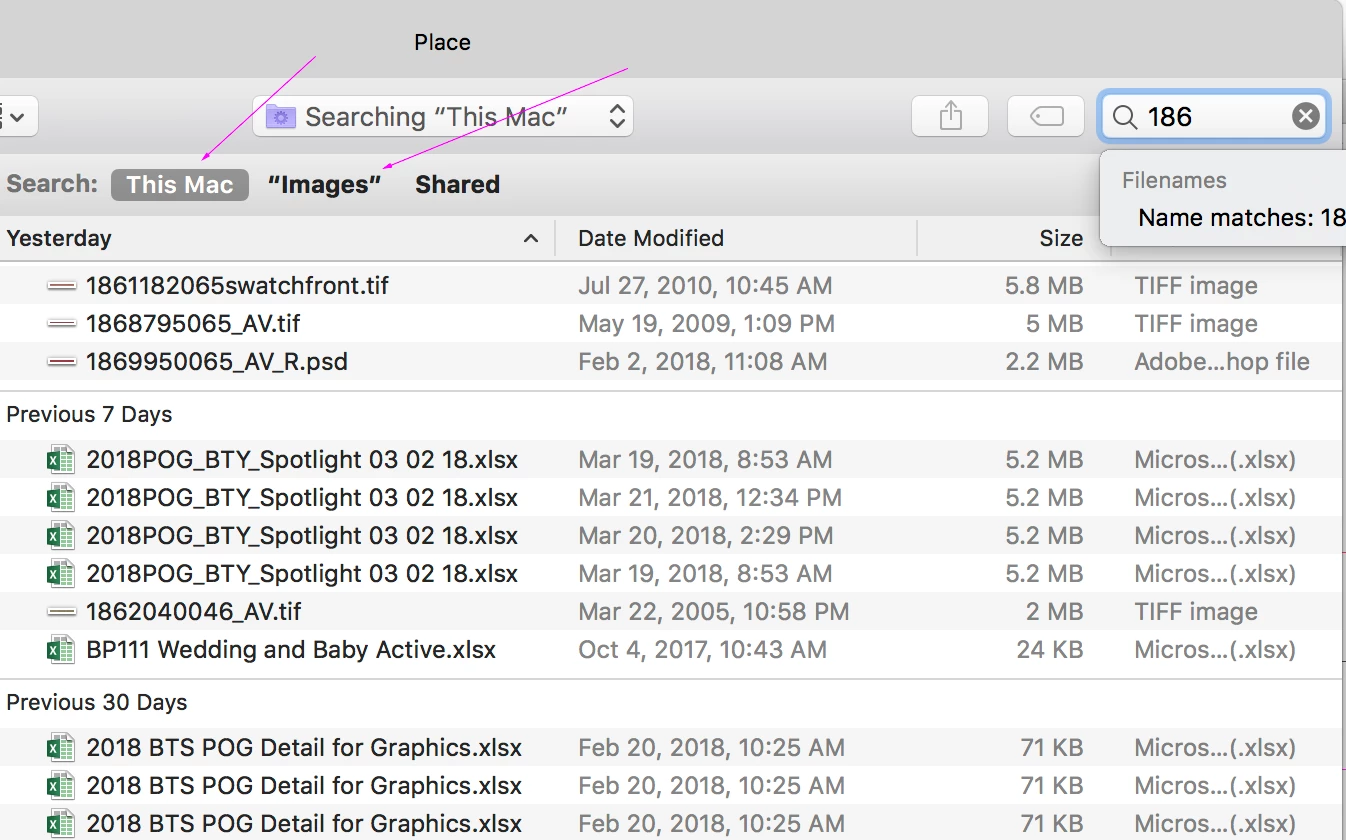
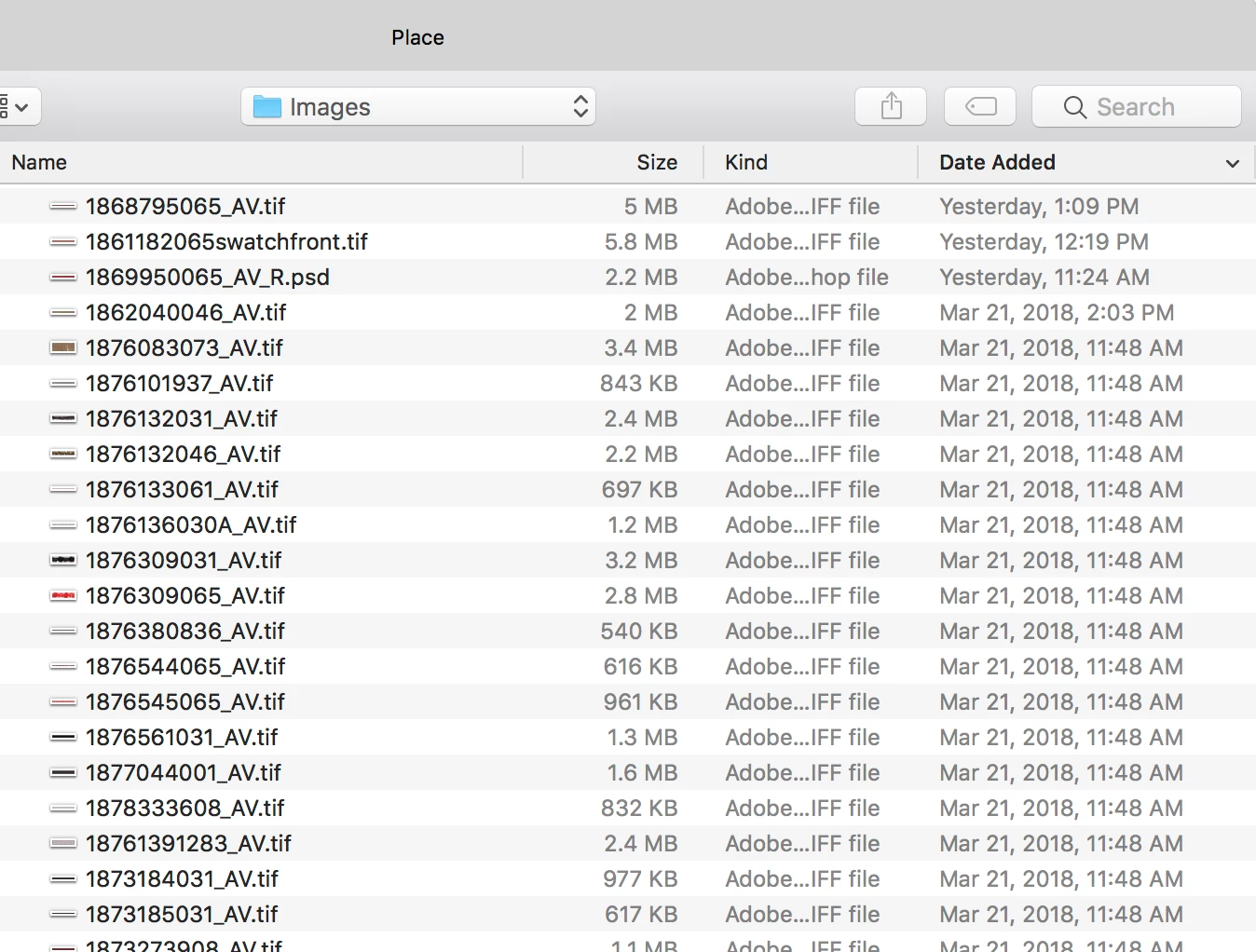
When I go to place an image, it is going to my "images" folder but when I type or paste in the images name it instantly defaults back to the "This Mac" folder. Happens every time I place an image. This didn't happen with CS running El Capitan 10.11 but is happening with CC under Sierra 10.12. I don't know if its an OS issue or a CC issue but none the less its an issue. I literally have to stop, wait a second and then click the "images" next to Search for every single item I am placing which for me is thousands!

Please some help is needed. If I have to go through terminal to change some text/code in a preference file so be it. A friend of mine suggested purchasing Default Folder X but that costs money and I doubt my company will go for it as they don't like people installing 3rd party apps on the company computers.

PLEASE HELP!

Thanks

Jeff
    このトピックへの返信は締め切られました。

    返信数 2

    rob day
    Community Expert
    Community Expert
    March 23, 2018

    I don't know if its an OS issue or a CC

    I think this is an OS issue. Default Folder is one of those must have utilities, I think there is a demo available and it's not very expensive. But even with Default Folder I don't see the search field working differently. Default Folder makes it easier to navigate from the Open, Save, and Place dialogs, but I don't think it changes the OS search function.

    xtremevette2作成者
    Participating Frequently
    March 23, 2018

    ahhh well that stinks. Iam still trying to find a way to get around it, modify the settings to establish a current folder or specify where exactly to point to each and every time. If the OS is setup by default to hit this folder, I just need to find out where they information is stored and redirect it to the folder I want it to go to or to a current folder. I already opened up the preference file but I couldn't locate any code or text in their that matched "This Mac" so it must be called something else or encrypted.

    rob day
    Community Expert
    Community Expert
    March 24, 2018

    You might look at Bridge's drag & drop and search capabilities and use Bridge for placing instead of the OSX Finder.

    Here I've setup my Bridge window at the bottom of the screen and I can drag and drop images

    I can also search by file name within the selected folder:

    kglad
    Community Expert
    Community Expert
    March 23, 2018