You set this up in the Bullets and Numbering sections. I've done a demo using style sheets.
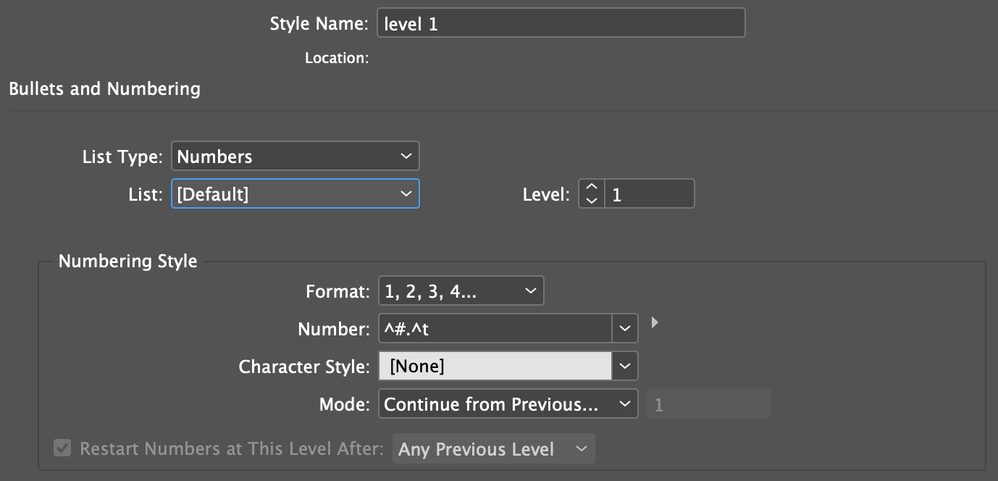
The first level will have ^#.^t in the numbering style. ^# is the current number and ^t is a tab.
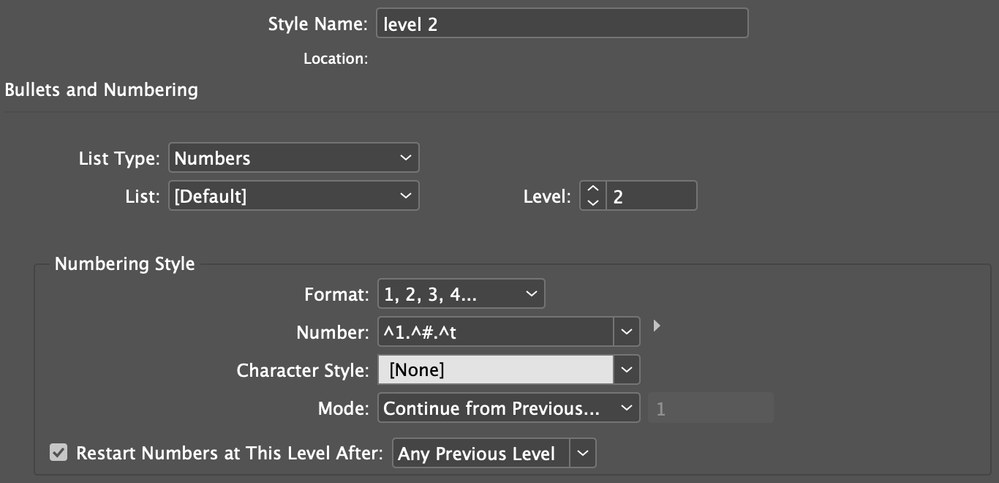
For the second level you need to mark the style as Level 2 and your numbering style would look something like ^1.^#.^t. ^1 refers back to the previous level, ^# is the number for the current level and ^t is the tab. It's important to set the level to two.
Of course you can take this further to a level 3, 4, 5, etc. depending on how deep you need to go.






 1
Reply
1
Reply





 AdChoices