



Chris  P.  Bacon
Inspiring
September 29, 2022
Answered

How do I write in InDesign one page at a time so that the spread view is still available?

  • September 29, 2022
  • 1 reply
  • 895 views

In case I don't want to write in inCopy, I will need to write one page at a time in InDesign.

But my layout currently is arranged in spreads, and I would like to keep it so because I need the spread view for composing. (If the printer wants it as separate left and right pages, I will split the spreads just before submitting it.)

Is there any way to write one page at a time so that I can still switch to spread view sometimes to check the spread view - other than panning the spread? Panning is not good.


This topic has been closed for replies.
Correct answer rob day

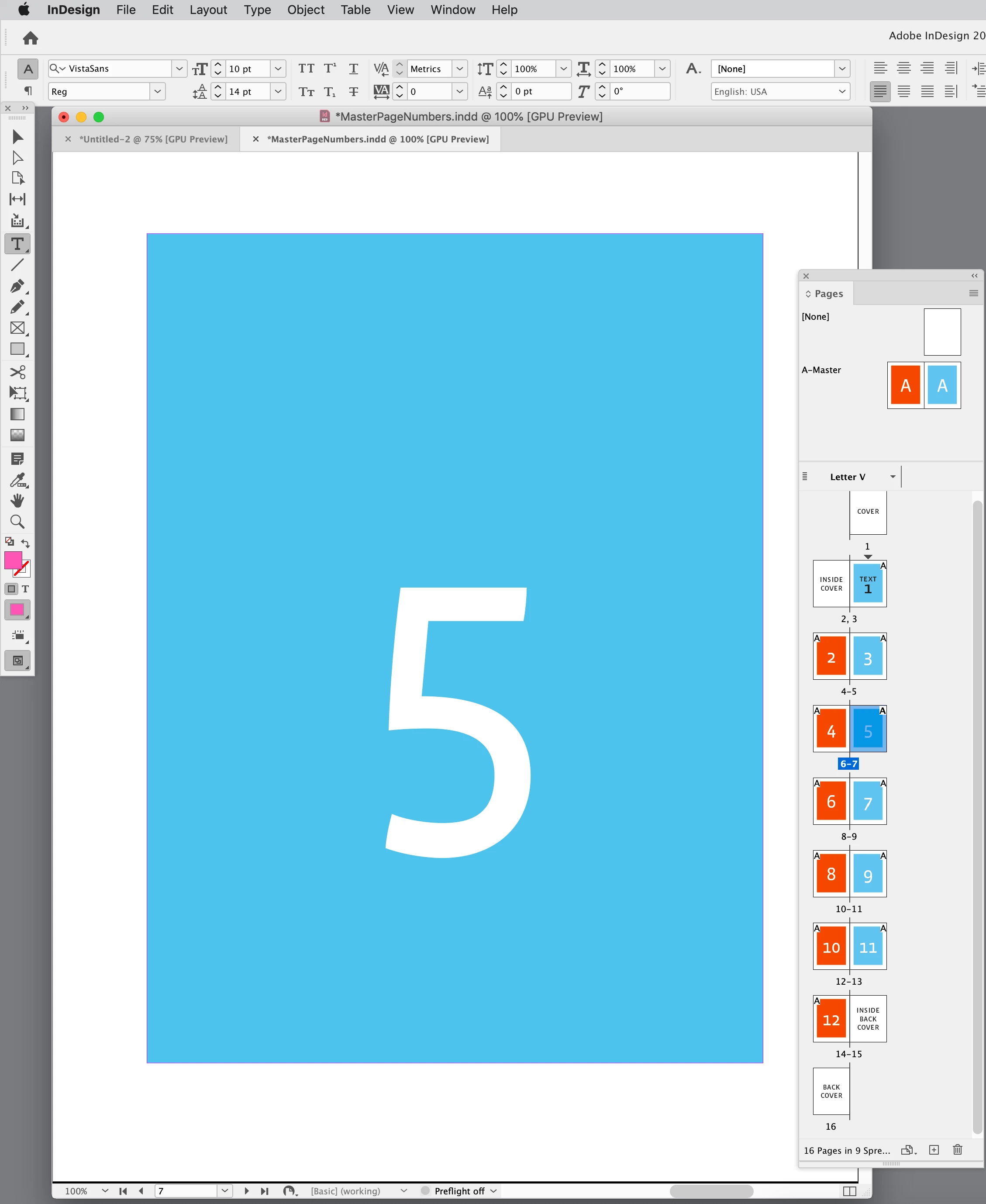
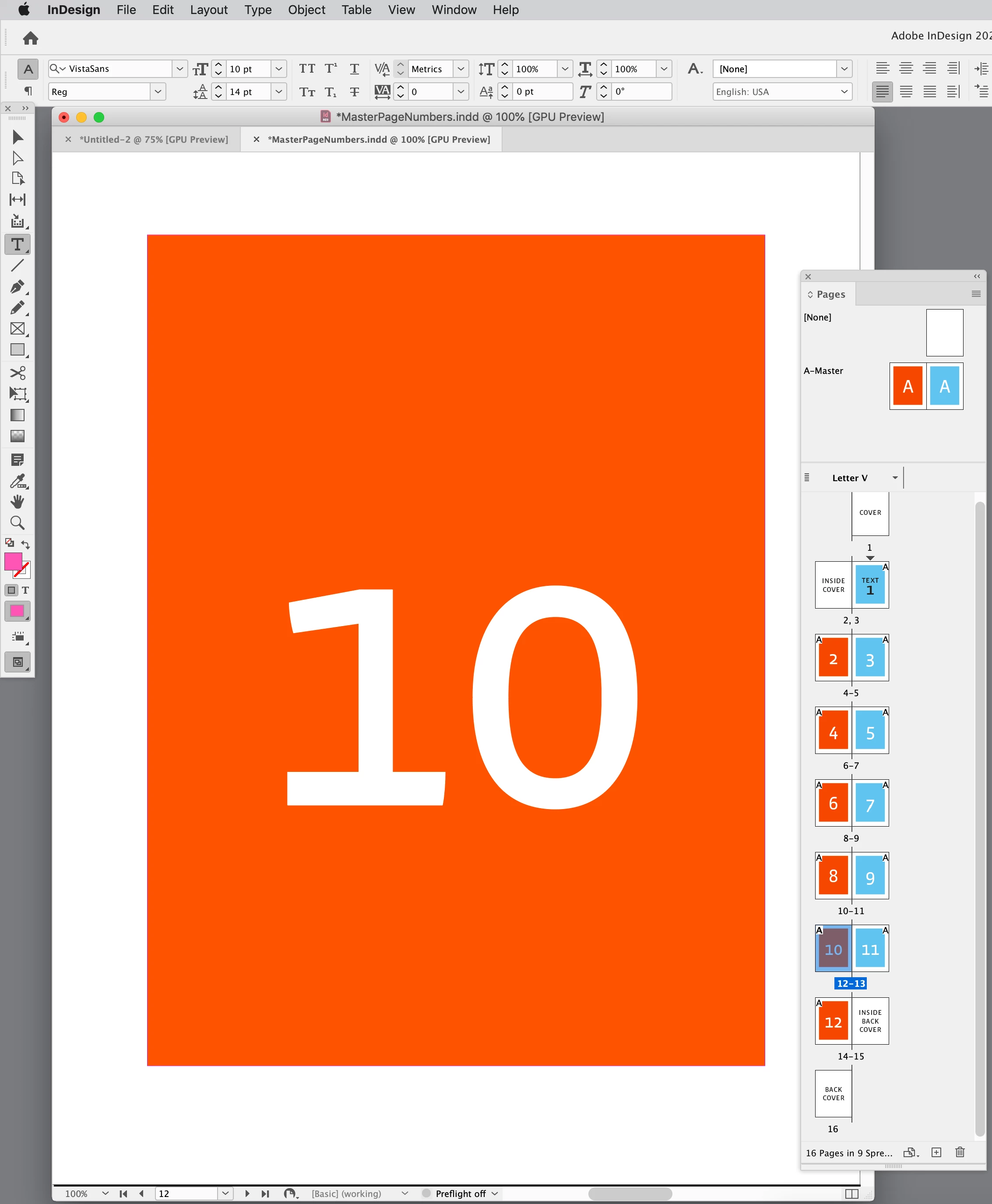
Adjust your layout window so a single page fills it, then double click a page in the Pages panel. Here the view is of page 5, and a double-click of page 10 centers 10 in the layout window:


A layout window’s bounds are scriptable.


1 reply

rob day
Community Expert
rob dayCommunity ExpertCorrect answer
Community Expert
September 29, 2022

Adjust your layout window so a single page fills it, then double click a page in the Pages panel. Here the view is of page 5, and a double-click of page 10 centers 10 in the layout window:


A layout window’s bounds are scriptable.


Chris  P.  Bacon
Inspiring
September 29, 2022

How did you achieve that?

Fit page in window doesn't work in facing pages mode for me.

It just fits the spread.

rob day
Community Expert
Community Expert
September 30, 2022

I adjusted the layout window to be the same aspect ratio as the document page.