



Exit
  • Global community
    • Language:
      • Deutsch
      • English
      • Español
      • Français
      • Português
  • 日本語コミュニティ
  • 한국 커뮤니티
0

How to obtain the width of a text box using a script? when an image is positioned above it?

Guide ,
Oct 17, 2025 Oct 17, 2025

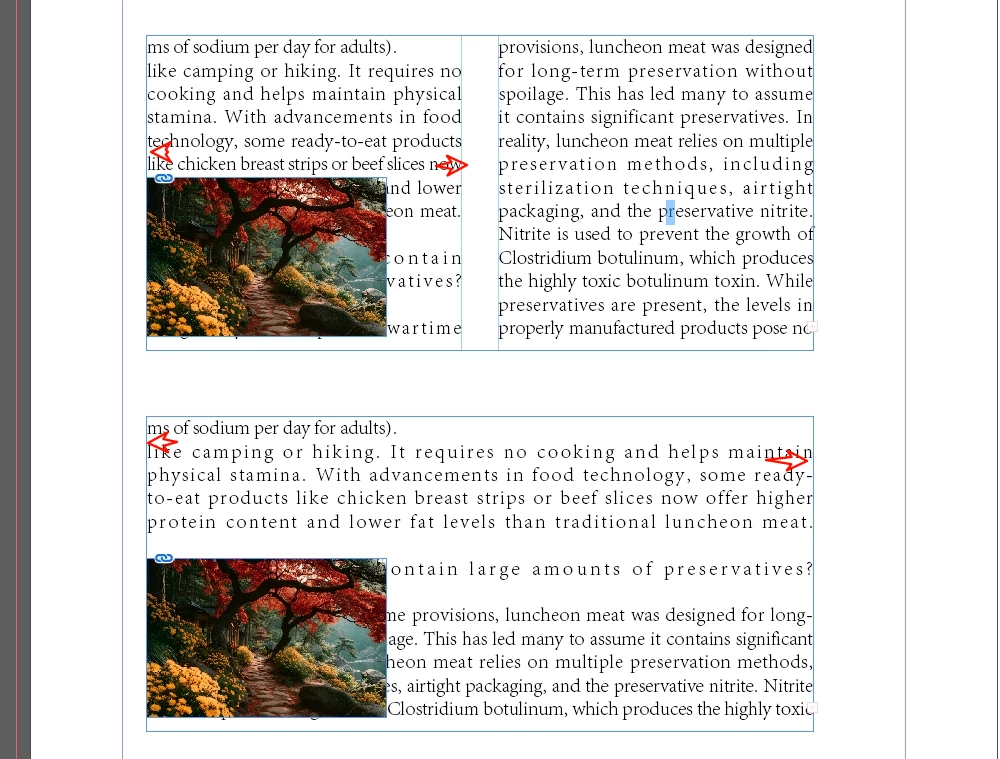
Sometimes my image isn't inserted into the text box; instead, it sits above textFrame
When I am only selecting the image, I want to retrieve the width of the text box.


If the text box isn't split into columns, retrieve the full width of the text box. If it is split into columns, retrieve the width of one column.

(or sometimes it may appear below the text)
Thank you.
fw.png

TOPICS
How to , Scripting
273
Translate
Report
Community guidelines
Be kind and respectful, give credit to the original source of content, and search for duplicates before posting. Learn more
community guidelines
Community Expert ,
Nov 23, 2025 Nov 23, 2025

When you have a textframe that consists of only one column select it and check the Properties Panel or the Control Panel for the width of the frame. If there are two or more columns in the text frame, select it and open the Text Frame Options dialogue with CMD or CTRL B. On the upper right side of the panel you’ll find the width of the column.

Bildschirmfoto 2025-11-23 um 13.58.59.png

Translate
Report
Community guidelines
Be kind and respectful, give credit to the original source of content, and search for duplicates before posting. Learn more
community guidelines
Guide ,
Nov 23, 2025 Nov 23, 2025

Sorry, I forgot to mention—I was referring to using scripts.

Translate
Report
Community guidelines
Be kind and respectful, give credit to the original source of content, and search for duplicates before posting. Learn more
community guidelines
Community Expert ,
Nov 23, 2025 Nov 23, 2025

If all you have selected is the image or its container, there would be no reliable way of getting a specific textframe on the page.


If the selection was both the image frame and a text frame you want to target, then you could check the selected objects:


//array of selected objects—the array could be any length
var s = app.activeDocument.selection;

//check each item in the selection
for (var i = 0; i < s.length; i++){
    if (s[i].allGraphics.length) {
       $.writeln(s[i].allGraphics[0].constructor.name)
    } else {
        $.writeln(s[i].constructor.name)
    } 
};  
Translate
Report
Community guidelines
Be kind and respectful, give credit to the original source of content, and search for duplicates before posting. Learn more
community guidelines
Engaged ,
Nov 24, 2025 Nov 24, 2025
LATEST

Whether a text box is split into columns can be determined using textColumnCount.

app.activeDocument.textFrames[0].textFramePreferences.textColumnCount;


The column width can be obtained using textColumnFixedWidth.

app.activeDocument.textFrames[0].textFramePreferences.textColumnFixedWidth;


Translate
Report
Community guidelines
Be kind and respectful, give credit to the original source of content, and search for duplicates before posting. Learn more
community guidelines