Known Participant
February 5, 2017
解決済み

I am formatting a play in InDesign CC and having problems. When I close-up one line it throws others off.

  • February 5, 2017
  • 返信数 1.
  • 2034 ビュー

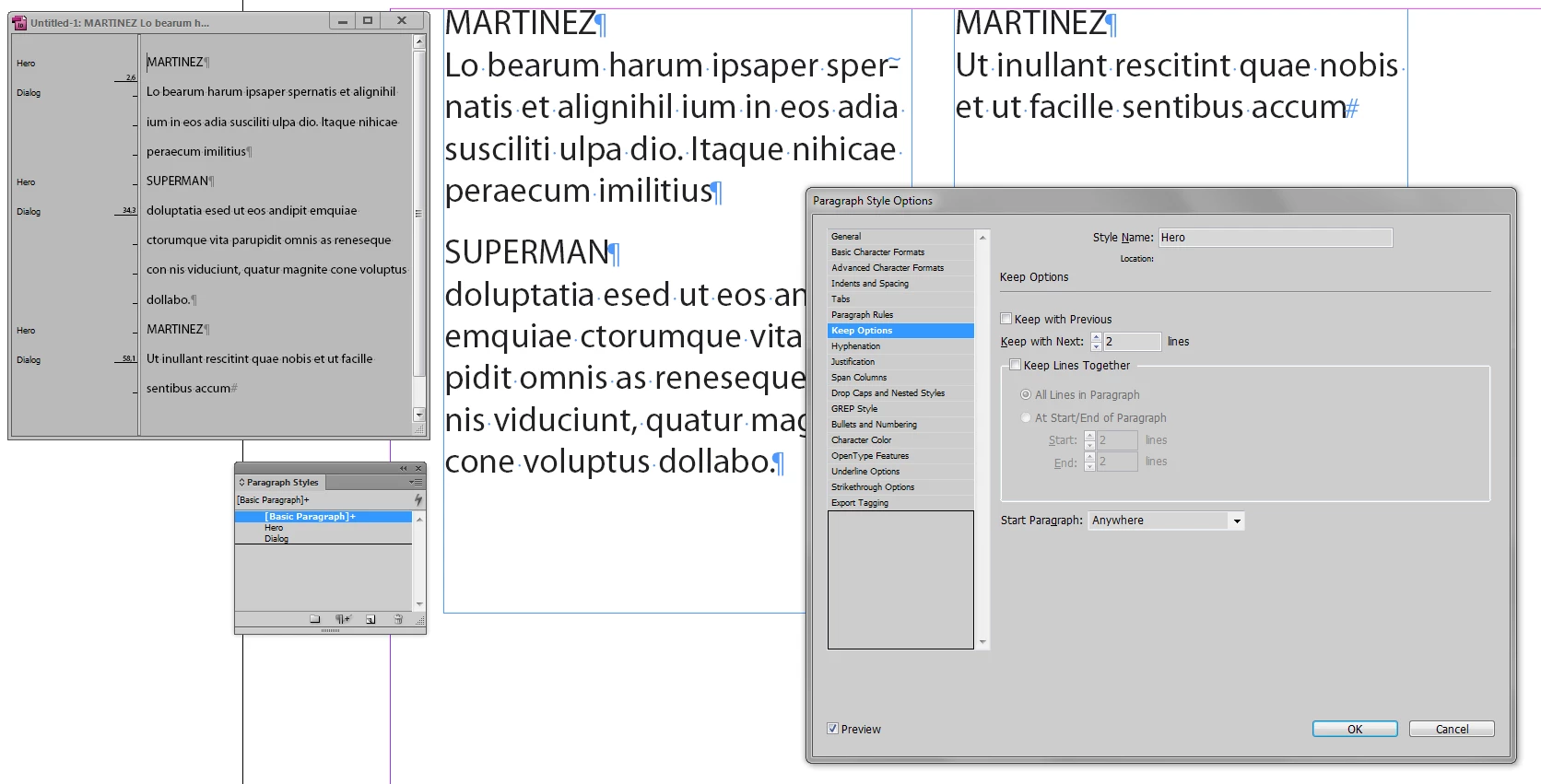
Here's an example. Superman's dialogue should be separated from the line for Martinez above it.  When I separate the lines, it throws other lines off on other pages. So when I fix these problems, it just creates others.

MARTINEZ

Why forced?

SUPERMAN

The paper was bought by Rupert Murdoch.

MARTINEZ

And now?
    このトピックへの返信は締め切られました。
    解決に役立った回答 winterm

    When I use the return key the spacing becomes correct, but then other lines are thrown off.  I will try creating a new paragraph style.

    I was thinking I might try turning off "allow shuffle"  ?

    Thanks for your help.


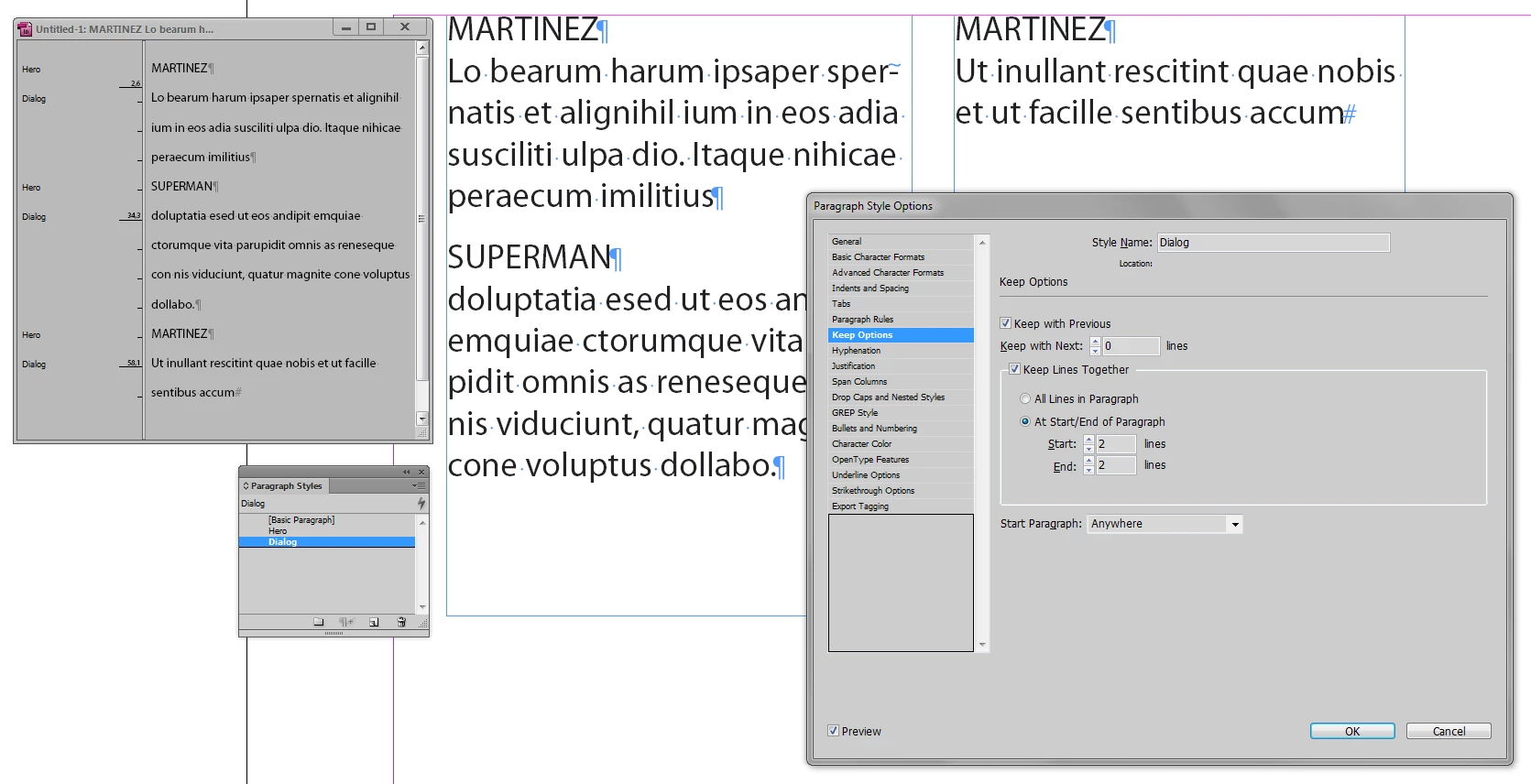
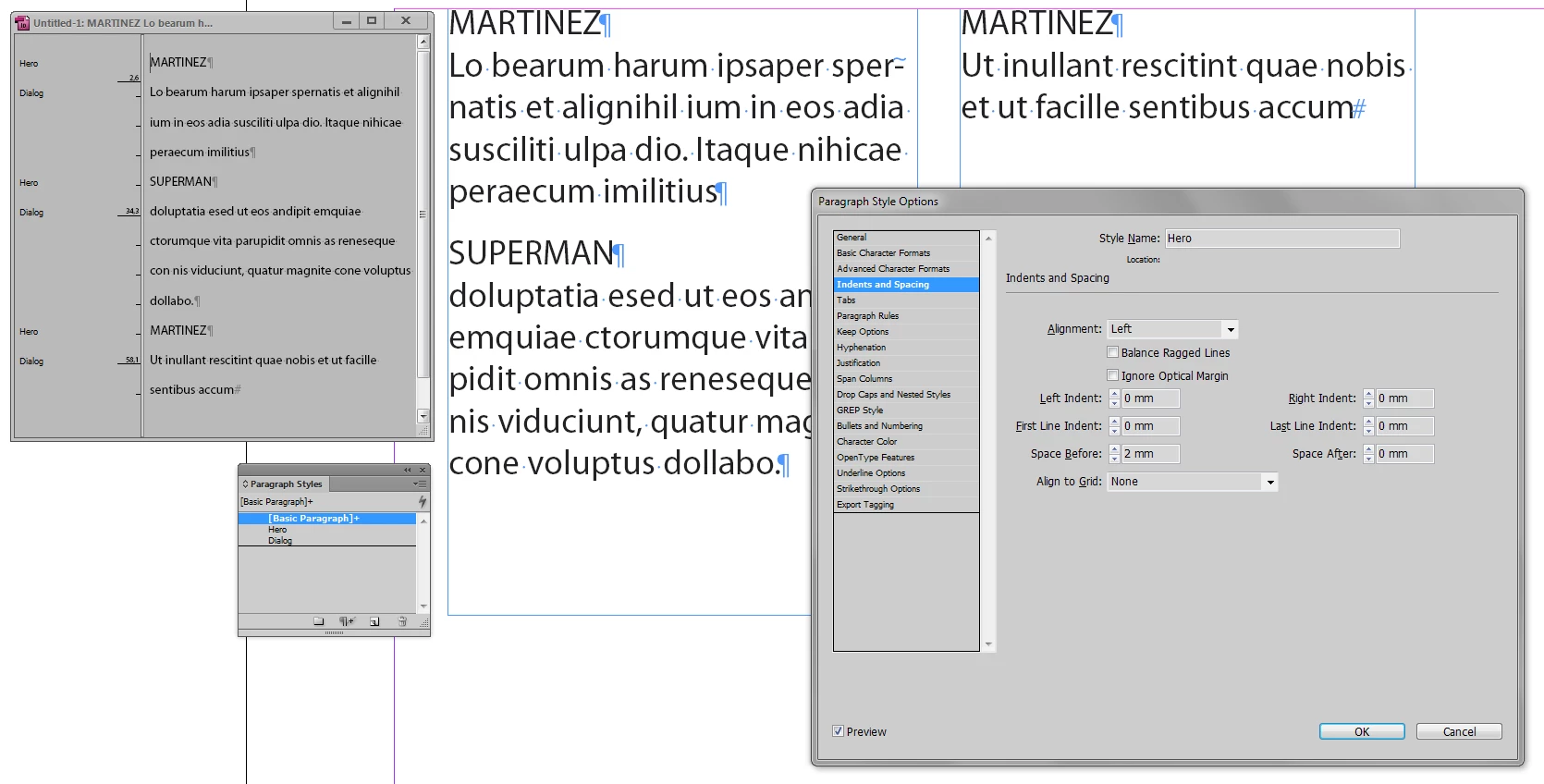
    Some basic highlights how to handle text like yours...

    返信数 1

    Kat Gilbert
    Legend
    February 5, 2017

    Moved your question to InDesign for the Lounge is not where you will receive technical help. If you do not receive any help here please let us know and we will move to another forum.

    Conquest作成者
    Known Participant
    February 5, 2017

    OK, sorry Kat. Thank you for moving it. Do I need to do anything else?

    winterm
    winterm解決!
    Legend
    February 5, 2017

    When I use the return key the spacing becomes correct, but then other lines are thrown off.  I will try creating a new paragraph style.

    I was thinking I might try turning off "allow shuffle"  ?

    Thanks for your help.


    Some basic highlights how to handle text like yours...