

Inspiring
January 11, 2021
解決済み

Illustrator to indesign gradient changes color after pasted
  • January 11, 2021
  • 返信数 2.
  • 2398 ビュー

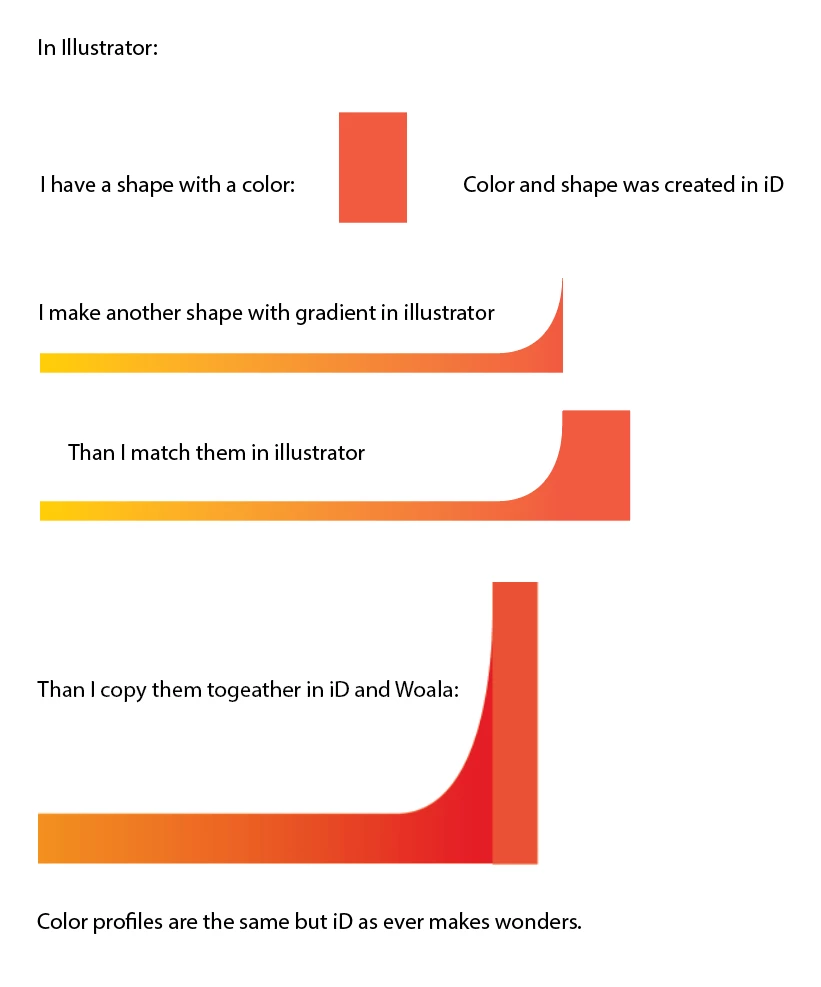
Somebody please tell me why this happens.

このトピックへの返信は締め切られました。
解決に役立った回答 rob day

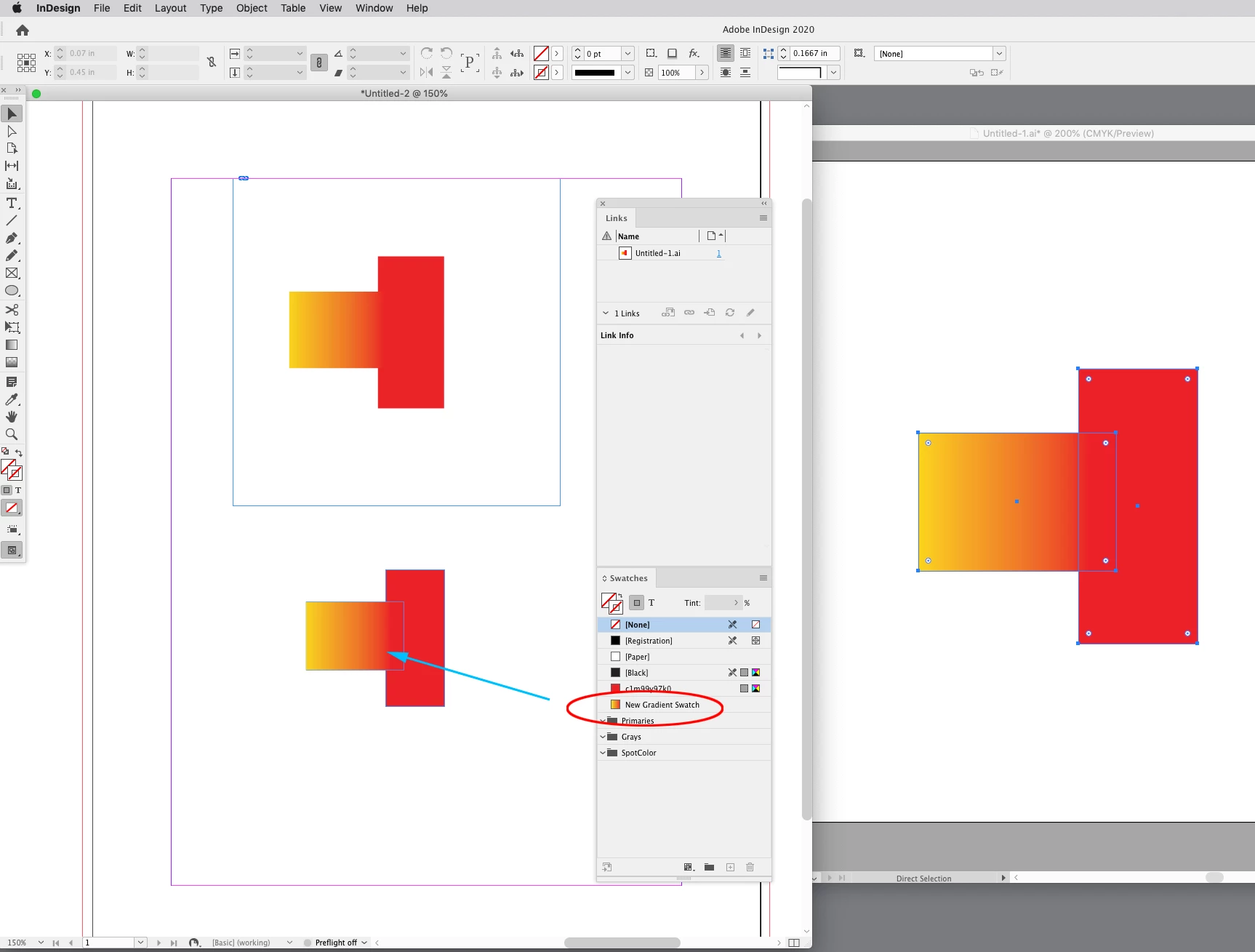
Check the document assigned profiles via Edit>Assign Profiles—the document profiles could be different than the Color Setting’s profiles.


Here I’ve made sure the assignments match and both a Placed and Pasted version match when the AI Document Mode is CMYK. I’ve also unchecked Prefer PDF When Pasting in ID’s Clipboard Prefs, which brings a new Gradient Swatch over from AI:


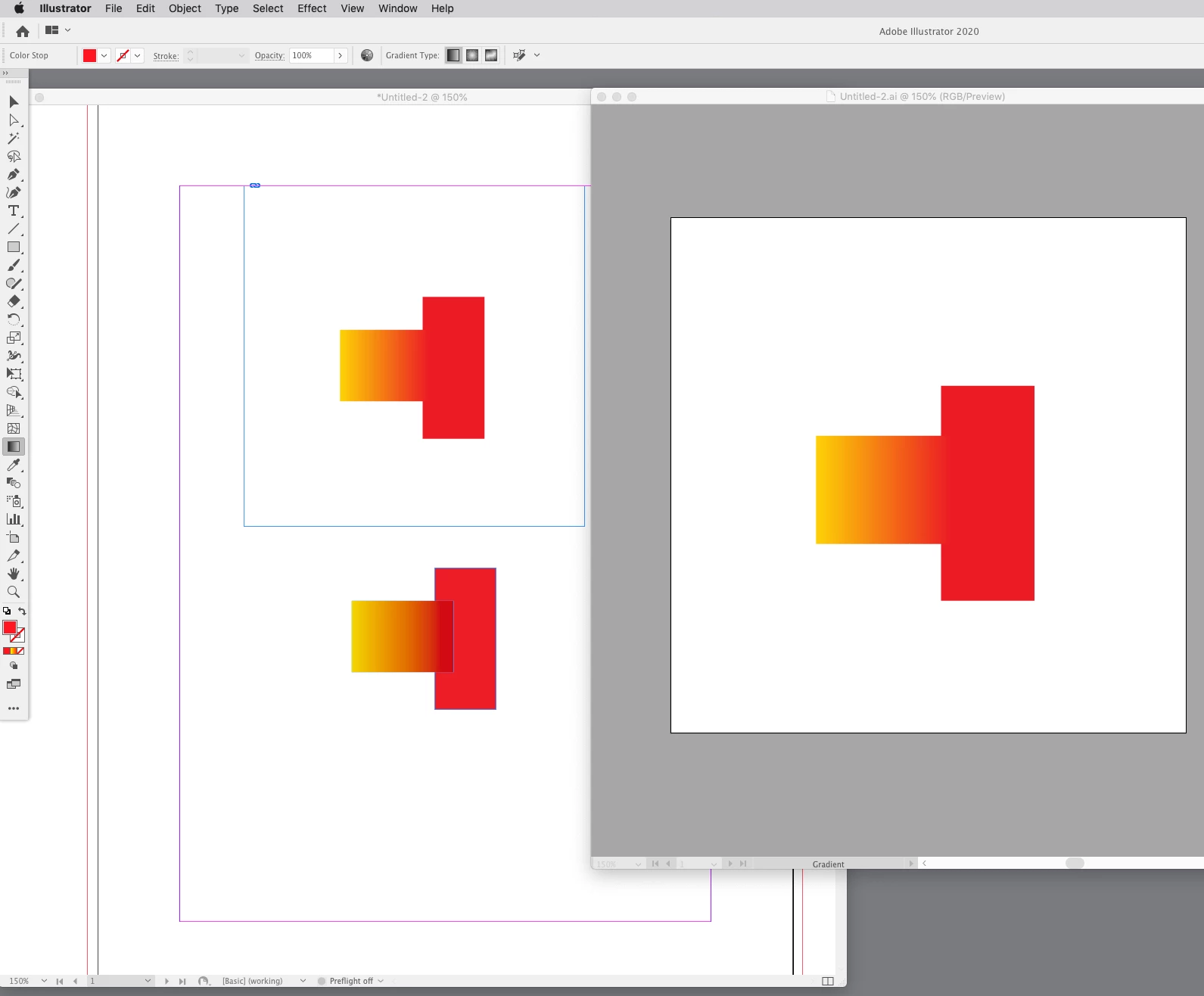
If the AI Document Color Mode is RGB there is a mismatch when pasting but not on a Place (top):
 

返信数 2

rob day
Community Expert
Community Expert
January 11, 2021

Try placing rather than pasting. When you are checking that the profiles match, make sure you use Edit>Assign Profiles... in both apps and not the Color Settings Working Spaces–they could be different.


Also, if you are pasting a gradient fill that you want to edit or adjust in InDesign, the AI file’s Document Color Mode has to be CMYK.

Florian5CBB作成者
Inspiring
January 11, 2021

Everything is as you have mentioned.


and in illustrator the document mode is also in CMYK.

rob day
Community Expert
rob dayCommunity Expert解決!
Community Expert
January 11, 2021

Check the document assigned profiles via Edit>Assign Profiles—the document profiles could be different than the Color Setting’s profiles.


Here I’ve made sure the assignments match and both a Placed and Pasted version match when the AI Document Mode is CMYK. I’ve also unchecked Prefer PDF When Pasting in ID’s Clipboard Prefs, which brings a new Gradient Swatch over from AI:


If the AI Document Color Mode is RGB there is a mismatch when pasting but not on a Place (top):


Florian5CBB作成者
Inspiring
January 11, 2021

In the meantime I have found a similar problem:
https://community.adobe.com/t5/illustrator/colours-change-on-pasting-from-illustrator-to-indesign/td-p/9701373?page=1
This was also the solution for me.

Florian5CBB作成者
Inspiring
January 11, 2021

Sorry this wasn't the deal here. I hoped so much.