

Inspiring
May 18, 2025
解決済み

Intricate paragraph style

  • May 18, 2025
  • 返信数 2.
  • 3938 ビュー

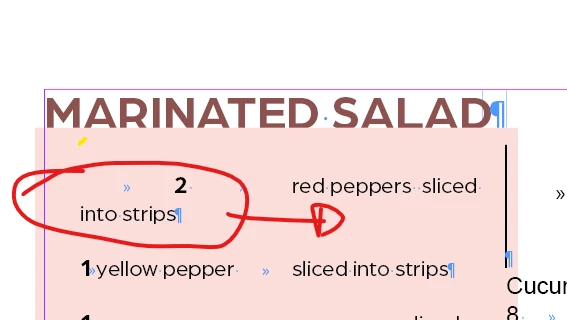
How can I get the text to go to the second tab each time there's no place & the text moves down


see below.
 

解決に役立った回答 Eugene Tyson

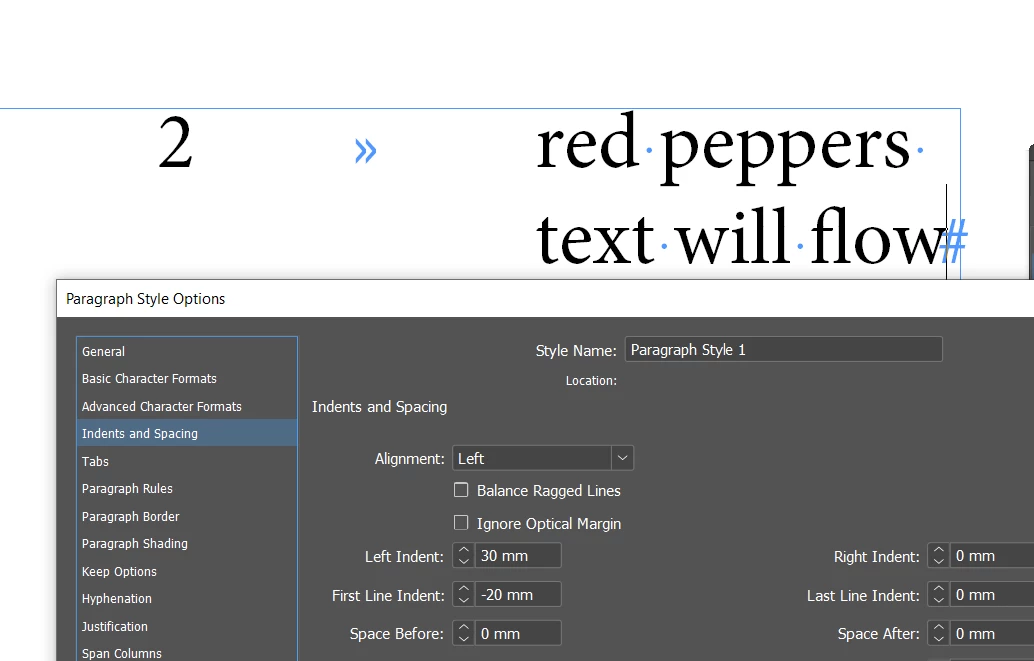
Use a left indent for the 2 to move over - don't need a tab.

Then put a tab after 2 between red peppers

Then use a First Line Indent to push over the 2nd line


If you don't want to or can't use indents and want to use multiple tabs and just flow the text under some other

like this
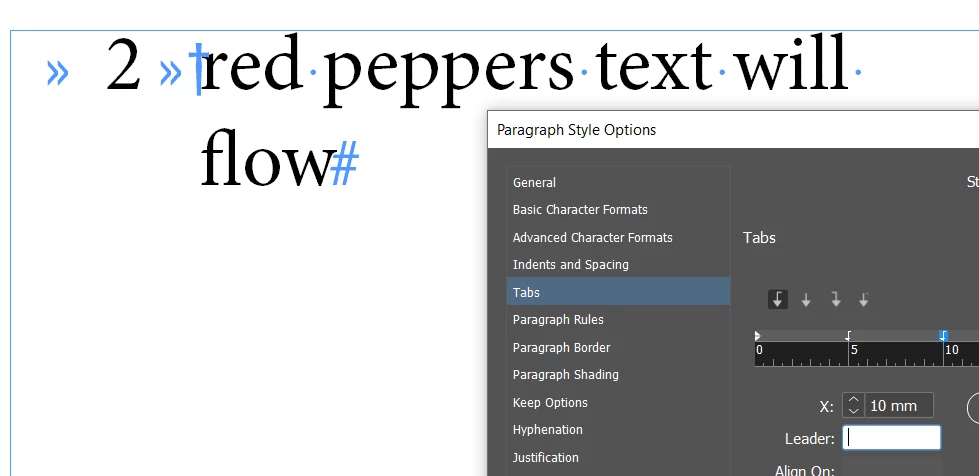
 

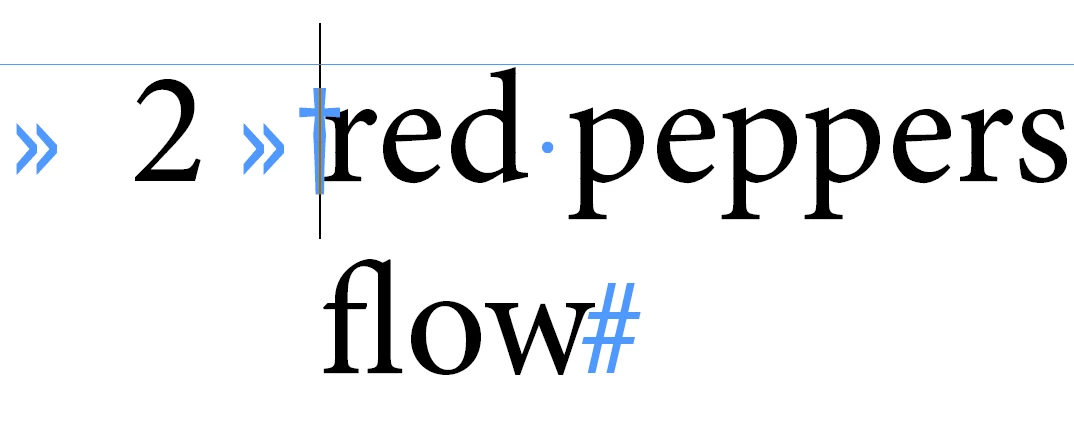
You need to insert the Indent to Here charcter
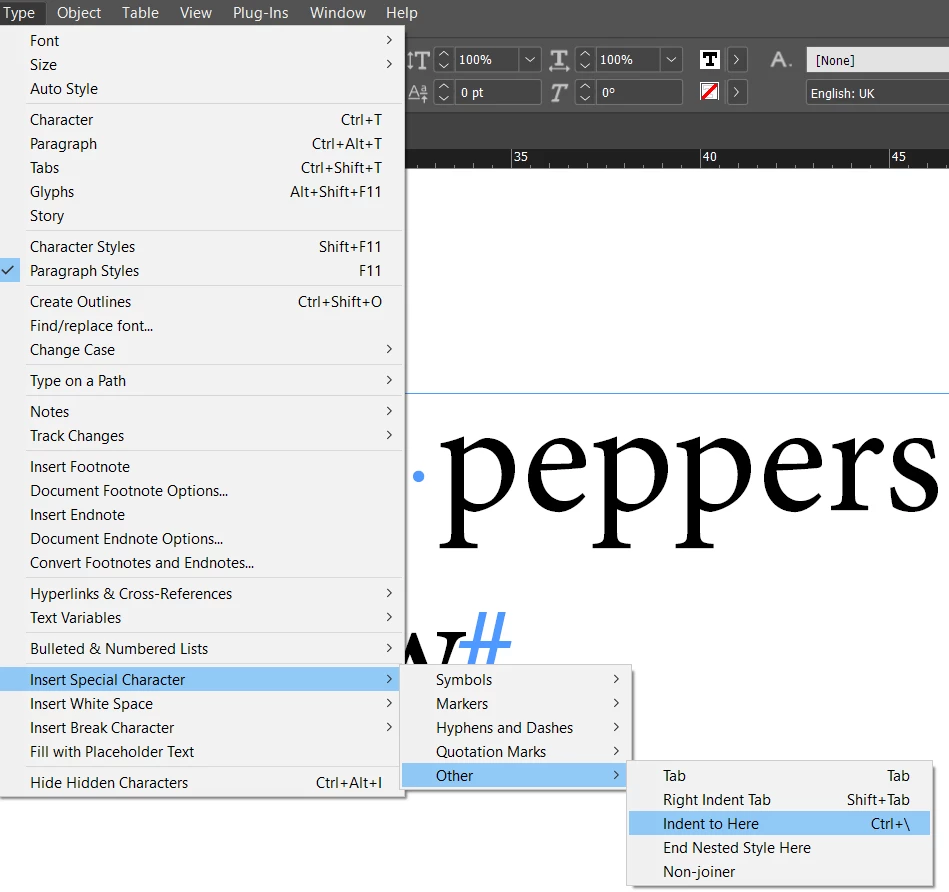


It's the dagger like symbol as shown here - and text flows to this point


返信数 2

hendy_5450作成者
Inspiring
May 18, 2025

Sorry, I wasn't clear.

I still wnat the '2' and 'red peppers sliced' there.
'into strips' needs to go under 'red peppers siliced'

Community Expert
May 18, 2025

I gave you 2 ways.


The 2nd way achieves what you want - don't use a hard return to get to the next line - if you need to go next line use a soft return (shift + enter/return key) 

Then use the indent to here character. 


But the best way is a left indent + first line indednt - as shown in option 1 

hendy_5450作成者
Inspiring
May 19, 2025

The dot '.' is a grep code for any character. And in this instance it's messing with the pattern.


. represents any character at all it's a wild card.

You need to use \. for a dot - the \ is the escape key so it looks for a . and not any character. 


so your code would be if you want ot include the dot is

\b(t)(?=bsp\.\b)


But you don't need to do this because 

\b and code ending with \b wraps it a word boundary.

so it won't matter if it's tbsp. or tbsp: or tbsp, etc. 


once it finds tbsp it will change the first letter to Tbsp

If you include the full stop using \. you're limiting the scope of the pattern.


But if that's what you want then go for it.


I understand it should work,

but see how it's not working!?

Do you see what I'm doing wrong or can I share the file with you?


Eugene TysonCommunity Expert解決!
Community Expert
May 18, 2025

Use a left indent for the 2 to move over - don't need a tab.

Then put a tab after 2 between red peppers

Then use a First Line Indent to push over the 2nd line


If you don't want to or can't use indents and want to use multiple tabs and just flow the text under some other

like this


You need to insert the Indent to Here charcter


It's the dagger like symbol as shown here - and text flows to this point
