



Spenno
Inspiring
January 23, 2023
解決済み

Paragraph spacing suddenly not working

  • January 23, 2023
  • 返信数 4.
  • 3868 ビュー

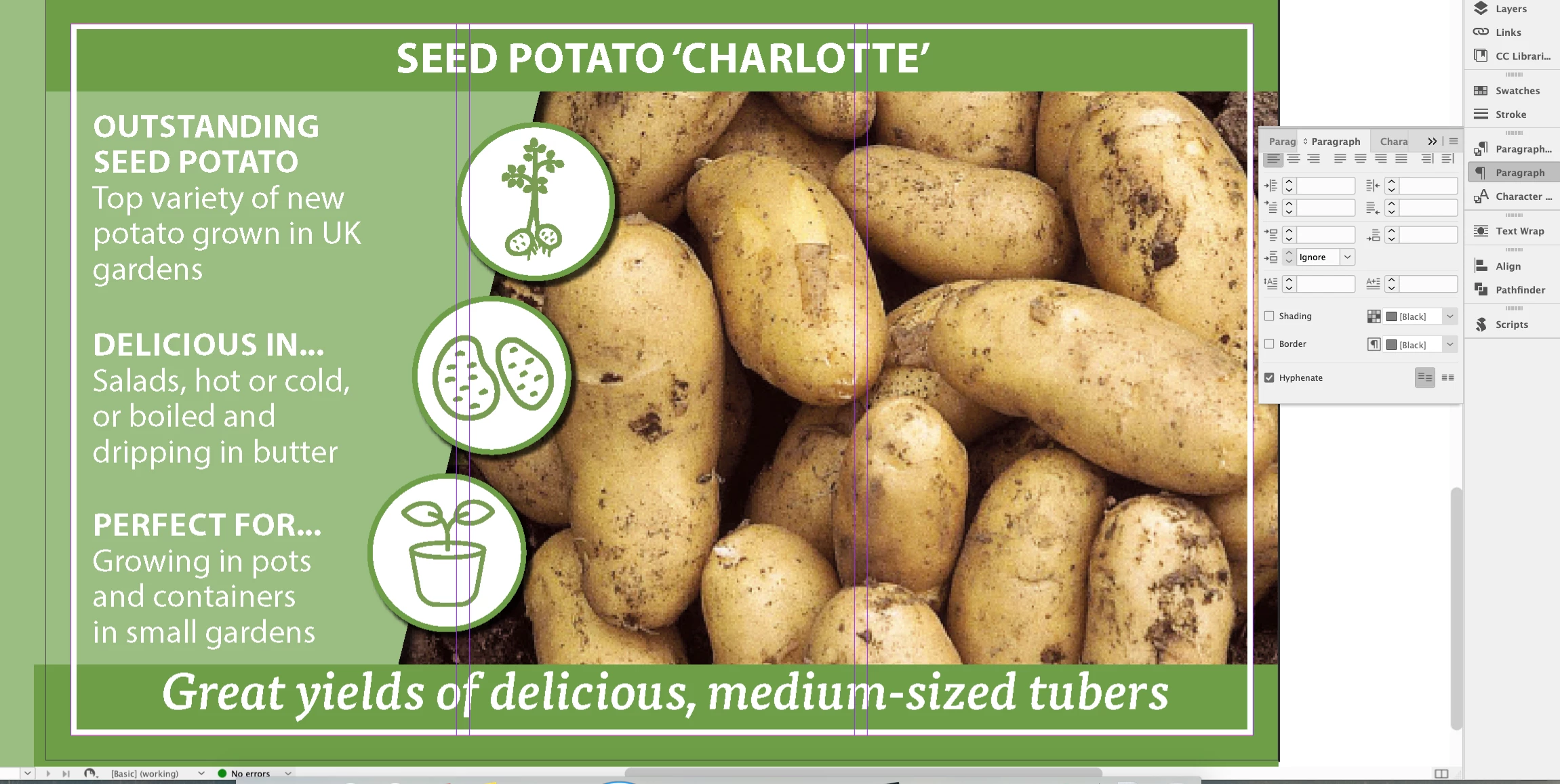
Hi all. I have a curious one here where my before + after spacing options are suddenly not working. They were working fine earlier today and I haven't updated or done anything out of the ordinary, but those options are mysteriously greyed out now. I can't insert the cursor into any of these. I've restarted and tried a brand new document. Not too keen to replace settings yet as I lose all my shortcuts every time. 😄

Any thoughts?


解決に役立った回答 James Gifford—NitroPress

I don't see where it's been suggested that you clear your ID preferences. It's common for updates to leave the user prefs broken or confused. Here's the process:


That should clear up this annoying glitch.


返信数 4

Bill Silbert
Community Expert
Community Expert
January 23, 2023

A few versions ago InDesign added a new option called "Space between Paragraphs Using Same Style" to the choices to be used for space before and after. Believe me, I feel your pain since the first time I encountered the issue that you're having I did freak out a bit. There is an easy fix, however, with the affected paragraph's selected, simply change the pull-down menu next to the option's icon in the Control Panel or Paragraph Panel to ignore. I see in your screen shot that ignore is actually chosen. Check to see that it is still reading as ignore when all of your text is selected. If not then change it. Also check any paragraph styles applied to make sure that the adjustment has been made to those as well.

James Gifford—NitroPress
Legend
January 23, 2023

I haven't seen this setting take away the ability to change top/bottom spacing, it just overrides it in the case of sequential paragraphs of the same style. Which, yes, can be confusing but I'm not sure it's the OP's problem; his settings box does say 'Ignore'...


ETA: ...but, he may not have the affected paragraph selected for that screen shot. This is a good candidate for the problem.


Peter Spier
Community Expert
Community Expert
January 23, 2023

>> Not too keen to replace settings yet as I lose all my shortcuts every time.


You should be making backup copies of those...

Rishabh_Tiwari
Community Manager
Community Manager
January 23, 2023

Hi @Spenno 


Thanks for reaching out. Please try selecting the objects and then selecting a target object and let us know if this helps or if you need any further assistance.


Regards

Rishabh

James Gifford—NitroPress
Legend
January 23, 2023

Yes, empty value boxes such as we see in your menu are an indication that either nothing is selected, or that items with varying values are selected. Select one (1) paragraph and see if you can access and change its spacing settings. If not, I'd bet on a locked layer getting in the way.


Peter Kahrel
Community Expert
Community Expert
January 23, 2023

Maybe you accidentaly locked the layer?