

Participant
October 13, 2021
質問

Strange boxes in Indesign
  • October 13, 2021
  • 返信数 5.
  • 334 ビュー


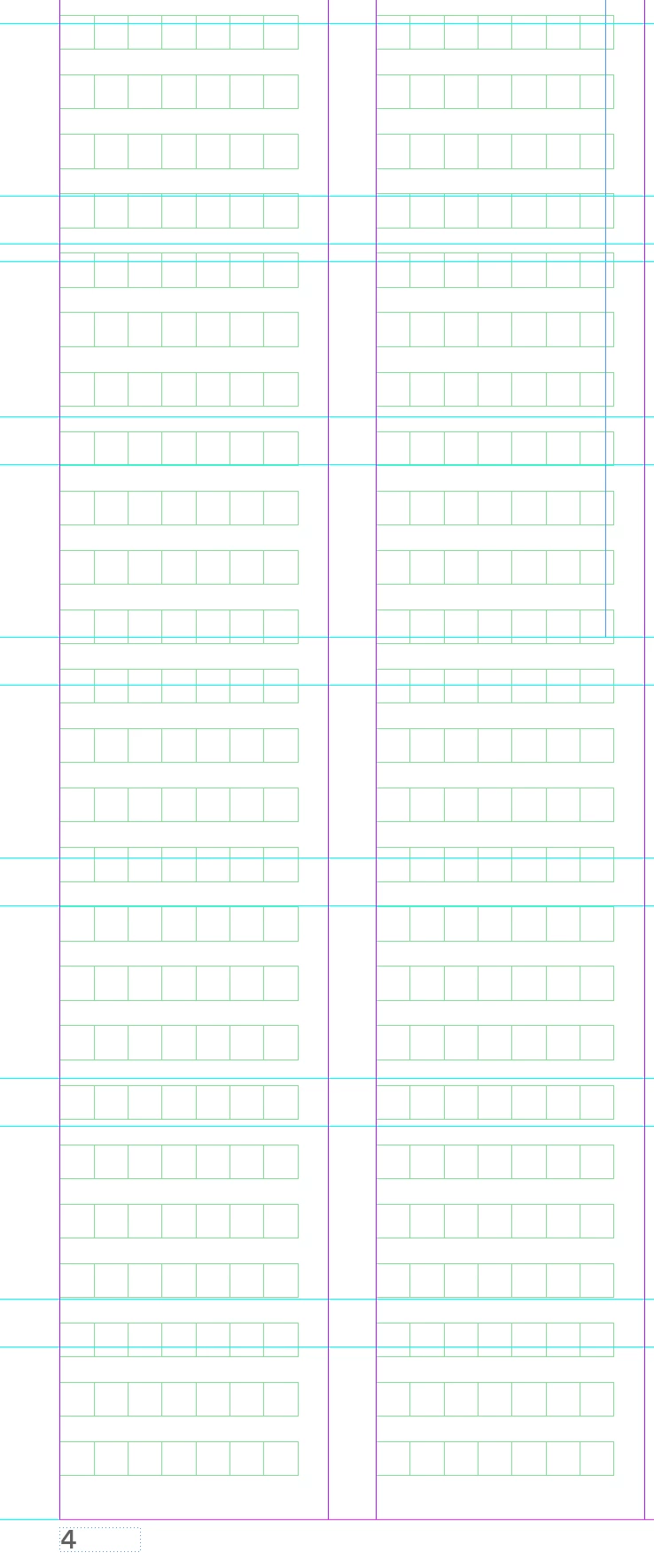
How can I hide this strange boxes in Indesign?????!?!?!?!? 

I don't understand what the heck is this stuff... I already clicked all hide botton 

このトピックへの返信は締め切られました。

返信数 5

Community Expert
October 13, 2021

Alright, finally I found a way to make that layout grid invisible.

Export the document to IDML and edit the Preferences.xml file inside the IDML container.


<CjkGridPreference ShowAllLayoutGrids="false" ShowAllFrameGrids="false" MinimumScale="50" SnapToLayoutGrid="false" ColorEveryNthCell="10" SingleLineColorMode="true" ICFMode="false" UseCircularCells="false" ShowCharacterCount="true">

Set e.g. ShowAllLayoutGrids to "false" like I did in the code above.


If you are on Windows 10 you can open the IDML file with e.g. 7zip and edit the said XML file:


After saving the edited XML file inside the IDML container open the IDML file with InDesign as document.


Regards,
Uwe Laubender

( ACP )

Community Expert
October 13, 2021

How to install the CJK version of InDesign with an English GUI:


Adobe InDesign Tips: Japanese/CJK Functionality + English UI—Redux
By Dr Ken Lunde, Nov 5, 2019
https://ken-lunde.medium.com/adobe-indesign-tips-japanese-cjk-functionality-english-ui-redux-539528e295c6


Dr Ken Lunde said:

"I published a CJK Type Blog article in April of 2017 that enumerates nine specific steps that allows one to expose Japanese text layout functionality in Adobe InDesign while preserving an English-language UI. These steps have proven to work time and time again, with each subsequent major update of InDesign, which, like clockwork, torpedoes my preferred working environment. Though the nine-step process works, it is arguably convoluted.

The good news is that there is a much easier way."


Regards,
Uwe Laubender

( ACP )

Community Expert
October 13, 2021

FWIW: It's no accident or error if you get a InDesign document template that was originally created with a CJK version of InDesign ( Chinese/Japanese/Korean). This kind of grid, the "layout grid" is necessesary or useful for Japanese typesetting


Don/t know if it's worth the effort to get rid of it.
Simply create a new document with a non-CJK-version of InDesign and copy over the contents to the new document.


Cannot tell if this will work, but it's worth a try to remove all named grids using ExtendScript ( JavaScript ) :


app.documents[0].namedGrids.everyItem().remove();


EDIT: Well, I tested this line of code on a Japanese InDesign document and it did not work as expected.

Possibly there is a different control for this kind of grid or my German InDesign cannot handle this.

It seems that I have no access to property gridView of gridData of any page in the document.

Error: 30615 "Diese Eigenschaft ist im aktuellen Status nicht zutreffend." ( $ID/kScriptErrNotApplicable )


So you need the CJK version of InDesign to change the view of that grid, I think.


Regards,
Uwe Laubender

( ACP )

Community Expert
October 13, 2021

Edited my reply above. After some tests:

I think you need the CJK version of InDesign to change the view of that "layout grid".


Regards,
Uwe Laubender

( ACP )

Willi Adelberger
Community Expert
Community Expert
October 13, 2021

I agree, that these are found only in an Asian version. Once I got these only by an accident and error. I had to install the Asian version to get rid of them.

Community Expert
October 13, 2021

These seem to be layout grid, available only in the Japenese version. See the details below

https://helpx.adobe.com/indesign/using/layout-grids.html

-Manan

-Manan