



Pierre Vignau
Participating Frequently
December 26, 2021
質問

Adding a Name Plate in LrC 11.1: the colors fade at print

  • December 26, 2021
  • 返信数 2.
  • 421 ビュー

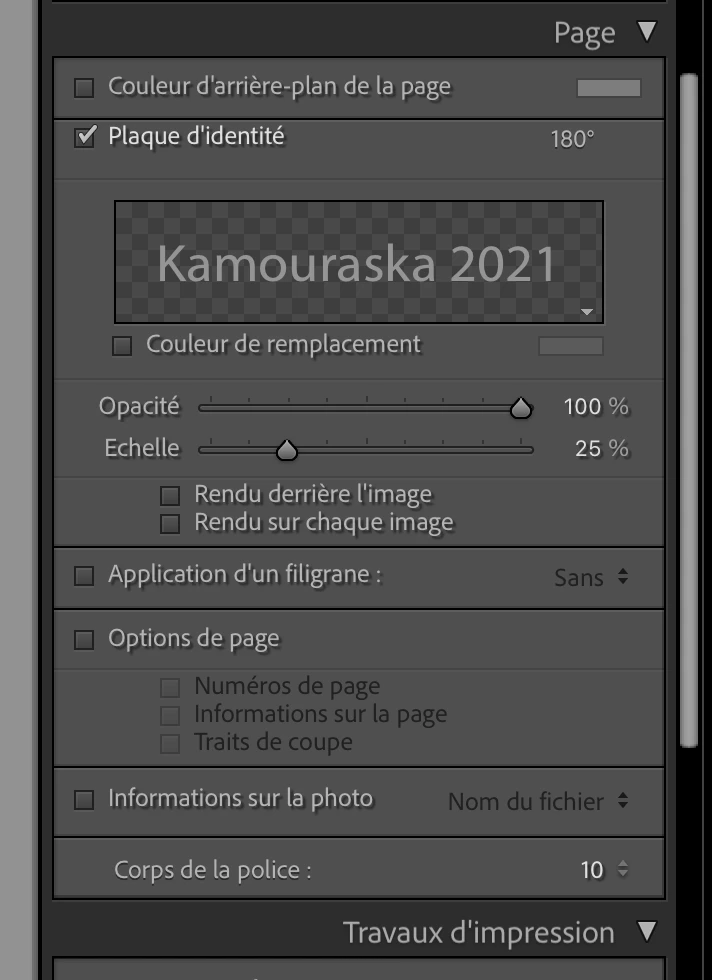
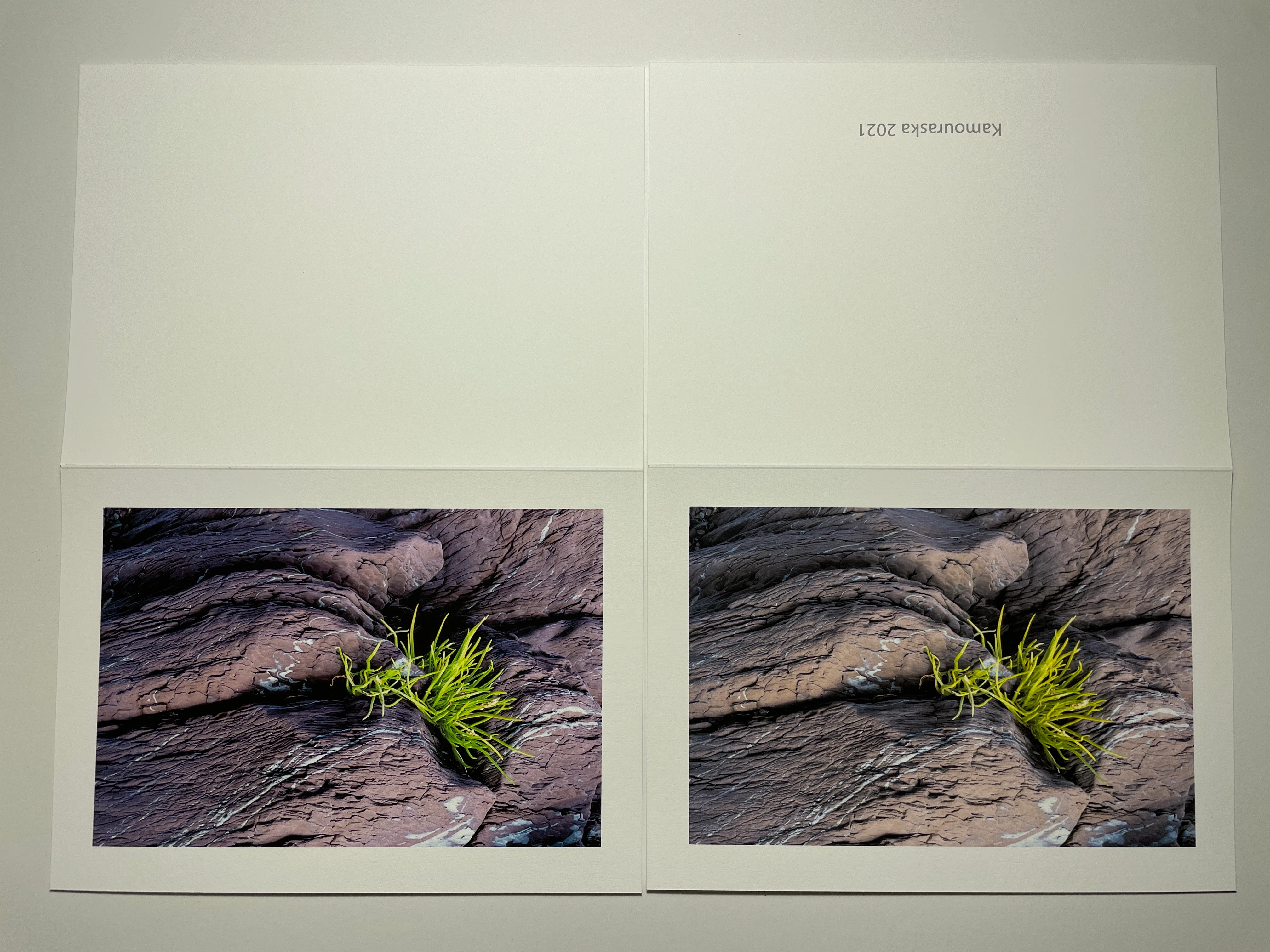
I was printing Xmas cards and decided to add a nameplate to specify the year of my pictures. I printed a few picture without the Nameplate and the colors were as vivid as they should be. But with the Nameplate, I noticed that they lost saturation.


I removed the Nameplate and everything is back to normal.


Absolutely no chnages in the picture and other printing parameters. It shows more in the greens, but you can see it in the purples as well. No mods to the picture below. As you can ssee my LrC is in French.  MacOS 12.1 Monterey on iMac M1 16 Gb memory


このトピックへの返信は締め切られました。

返信数 2

josephlavine
Community Expert
Community Expert
December 27, 2021

This sounds like a printing issue.

Perhaps you can share you printer and print settings information.

warmly/j

Pierre Vignau
Pierre Vignau作成者
Participating Frequently
December 27, 2021

Thanks. Here is what I just answered Rikk Fohr:


I'm using an Epson SureColor P800. Using Wi-Fi. The printer driver itself is 10.85 (from the installation package).


I just did a print test without turning the plate 180° and it is printing correctly!

Rikk Flohr_Photography
Community Manager
December 27, 2021

What Printer are you using?

Can you provide the driver version? 


If you don't rotate the Identity Plate 180 degrees does it still print washed out?

Rikk Flohr: Adobe Photography Org
Pierre Vignau
Pierre Vignau作成者
Participating Frequently
December 27, 2021

Good point!


I'm using an Epson SureColor P800. Using Wi-Fi. The printer driver itself is 10.85 (from the installation package).


I just did a print test without turning the plate 180° and it is printing correctly!

Rikk Flohr_Photography
Community Manager
December 28, 2021

The obvious workaround to try is to create a pre-rotated version of your Identity Plate in your pixel-based editor and repeat the process to see if you can generate the correct output required.  That, of course, is a workaround to get your work done for today and doesn't address the issue.  


When Adobe returns to the offices after the holiday break, I will attempt a print to see if I can duplicate your results. 

Rikk Flohr: Adobe Photography Org