


Copy link to clipboard
Copied
Dear Community,
Here is my problem: I cannot display the "file handling" panel anymore.
I tried the following:
- right click on the header of another panel..weird as the "file handling" panel is not in the list of panels.
- reset preferences
- re-installed
- same as above but moving the catalog to another HDD
Thank you.
Attached are: system info & a couple of screen captures
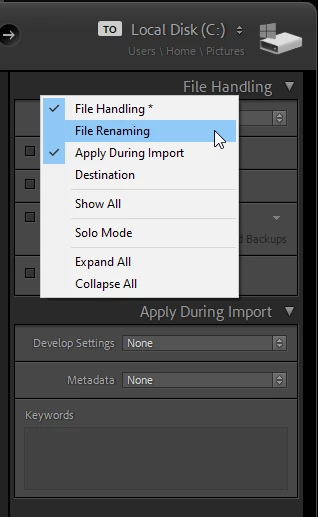
You have posted a screenshot from the Library module, which does not have a File handling panel.
The only place you will find this panel is in the Import dialog.
Copy link to clipboard
Copied
You have posted a screenshot from the Library module, which does not have a File handling panel.
The only place you will find this panel is in the Import dialog.
Copy link to clipboard
Copied
And if you selected "Add" at the top center of the import dialog, then you will not have that panel because the files are not handled at all, just added to the catalog.
Copy link to clipboard
Copied
The File handling panel is available no matter which option you choose at the top of the import dialog.
You might be thinking of the Destination panel, which is not available when using Add.
Copy link to clipboard
Copied
Sorry, you are correct of course.
Get ready! An upgraded Adobe Community experience is coming in January.
Learn more