nicolem37208839
Participant
August 24, 2022
質問

Cannot update AI mask

  • August 24, 2022
  • 返信数 4.
  • 2160 ビュー

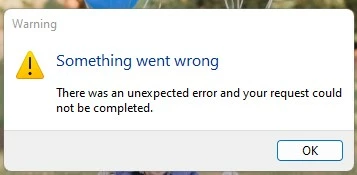
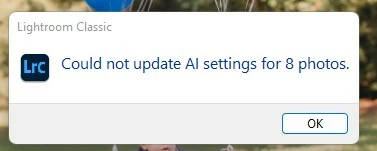
When I try to do a multiple photo sync in the develop module to sync my editting settings across other photos it syncs but the AI mask always says can not sync AI settings. The mask setting will be there but it will not update automatically. Most times even when I go in after to the photo to update it will not update again and I will get another error message that something went wrong. 


Sometimes it will resolve when I restart Lightroom Classic, but after a few photos it will happen again.


Pleas see error messages below
このトピックへの返信は締め切られました。

返信数 4

Celeste December
Participant
December 1, 2023

Hi loves,

Has anybody a solution yet? I'm walking into the same problem. When I try to copy my masks to another photo or photoset I get this error. I also tried to 'update my masks', but this gave another error. 


GoldingD
Legend
December 1, 2023
quote

Hi loves,

Has anybody a solution yet? I'm walking into the same problem. When I try to copy my masks to another photo or photoset I get this error. I also tried to 'update my masks', but this gave another error. 


By @Celeste December


The first error could indicate that the characteristic of the photo does not support the creation of a particular AI mask. That something in the photo does not match what the AI is looking for. For example, you copy a AI Sky mask (yes I know not a landscape, just my example) to a photo, but the AI cannot identify the sky, boom, that error. For some reason, cannot find a person, cannot find the Subject.


The second error is often associated with a GPU issue, typically the GPU driver. But would occur readily, not just for an occasional photo. What is your GPU make/model and driver version. Mind you, your OS is it Windows or MACOS? If MACOS, you would have to wait for an MACOS update for that GPU driver.

Costas Ganasos Photograph
Participant
October 4, 2022

I am having exactly the same issue. It seems that the mask "select subject" doesn't work when you synchronize 2 or more photos. It is a very furtrating issue...!

Anyone at Adobe have an answer on this???

Costas Ganasos Photograph
Participant
October 4, 2022

Apparently at once LR has stopt also with detecting the subject. When I restart it, it works one time and then stops again.


See pictures attched....! I hope @_AdobeSupport_  will solve this asap..

GoldingD
Legend
October 4, 2022

and same inquiry to Costas Ganasos:

What GPU?

What GPU driver version?

GoldingD
Legend
August 24, 2022

What exact version of LrC?


nicolem37208839
Participant
August 25, 2022

11.5 the latest version. I was having the same issues on my latop few months back and recently I have have upgraded to a new HP Pavillon Desktop and still the same issues.

GoldingD
Legend
October 4, 2022

Still a problem?

What GPU?

What GPU driver version?

Nancy OShea
Community Expert
Community Expert
August 24, 2022

[Moderator moved from Using the Community forums to Lightroom Classic.]

Nancy O'Shea— Product User & Community Expert