


Color profiles gone, can't add new ones
Recently updated to new LrC version 10.2 & Adobe camera Raw 13.2.
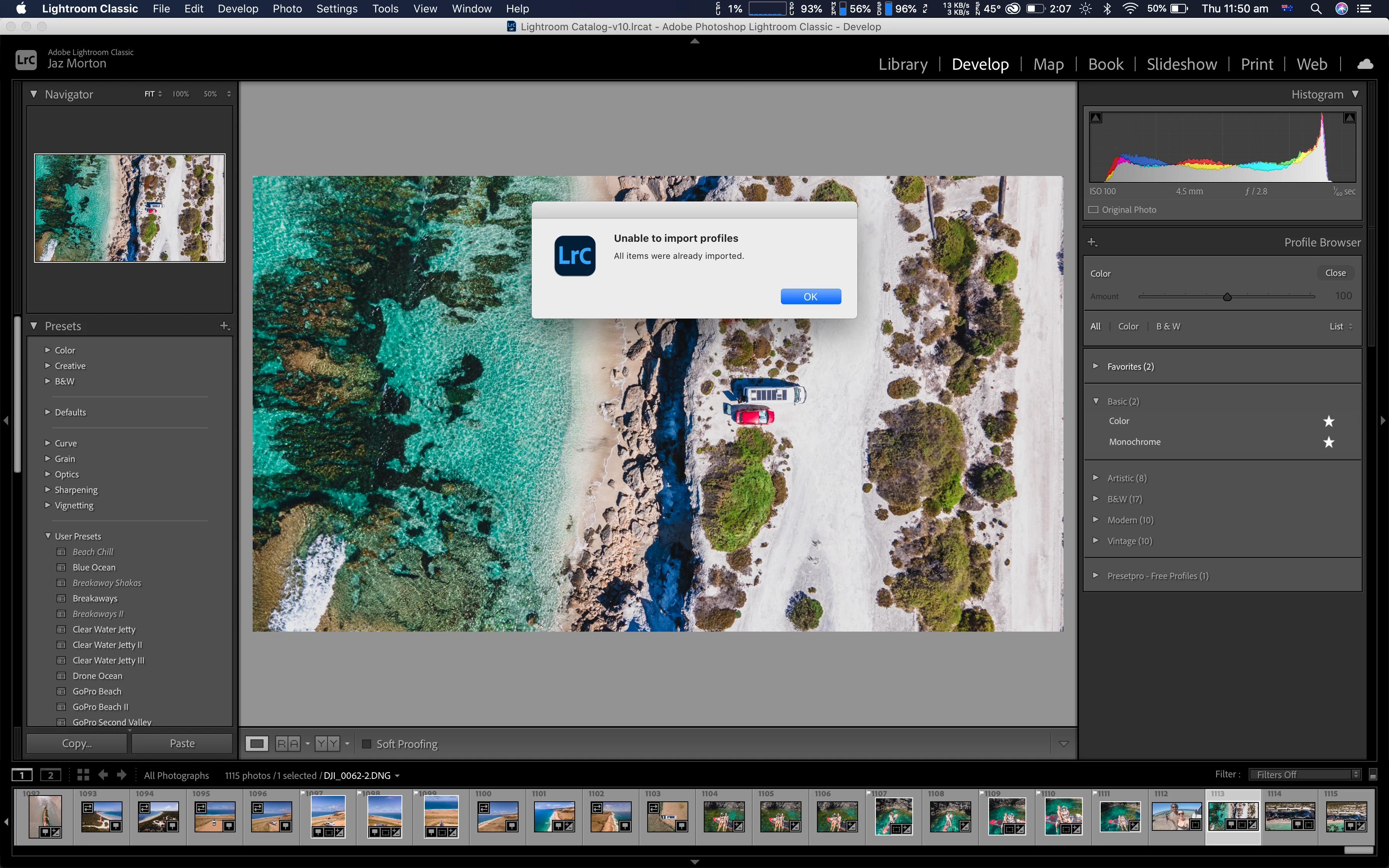
Since then, when I import a photo, and go to develop, I can no longer see some of my treatment profiles that are usually there. I like to use the Neutral profile, or Landscape, but they aren't there anymore. I just have Color & Monochrome, and also the folders of Artistic, B&W, Modern and Vintage.
I have manually found the folder that contains the Adobe Neutral.xmp and Adobe Landscape.xmp files, they're in Macintosh HD > Library > Application Support > Adobe > Camera Raw > Settings > Adobe > Profiles > Adobe Raw.
When I try to manually import them in profile browser in lightroom, an error message comes up (Unable to import profiles, All items were already imported).
So why can I not see them then if they are already imported?
 AdChoices