


Participant
December 6, 2022
質問

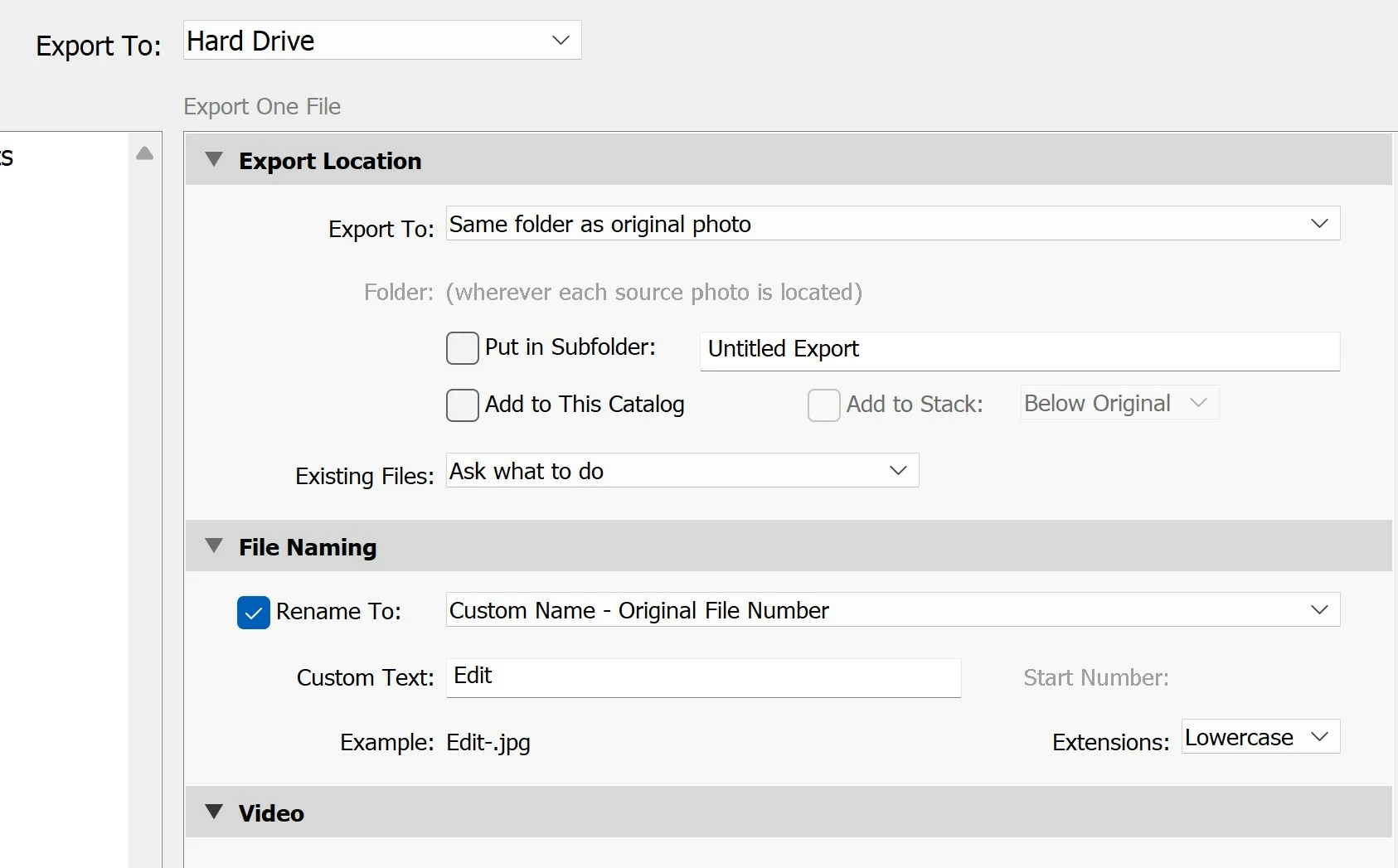
Exporting files - option to rename not working for "Custom Name - Original File Number" selection

  • December 6, 2022
  • 返信数 2.
  • 728 ビュー

An option I regularly use when I'm editing files and then exporting them, is to name the copies with the original file name and other words to indicate it's been edited (e.g. IMG200 to Edit-IMG200). This option is no longer working in the latest version of Lightroom Classic, v12.0.1. When I try to use it, it uses the custom text I enter for the file name, but doesn't keep the original filename. e.g (e.g. IMG200 to Edit-). Please fix!
 

このトピックへの返信は締め切られました。

返信数 2

JohanElzenga
Community Expert
Community Expert
December 7, 2022

Create your own preset that uses {Custom Text} - {Original File Name} or {Custom Text' - {File Name} instead of the original file number.


-- Johan W. Elzenga
Known Participant
December 6, 2022

It's the original file number. Are you sure the file you are exporting has a number?

I'm using the same option on the same  LR version (on Windows) and have no problems.

Thor Egil LeirtrøFreelance concert photographer - thoregilphoto.com
Participant
December 7, 2022

Actually you're partially right as it's not always happening as I initially thought and reported. I continued to do some editing and exporting after I first posted this and have since realised it's just happening for files that have been created as a merged panorama. The panorama file name contains the number of one of the files it's created from e.g. IMG_1234-pano.dng . None of that name is being carried across when I go to export it. 

Known Participant
December 7, 2022

Yes. Same thing here - no number for exported panoramas.

Thor Egil LeirtrøFreelance concert photographer - thoregilphoto.com