


Participant
January 3, 2024
質問

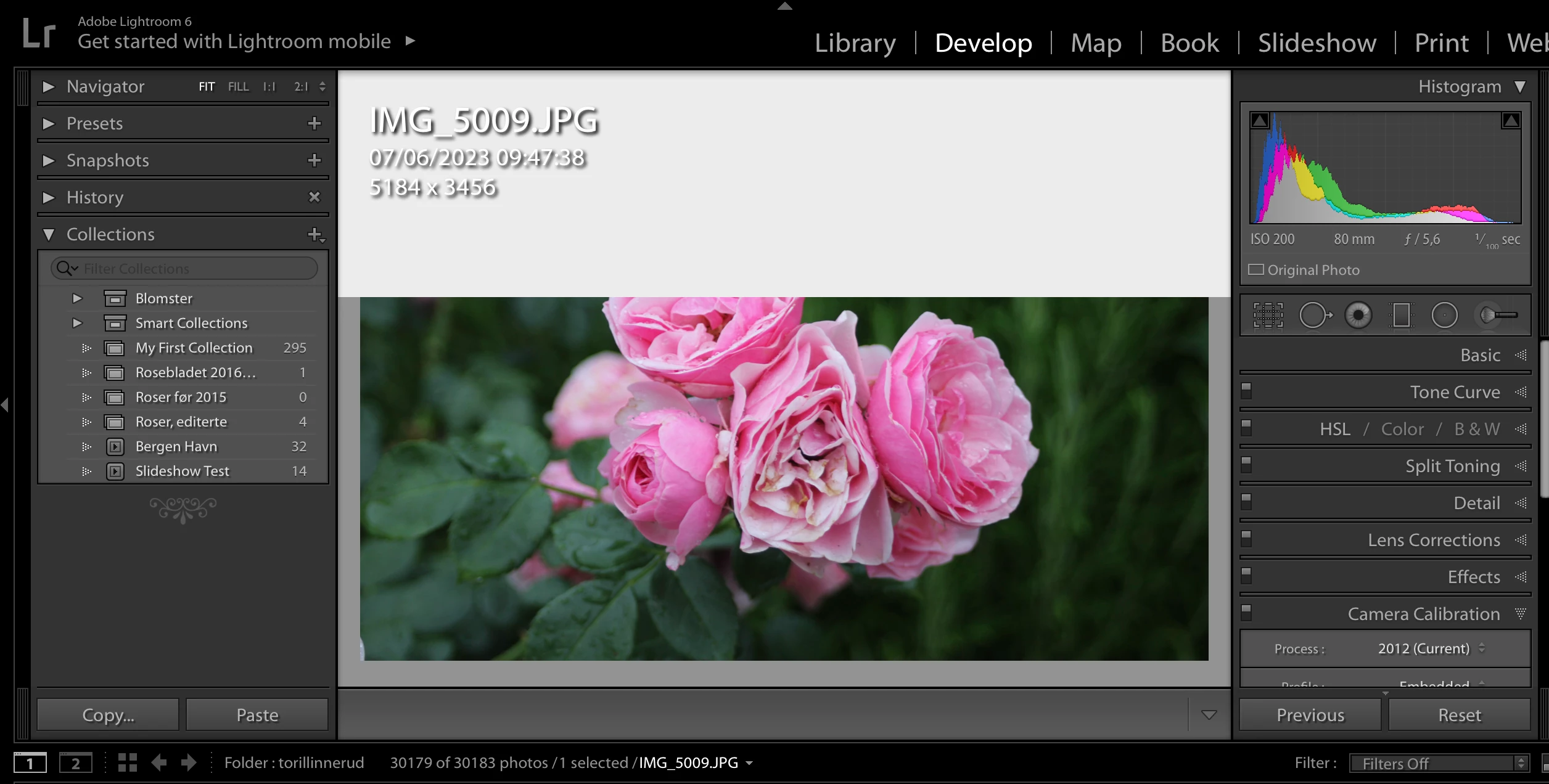
Half my screen is hidden when I enter "edit" modus. See screenshot under

  • January 3, 2024
  • 返信数 2.
  • 332 ビュー

I'm using Lightroom version 6, and all of a sudden this white field turns up and hide half of the picture I want to edit.

I have tried a lot of options to try to get rid of it, but without success.

Anybody who knows what happened and what to do with it?
このトピックへの返信は締め切られました。

返信数 2

Per Berntsen
Community Expert
Community Expert
January 3, 2024

This is a known issue with (the very old and unsupported) Lightroom 6 on a modern Mac OS, with which LR 6 is not compatible.

The info overlay is supposed to be on a transparent background, but it is rendered gray instead.

There is no way to fix this, but you can hide the overlay by pressing the I key on your keyboard once or twice.

Participant
January 3, 2024
Thanks to everyone who anwered, I am very grateful. Problem is solved.

Best regards
Toril Linnerud
dj_paige
Legend
January 3, 2024

This is a known bug in Lr 6. If I remember properly, the problem is solved by pressing letter I once or twice to remove the IMG_5009.jpg overlay. (But if that's not it, you can do a search of this forum to find the actual answer).

Rikk Flohr_Photography
Community Manager
January 3, 2024

If memory serves, this was a symptom of a bad Logitech Mouse driver.  Any chance the OP has is using, or has used in the past, that brand of mouse?

Rikk Flohr: Adobe Photography Org
dj_paige
Legend
January 3, 2024

I suspect your memory is better than mine.