



KI Masken bei allen Bildern / auf mehrere Bilder gleichzeitig aktualisieren
Ich möchte mehrere KI Masken gleichzeitig aktualisieren. Ich habe einen externen Editor welcher KI Masken erstellt. Damit ich nicht bi jedem Bild schauen muss ob eine KI Maske erstellt wurde - welche aktualisiert werden muss, wäre eine Aktualisierung aller Masken per One Klick super... ist das möglich?
Hier ein link: https://helpx.adobe.com/de/lightroom-classic/help/masking.html
Leider hillft mir der Link so wie ich sehe nicht weiter...
Folgender Eintrag kommt dem schon nahe:
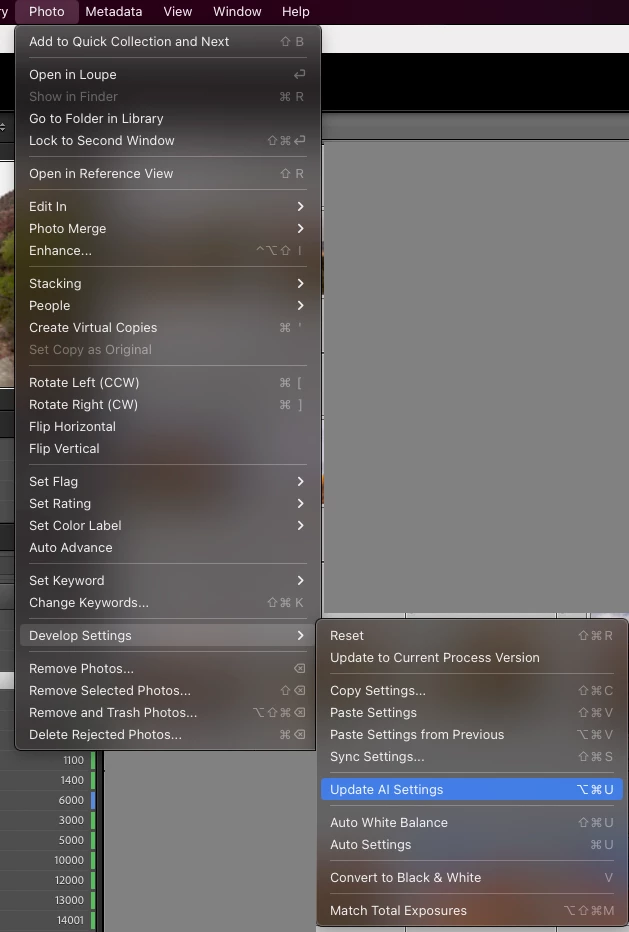
Hinweis: Wenn deine Maske nicht erfolgreich auf die ausgewählten Fotos angewendet wurde, klicke auf Alle aktualisieren im Bedienfeld Masken oder auf den Warnhinweis unter dem Histogramm. Du kannst auch (macOS) Befehl+Option+U oder (Windows) Strg+Alt+U drücken, um fehlende Masken für die ausgewählten Fotos zu aktualisieren....
Ich möchte über mehrere Hunder Bilder wählen können - ALLE Masken von ALLEN Bilder --> Aktualisieren
Ist das möglich oder geplant seitens Adobe?
Danke und Grüsse Roger
 AdChoices