


Participant
March 25, 2025
解決済み

Lightroom Classic 14.2 freezes upon opening with Sequoia 15.3.2

  • March 25, 2025
  • 返信数 2.
  • 3071 ビュー

Lightroom Classic (version 14.2) appears to launch correctly on macOS Sierra 15.3.2, but it freezes once it opens. However, version 14.1 of LR Classic does not freeze and opens fully. Are there any fixes I can apply? When Creative Cloud Diagnostics is launched, it finds no issues with my system.  
解決に役立った回答 KR Seals

Hi 


The issue is that I can’t modify the catalog because it freezes upon opening. I suppose I could relocate the existing catalog and check if it prompts me to locate the catalog, but the overall catalog problems don’t make sense. Interestingly, the catalog opens fine with Version 4.1. 


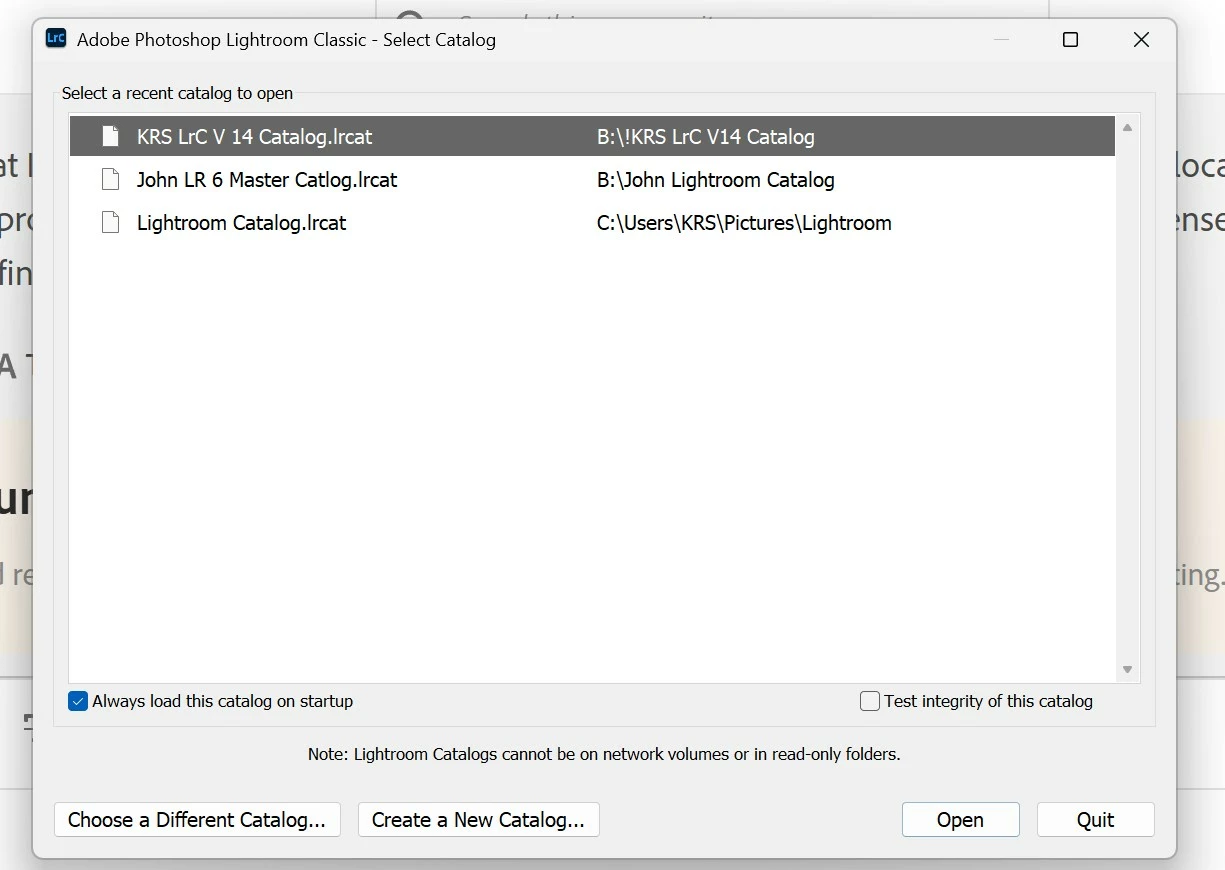
If you hold Alt/Option when you start LrC, you will get this screen:

返信数 2

Participant
June 7, 2025

Lightroom open 

nikunj.m
Community Manager
Community Manager
March 25, 2025

Hi, thanks for reaching out, and we're sorry about the trouble! 

Please go to the Help menu in Lightroom Classic, then System info and copy the text. You can either paste the text here as a reply or paste it into a text file and share the file with us. Also, please share a screenshot of the point at which Lightroom Classic freezes. 

Meanwhile, you can try to reset the preferences of Lightroom Classic to check if that makes a difference. You can check out the steps mentioned here: https://adobe.ly/423KDvF


Thanks,
Nikunj

wglogowski作成者
Participant
March 25, 2025

Here you go.  LR Classic 14.1 open with no problems only 14.2 freezes 

DdeGannes
Community Expert
Community Expert
April 24, 2025
The latest version available in Creative Cloud is 14.2. There is no 15.0
version! The 14.2 version still freezes immediately after opening.

Walter

LrC 14.3, is now available.


Regards, Denis: iMac 27” mid-2015, macOS 11.7.10 Big Sur; 2TB SSD, 24 GB Ram, GPU 2 GB; LrC 12.5,; Lr 6.5, PS 24.7,; ACR 15.5,; (also Laptop Win 11, ver 24H2, LrC 15.0.1, PS 27.0; ) Camera Oly OM-D E-M1.