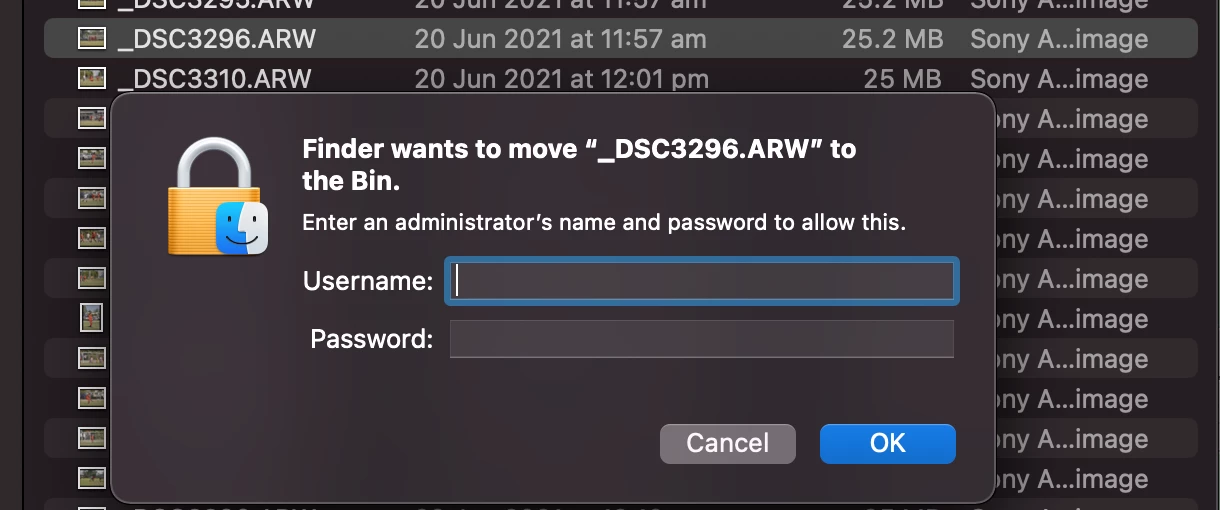
Here is the same photo I was trying to delete in Lightroom. But have tried deleting from Finder. Why do I need an administrator/password? Even after changing the permissions to my user with read/write access I still need adminstrator to delete...
Reread yourr first post and looked at the screenshots and this is indeed a permissions problem. The screenshot looks wrong as your own account does not have access to the images but an account called administrator (which is not you!) has access. Do you know about this administrator account? It is not normal to hava an account on your computer named that way.
That said, these images appear to be on an external disk. How is the disk formatted? It should be APFS or HFS+ (apple extended). If it is NTFS, you can expect problems with permissions. If it is not formatted in an Apple format, you would need to backup all the data and reformat the external disk in APFS or extended and copy all the data back onto it.
If it is APFS or Apple extended, what you should do is select the top level folder that contains all your images and do a get info. In get info set the access up with your account (it will say your name with a (me) behind it) at the top saying Read and write and everyone no access. Then from the gear icon (ellipsis in a circle in Big Sur), select "Apply to enclosed items". This will take a while but should reset the permissions on the external disk. You can also as a stop gap measure turn off all permissions on the external disk by doing a get info on the disk and checking the checkbox for this.



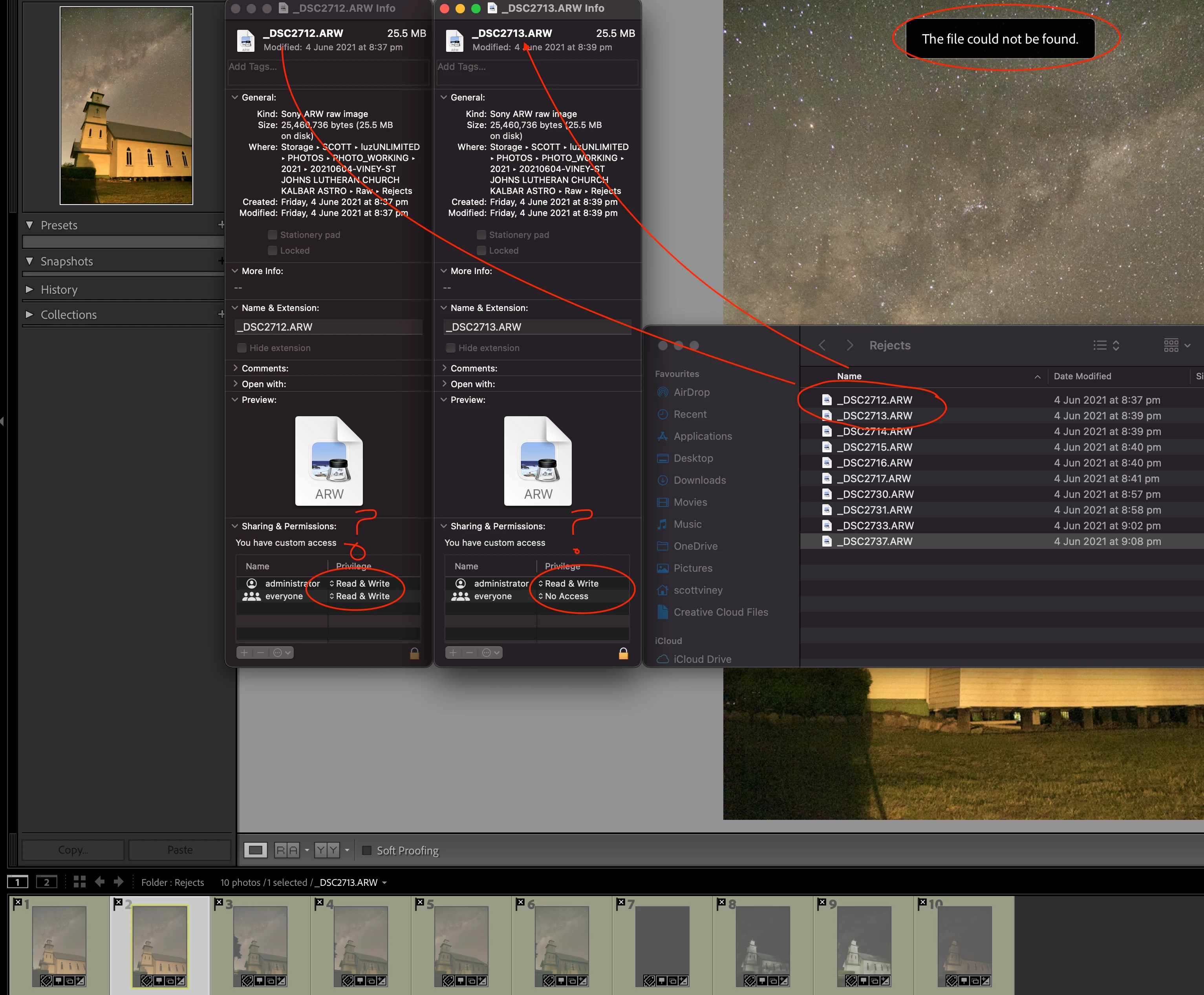 Iam having trouble with my LR tonight and cannot figure out why. As shown above in the image. I cannot edit in the Develop module because the "The File Could Not Be Found." If I go the directory in Finder the files exist and there isnt any ! on any files so they arent missing. I have tried setting the file permissions on on the first file 2712 to read/write but still nothing. Is it a permissions thing?
 AdChoices