

Participating Frequently
February 10, 2019
質問

Low quality photos in Lightroom online

  • February 10, 2019
  • 返信数 2.
  • 5333 ビュー

Hi

What for is sync function if it doesn't work?

This is a photo in Lightroom Classic CC:
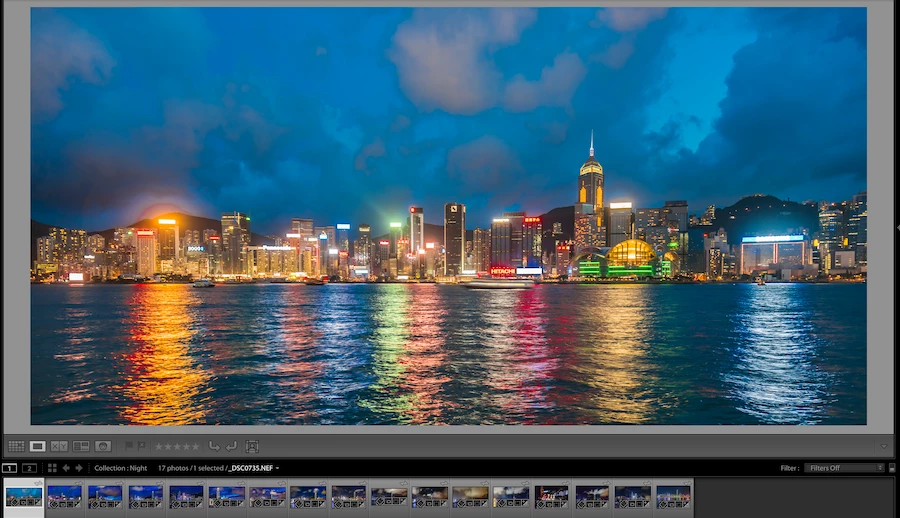
This is the same photo after sync to Lightroom online:
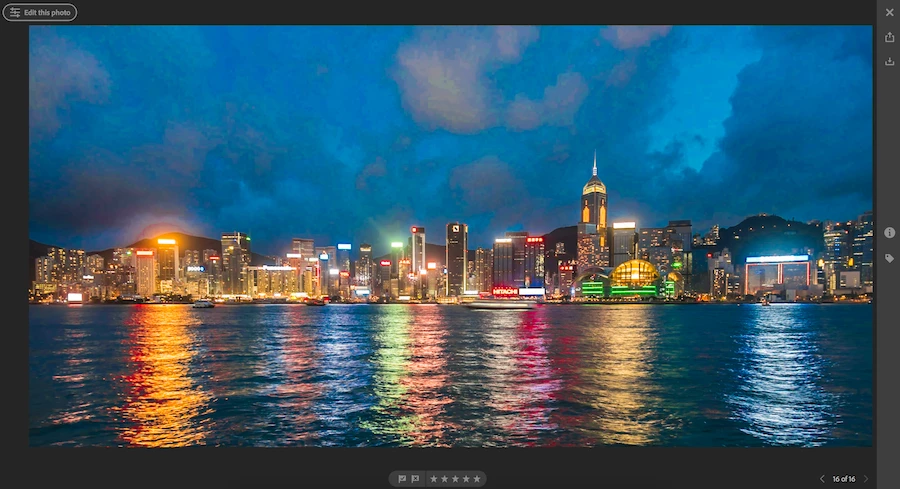
(The artifacts on the sky are really huge)

このトピックへの返信は締め切られました。

返信数 2

Just Shoot Me
Legend
February 10, 2019

All that is shown on the Online system is a Smart Preview. No matter what type, kind, of file you Sync (Upload) all that is displayed are Smart Previews of the images.

kapito$hka作成者
Participating Frequently
February 10, 2019

Yep, I read about that. My question is more like a rhetorical question. Why did Adobe make such function if result is not usable???

It's not a complex task from the engineering point of view. From the marketing side this is total fail as well.

JP Hess
Inspiring
February 10, 2019

If you want full-sized images in the cloud then you need to install Lightroom CC (the cloud-based Lightroom) and import the images directly using that program rather than trying to shared collections from Classic. By importing images to Lightroom CC you will have the full-sized images in the cloud. The difference is that the full-sized images will impact your cloud storage allotment whereas the Smart previews will not.

As far as from an engineering point of view is concerned, Lightroom Classic CC is structured the way it is by design. Lightroom CC (the cloud-based Lightroom) is structured the way it is by design. You have to choose which way you want to go. If you want full sized images in the cloud then you have to use the cloud-based Lightroom. Like it or not, that's the way it is.

DdeGannes
Community Expert
Community Expert
February 10, 2019

Some more info is needed.

What equipment are you using to view the photo online. The synced file is a smart preview of the original file.

Regards, Denis: iMac 27” mid-2015, macOS 11.7.10 Big Sur; 2TB SSD, 24 GB Ram, GPU 2 GB; LrC 12.5,; Lr 6.5, PS 24.7,; ACR 15.5,; (also Laptop Win 11, ver 24H2, LrC 15.0.1, PS 27.0; ) Camera Oly OM-D E-M1.
kapito$hka作成者
Participating Frequently
February 10, 2019

Thank you for your reply.

I'm using:

- Adobe Lightroom CC Classic 8.1

- Safari 12.0.2 browser

- macOS Mojave

- MacBook Pro 15 2017