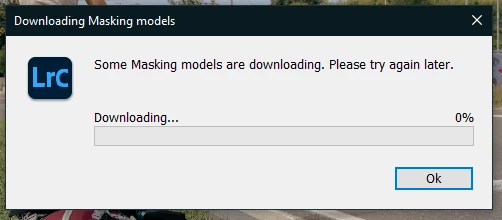
Hey! I've just downgraded LRC trough the creative cloud app and it imediatily worked for me, i've tried the login/logout tip, but it doesn't worked, now using the 14.0 version
posted above in this thread last month, i was conisitently getting the error message in LRC 13, : "some masking models failed to download. please try again later", when using presets, gave up trying to fix it with the suggested solutions (none of which worked for me) and hoped it would be addressed in an update. well, i updated to LRC 14.0.1 yestereday and now not only do the presets still not work and give the same error message but i now get that error message when i simply try to copy and paste edit settings from one picture to another, even when there are no masks in the copied settings. extremely frustrating as copy/paste picture settings are used all the time.
I assume you mean sign into Creative Cloud.app, correct? I tried that, tried logging out and then back in, did a re-start, etc and it didn’t work for me. Is there anything more to it that I’m not thinking of?
nope, being signed in doesn't solve the problem here either. the presets still don't work. same problem, same error message no matter how long you wait while you're signed in:
"some masking models failed to download. please try again later."
i've given up and am not wasting any more time with it. hoping perhaps a future update will fix the problem.
Good day! Ladies and Gents. I have found a solution, I have the same problems as all of you you just need to download adobe creative cloud and wait for it to install. once downloaded open the creative cloud app and sign in. once signed in open adobe lightroom or lightroom room classic. there click the preset that needs to download the masking models. When downloaded there will be a green pop up bar in top and that means its done.
the suggestion is to sign in to your account through your creative cloud application and then relaunch LRC. try it, didn't work for me. the presets still don't work and my saved presets don't work either. still get the message: some masking models failed to download. please try again later. this as well as the failed cut/paste settings bug is still persistent as i think you also have encountered.
Restarting Lightroom Classic should start the download again.
Lightroom Classic now downloads and installs in two parts. First, the application installs, and then it installs the various AI models after the first launch. The models, as a group, are large, so it can take some time.
Since you are using Windows, I would recommend installing the 13.0.1 build released earlier today as it has several bug fixes and should kickstart your Model download.