Participant
May 3, 2025
質問

The photo have different colour after Lightroom

  • May 3, 2025
  • 返信数 2.
  • 480 ビュー

I have doubt about the colour long time ago, and questiong myself about my skill, but didn't actually do experiment.


This time I took photos with my Canon 70D and saving as raw (CR2) and largest JPEG. Imported to Lightroom Classic and converted into DNG. I compared the CR2 (improt w/o convert) and DNG (impoprt + convert), they look the same (left pics) and have different colour than the JPEG come directly out from my camera (right pics).


I tried to adjust the colour from Camera Standart to Camera Faithfull and Adobe Color, but none of  them match the output. Is there something I didn't do, so the data is lost forever? Or the different is coming from the rendering, the camera have different way to render and raw format, so they will never be the same?


Please let me know if I can still be able to make those photo converted to DNG + deleted orignals back to the colour I took initially 🥲
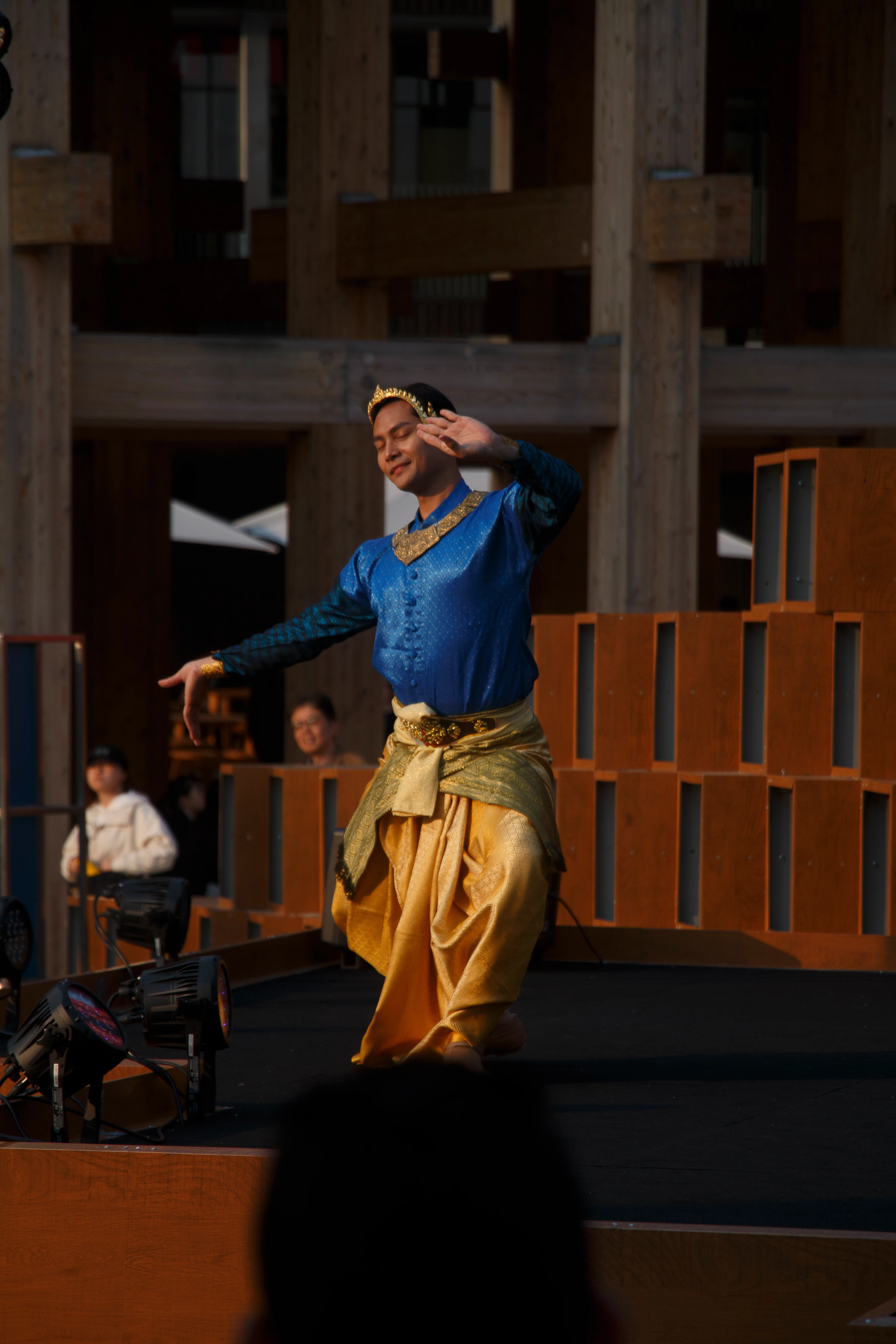


Lightroom vs directly from camera
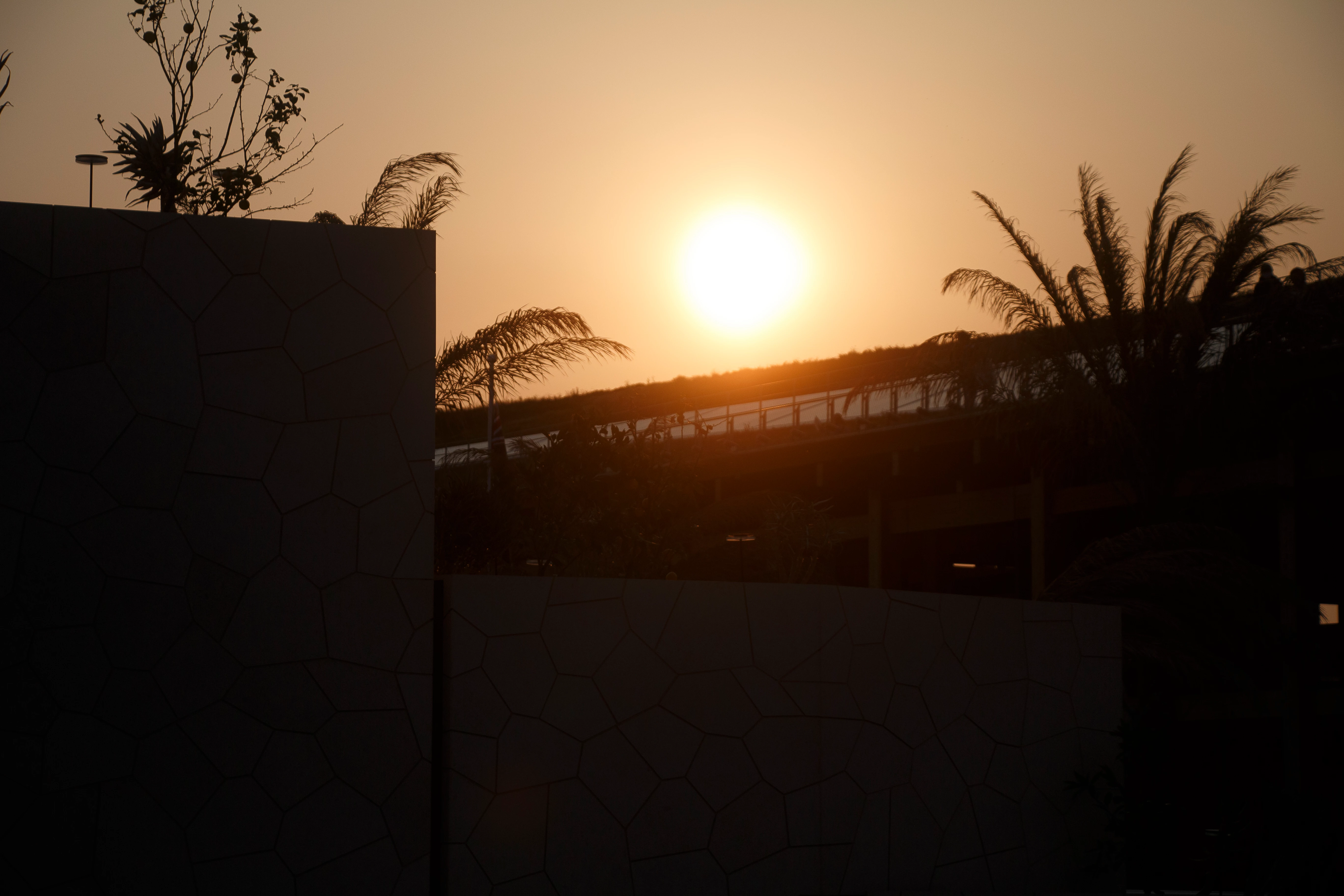
 

Lightroom vs directly from camera
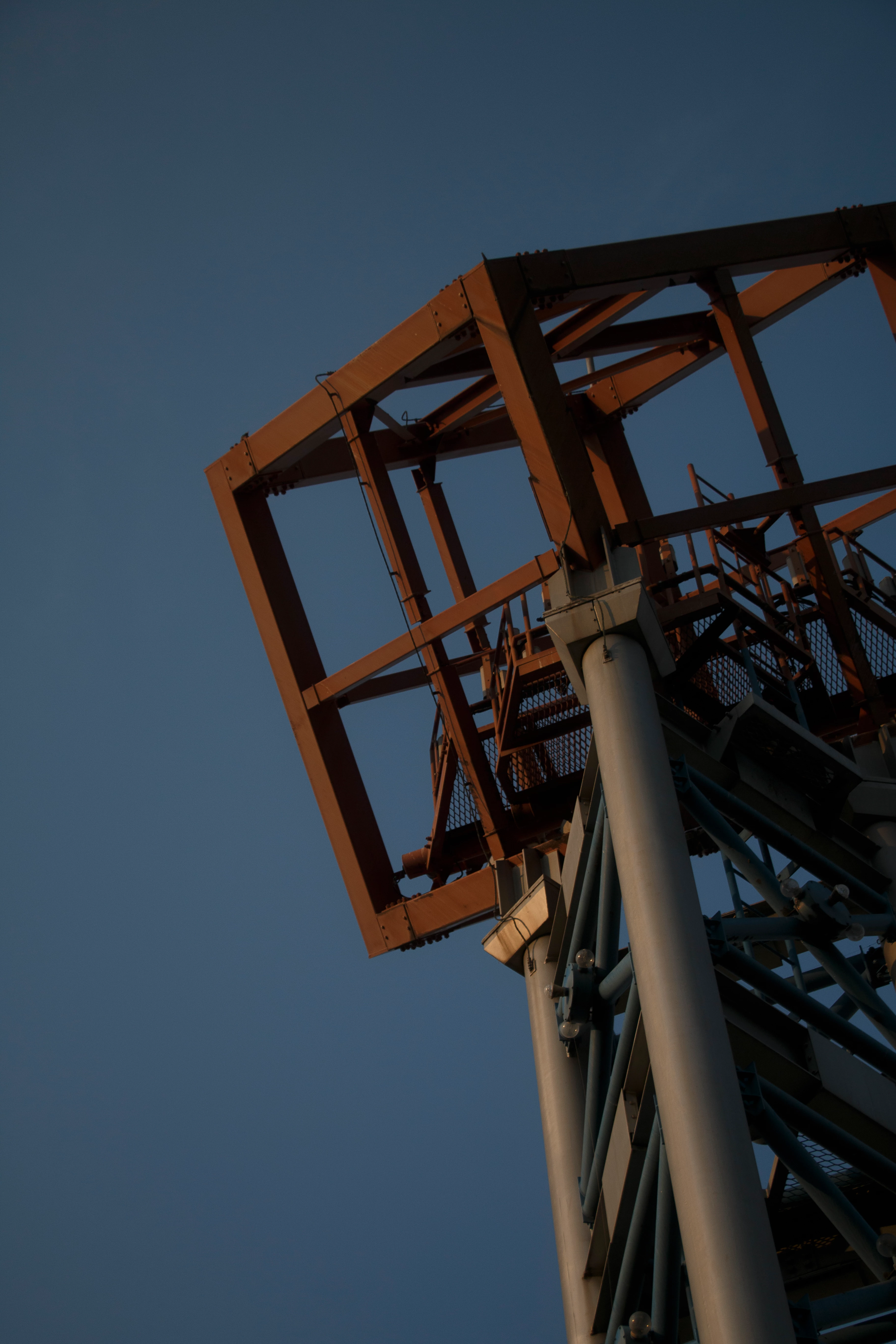
 

Lightroom vs directly from camera
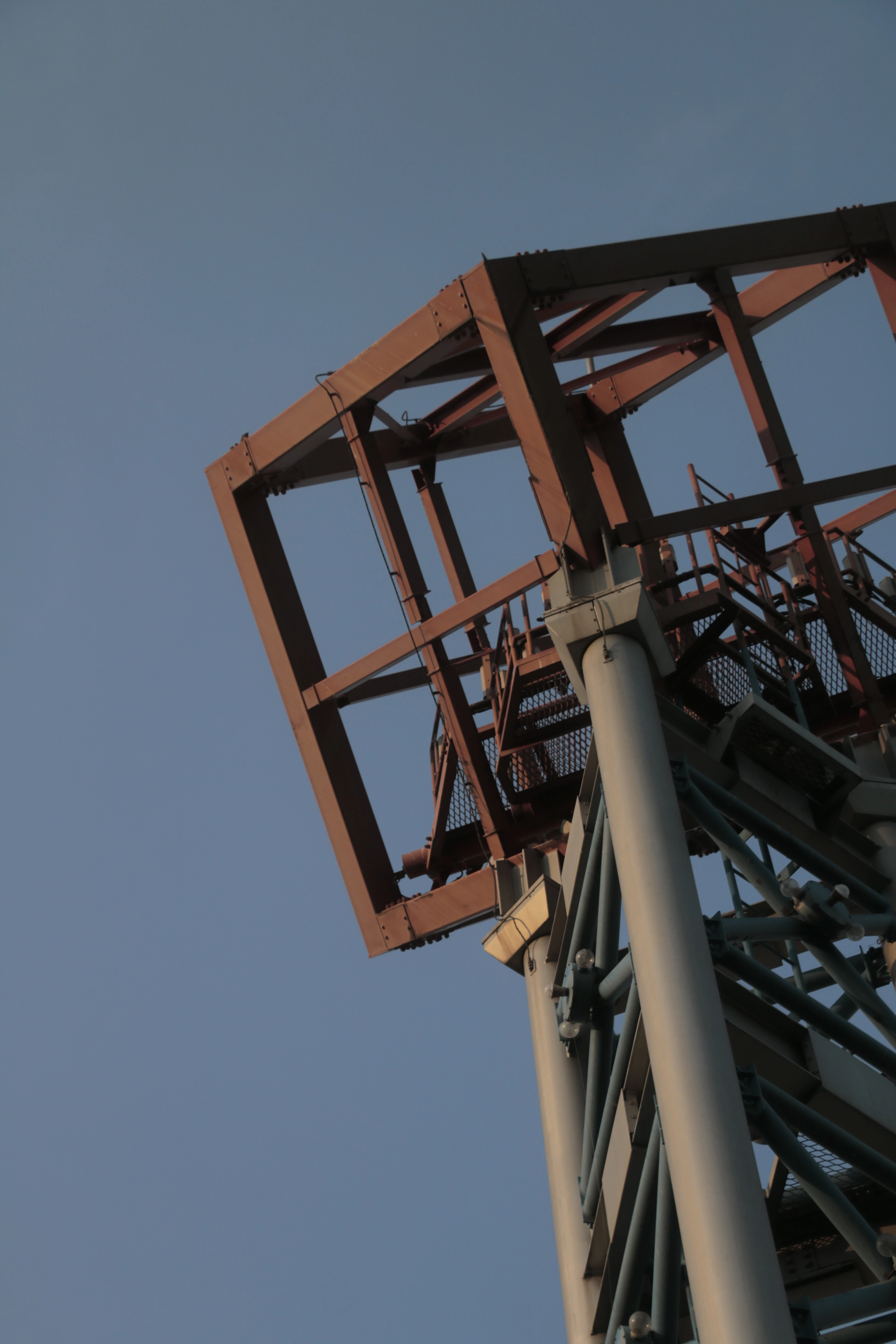
返信数 2

Community Expert
May 4, 2025

One important setting to change is in Lightroom classic's preferences to change raw defaults (in the presets tab) to 'camera settings'. This will make the default rendering after import similar to the camera generated jpeg by automatically choosing the corresponding profile and by doing a few settings that mimic the jpeg engine in the camera. This will only affect newly imported images. For already imported images, hit reset and it will do the same thing. You can also apply the 'camera settings' preset. 
note that the point of shooting raw is that you have complete editing latitude. With just a few edits, you can make your raws look far better than the in-camera jpeg. Just try the auto button, or use an adaptive profile to get some automatic edits that will immediately make your image look better.

Legend
May 3, 2025

@Klein C 


Raw files in LrC must have a Profile applied to them and invariably these give a different look than the in-camera processing that creates the camera's JPEG. The Camera Profiles in LrC have been created by Adobe to closely match the camera settings, but they are never exactly the same. If you are going to process your raw files (CR2 or DNG) in LrC, don't be overly concerned with the camera's JPEG; process your images to how you want them to look.

Klein C作成者
Participant
May 3, 2025

@drtonyb 

Thank you so much for clarifying. The truth is always disappointing tho... The JPEG is closest to what I took in the first place and how I feel about the scene. I guess I might just keep taking both raw and jpeg in the future as reference.

F. McLion
Community Expert
Community Expert
May 4, 2025

Try different profiles in LrC. For most cameras, LrC brings camera style profiles that try to mimic the exact visual style of the original.

--- Got your issue resolved? Please label the response as 'Correct Answer' to help your fellow community members find a solution to similar problems. ---