


Gray Cast Disappears/Reappears Upon Export - Photos Look Contrasty on Phone
Hello! I'm new to Lightroom (Version 6.1) and am wondering if anyone can explain why I'm having this issue.
When editing in Lightroom on my Surface, I like to raise the blacks to add that sort of grayed out film look to my photos. But when I view the photos on my iPhone, they look super contrasty.
At first, I just thought the photos looked different because the colors on my laptop are calibrated differently. (They look good when I view the exported photos on my laptop!)
But then, I realized that the photos on my phone looked how they do when the export preview is loading in Lightroom (see screenshots). That's right, when the export preview is loading in Lighroom, the photos get super contrasty,...but then once the export preview is fully loaded, they go back to normal.
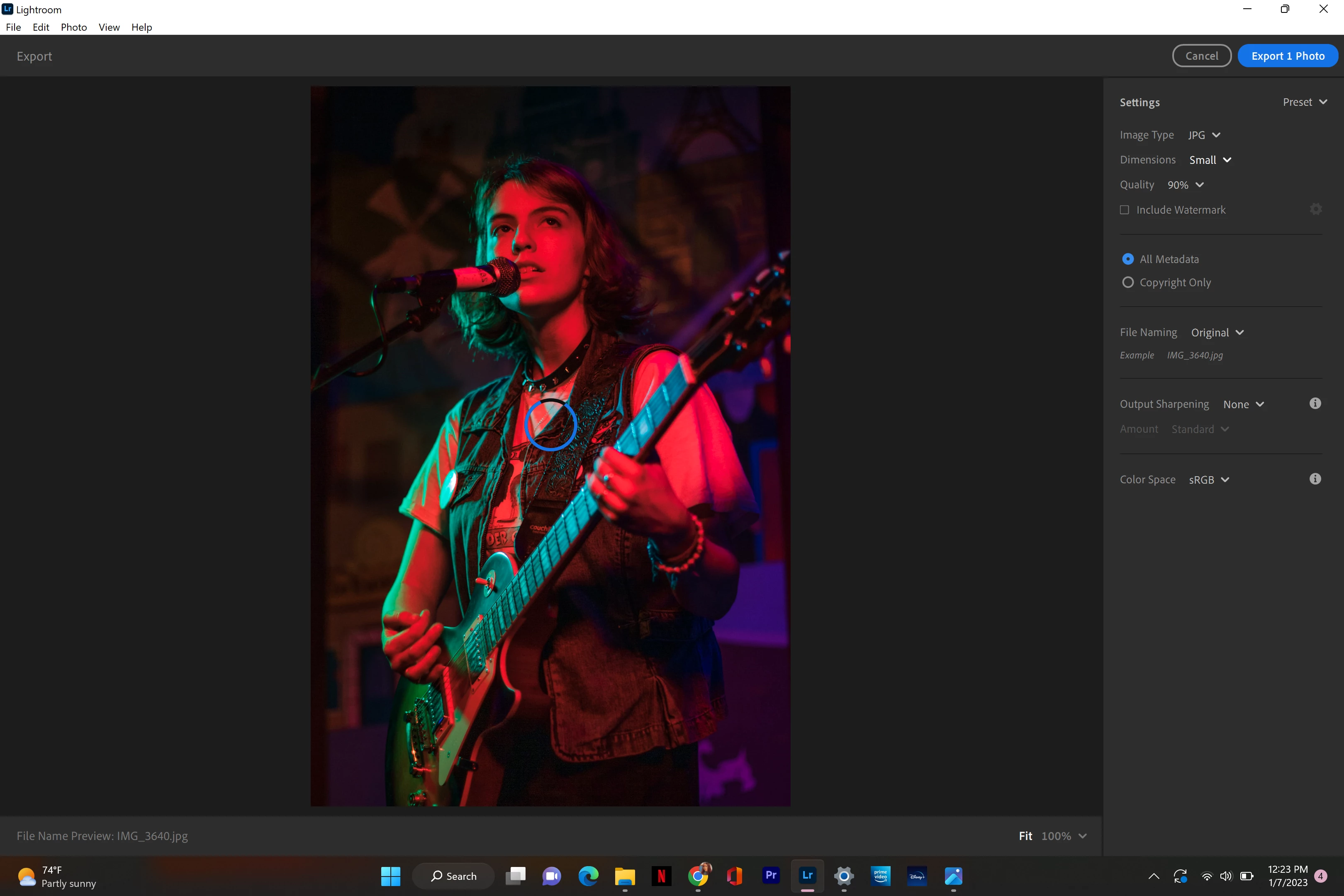
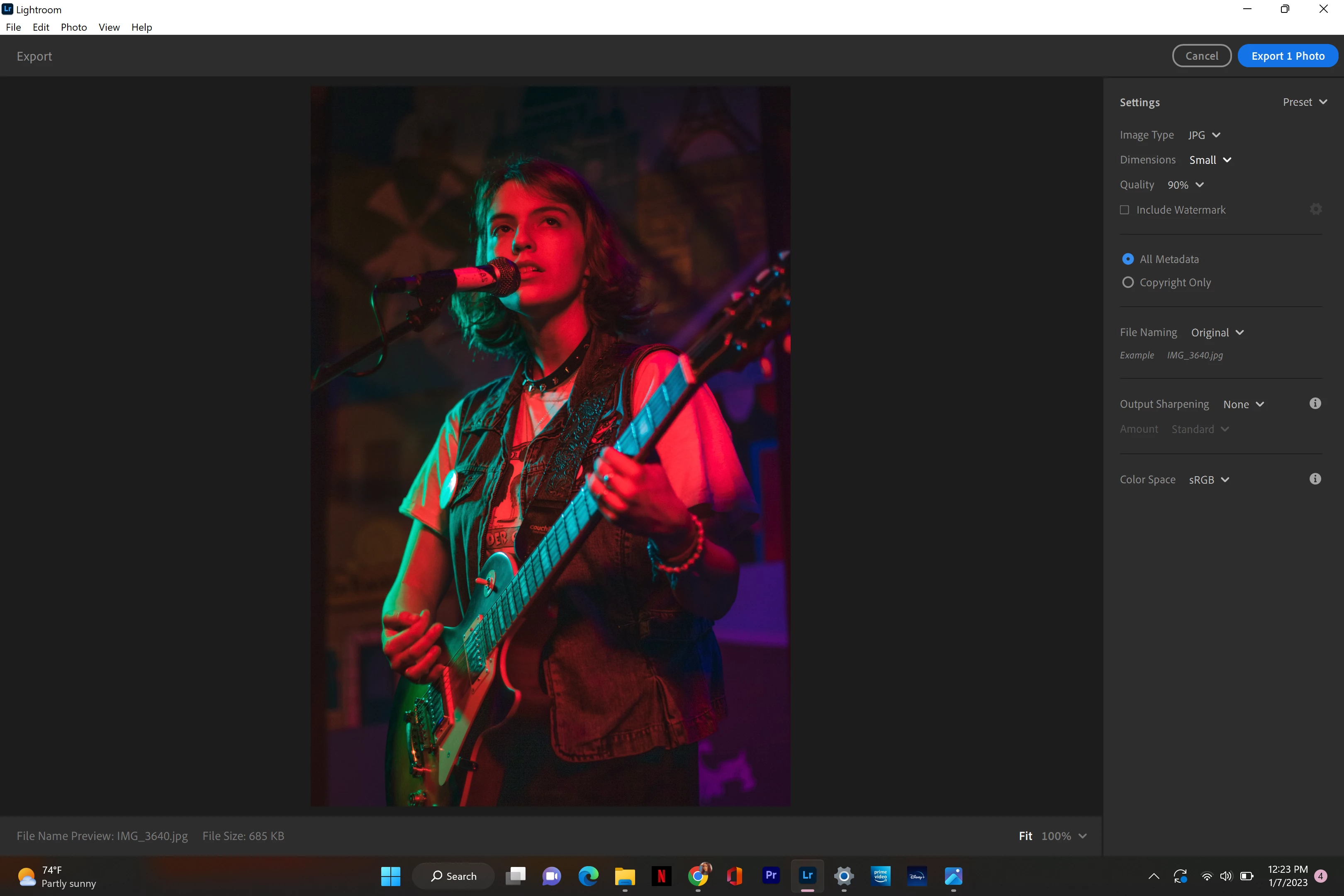
I don't understand why Lightroom is briefly showing me the "phone version" upon loading the export preview, and I obviously want my photos to look the same accross the board. Can anyone explain this? Thanks!
 AdChoices