


Participating Frequently
March 9, 2024
解決済み

Artboard disappeared in Photoshop

  • March 9, 2024
  • 返信数 4.
  • 1464 ビュー

Hello,


I have this issue for quite a while now (around 2 months since i updated photoshop to version 25.5.1 on Macbook Pro), the artboard is disappeared. I haven't done anything, I just opened the image up. Please see the reference screenshot. From the screenshot you can see that I'm opening 1 picture but it doesn't show up. Sometimes it does but when I zoom or doing anything with any tool, it WILL BE GONE!
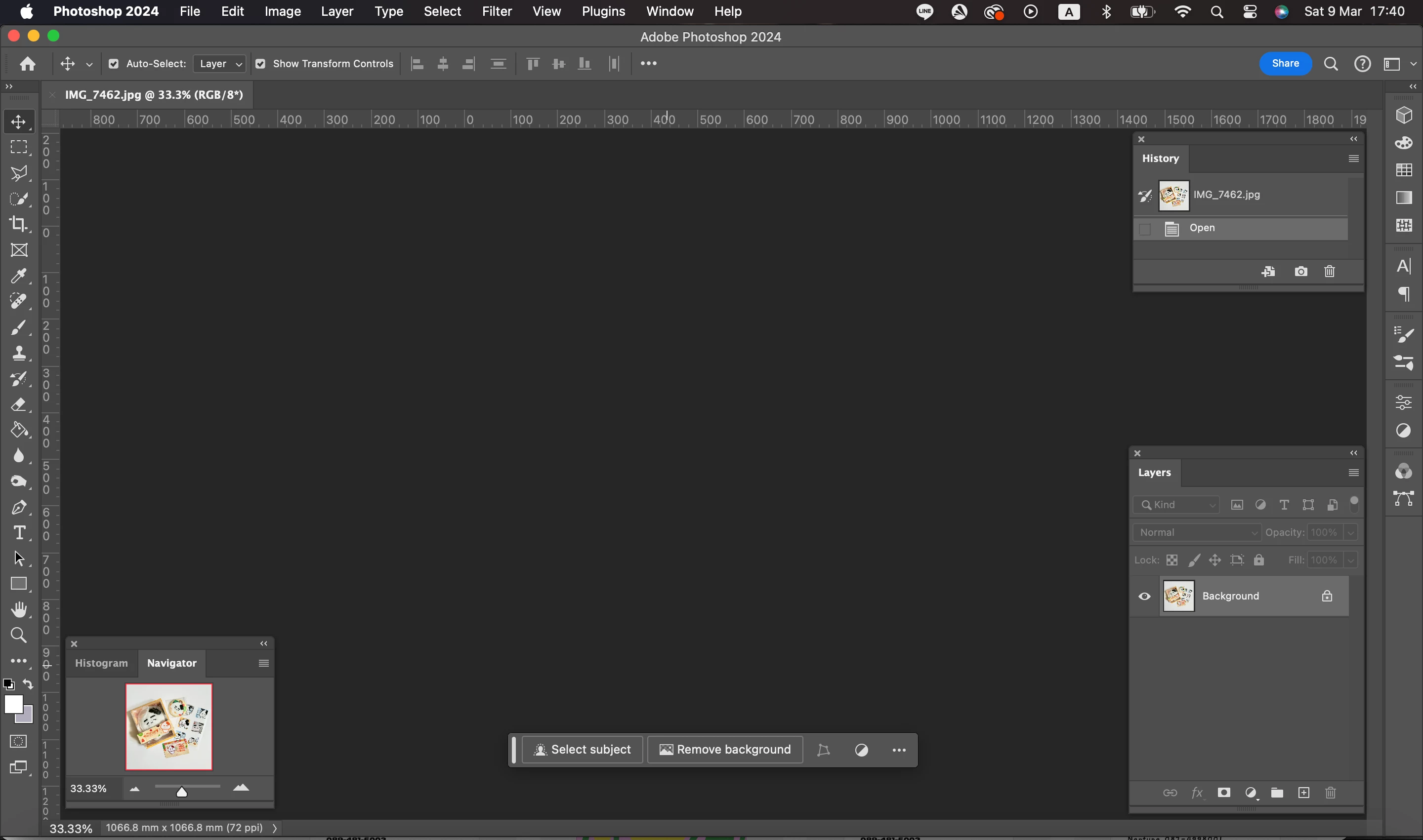


I'm pretty sure it's a bug bcus I haven't had this issue before until recently. Please fix this. Now I'm using Canva right now bcus of this feature. 


Or if there's any other suggestion i could do please help.


Thanks in advance.
このトピックへの返信は締め切られました。
解決に役立った回答 yet another Steve

Hi,

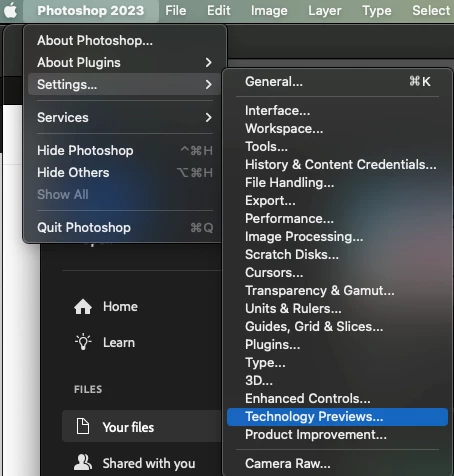
This looks like a canvas drawing issue. Can you provide your system info? [Help> System info...] Do you know if the 'Deactivate Native Canvas' option is checked ON on your Ps 2023 application? You find that in Preferences> Technology Previews


Also, there is a new 25.6 update

返信数 4

Participant
April 15, 2024

I had this EXACT same problem with a 2019 MacBook Pro and it was driving me crazy. I recently udpated to Sonoma and Photoshop 2024. Unchecking the "Deactivate Native Canvas" seems to be working for me now once I restarted the program!

victoriasuw作成者
Participating Frequently
March 21, 2024

Thank you! I got it now.

However, in my 2023 version it's checked ON. But I checked it OFF in 2024 version to make the artboard shows up.


Participant
March 20, 2024

Hi,

This looks like a canvas drawing issue. Can you provide your system info? [Help> System info...] Do you know if the 'Deactivate Native Canvas' option is checked ON on your Ps 2023 application? You find that in Preferences> Technology Previews


Also, there is a new 25.6 update

victoriasuw作成者
Participating Frequently
March 20, 2024

Update on the status of this bug.


I went back to use 2023 version and it worked perfectly. I guess it's because the 2024 version that has this issue. However if it could be fixed, it'll be great. Cus now no matter how great AI generater works...it doesn't happen to me since I cannot use it AT ALL.