


Participating Frequently
March 11, 2014
質問

Auto cut-up / layer of photo by geometric mask

  • March 11, 2014
  • 返信数 2.
  • 3175 ビュー

Hi I know nothing about scripting and I'm looking for some help please.

Is it possible for a script to use a geomtric grid, pasted as a path from AI as a vector mask, to automatically cut up a photo and create a new layer for each section of the grid?

I'm trying to cut up pictures which look like this one below automatically, so that I can concentrate on the process of moving, rotating and rearranging the tiles:
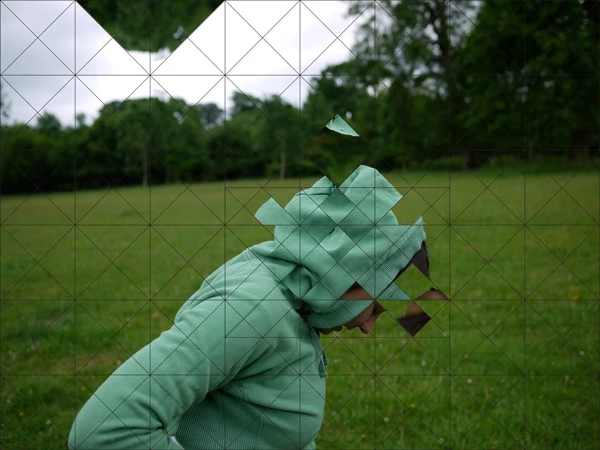
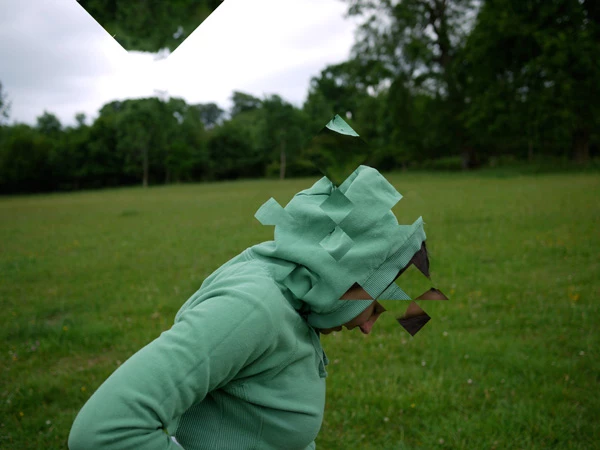
I'm fairly new to PS and very new to AI.  These are just rough tests as I learn the processes.

Here's a link to my open question in the General Photoshop forum so you can get more of background on what I want to do:

http://forums.adobe.com/message/6199129#6199129

Any help from someone who knows script well would be great.

Thanks

このトピックへの返信は締め切られました。

返信数 2

c.pfaffenbichler
Community Expert
Community Expert
March 12, 2014

If you open attched jpg and see the Paths Panel you can see that each of the subPathItems is a closed triangle.

Is your Path like that?

But this still leaves the issue that if the segments do not line up with the pixel grid some triangles of ostensibly equal dimensions may be somewhat off due to rounding effects. (edited)

moggaletti作成者
Participating Frequently
March 12, 2014

Thanks, I see what you mean. This works perfectly to select different regions and great new layers by the Paths.  I can't seem to get this to work on my version (I posted psd and ai files here: https://dl.dropboxusercontent.com/u/14000142/GRID%20TO%20PATH.psd and https://dl.dropboxusercontent.com/u/14000142/GRID%20TEST.ai)

So, I think it must be my Paths that I haven't got the hang of.  In my psd, I can't just select a selection, I have to actually click on the Path lines to select anything... and even then, it won't select pixels from main photo layer.

c.pfaffenbichler, could you show me where I'm going wrong when I'm creating my path please?

Once this is sorted and I've learnt how to create the Paths properly, would someone be interested in writing a simple script to automatically cut/create new layers by path to help me?

Thanks, Henry

JJMack
Community Expert
Community Expert
March 12, 2014

Yes it's a very cool script! Can't thank him enough


I know curves are not supported wanted to see what it would do if curves were used.  Next subpath modes.

JJMack
JJMack
Community Expert
Community Expert
March 12, 2014

First of all up front I do not know anything about Adobe AI or anything About how Adobe does pasting between Adobe applications.  If you have a real Photoshop Path and know something about individual path segments or sub-paths what you want to do may well be scriptable.  However if you know nothing about scripting Adobe products unless your a very strong programmer IMO you need to look for a Photoshop script programmer for heir that has the required knowledge.

JJMack