

解決済み
Change Keyboard Shortcut for Fill with Foreground/Background Color
How do I change the default keyboard shortcuts for filling selections with the foreground/background color?

How do I change the default keyboard shortcuts for filling selections with the foreground/background color?
You mean I have to change the script in order to change the shortcuts? How?
By @Jalen30051005ql1u
No, it wouldn't work like that, and I don't know if forum scripting experts like @Stephen Marsh could do anything. The Alt Backspace shortcut can't be changed, but maybe the Edit > Fill dialog could be accessed automatically. I don't know the first thing about scripting, so you'll need someone like Stephen.
What would you like to achieve? How would you like it to work?
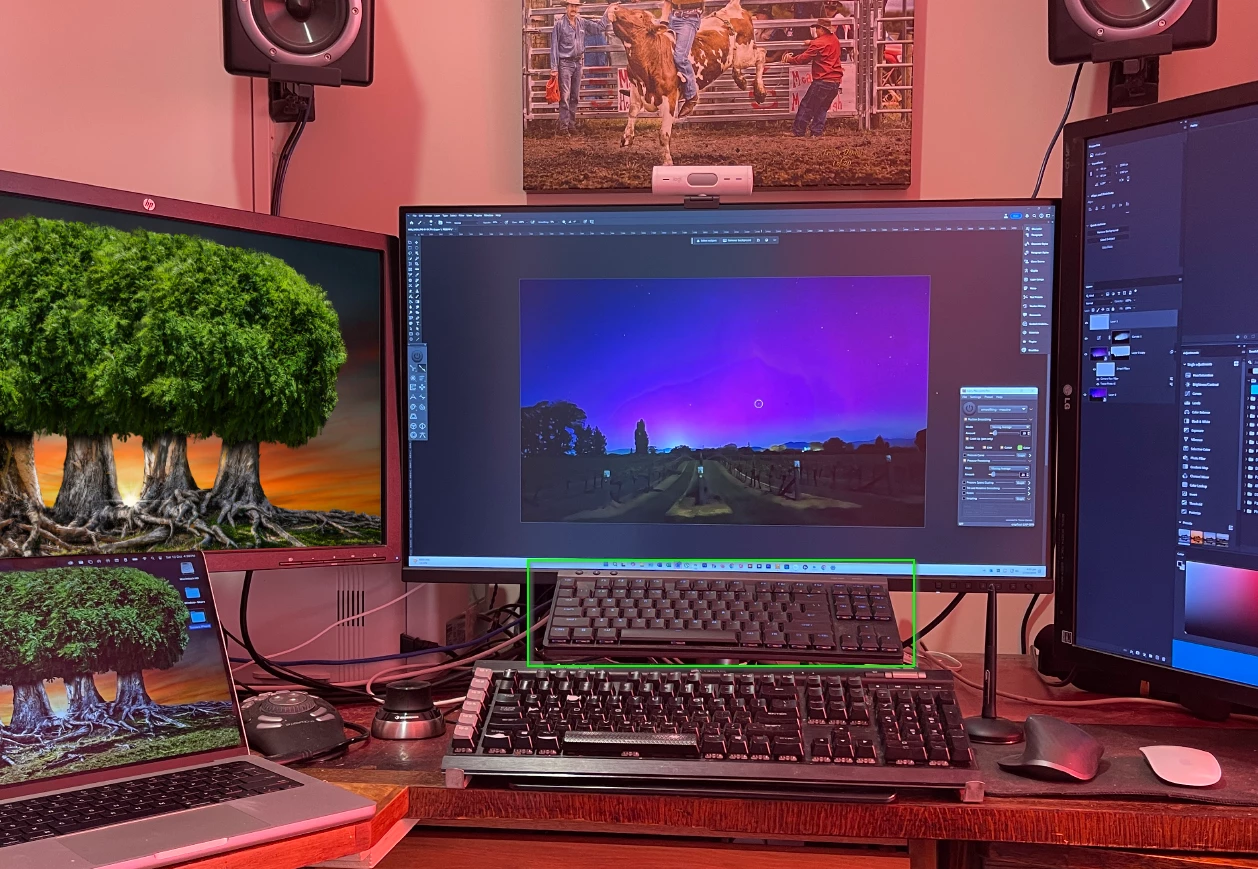
One way that would definitely work is using a gaming keyboard or MMO Mouse. This would not be one of the little TKL keyboards, but a full size keyboard with number pad and additional G keys. You can remap the G keys with sharacter strings, so you set up G1 to do Alt Backspace. I have a Logitech G515 on which every single key can be remapped that way, but if you take that route, you'd have to use iot as a second keyboard. It gets a bit crazy, and I am currently thinking that I'll abondon my plan to use the second keyboard, as I am not making it work for me. The idea works fine, but it is getting in the way. Oh well. It was only NZ$200 😞
The script/s would be installed in Presets/Scripts directory and Photoshop restarted. Then custom keyboard shortcuts would be assigned to the installed script/s under the File > Scripts menu.
EDIT: It looks like there's no need for a script as the Fill command is already available for a custom keyboard shortcut: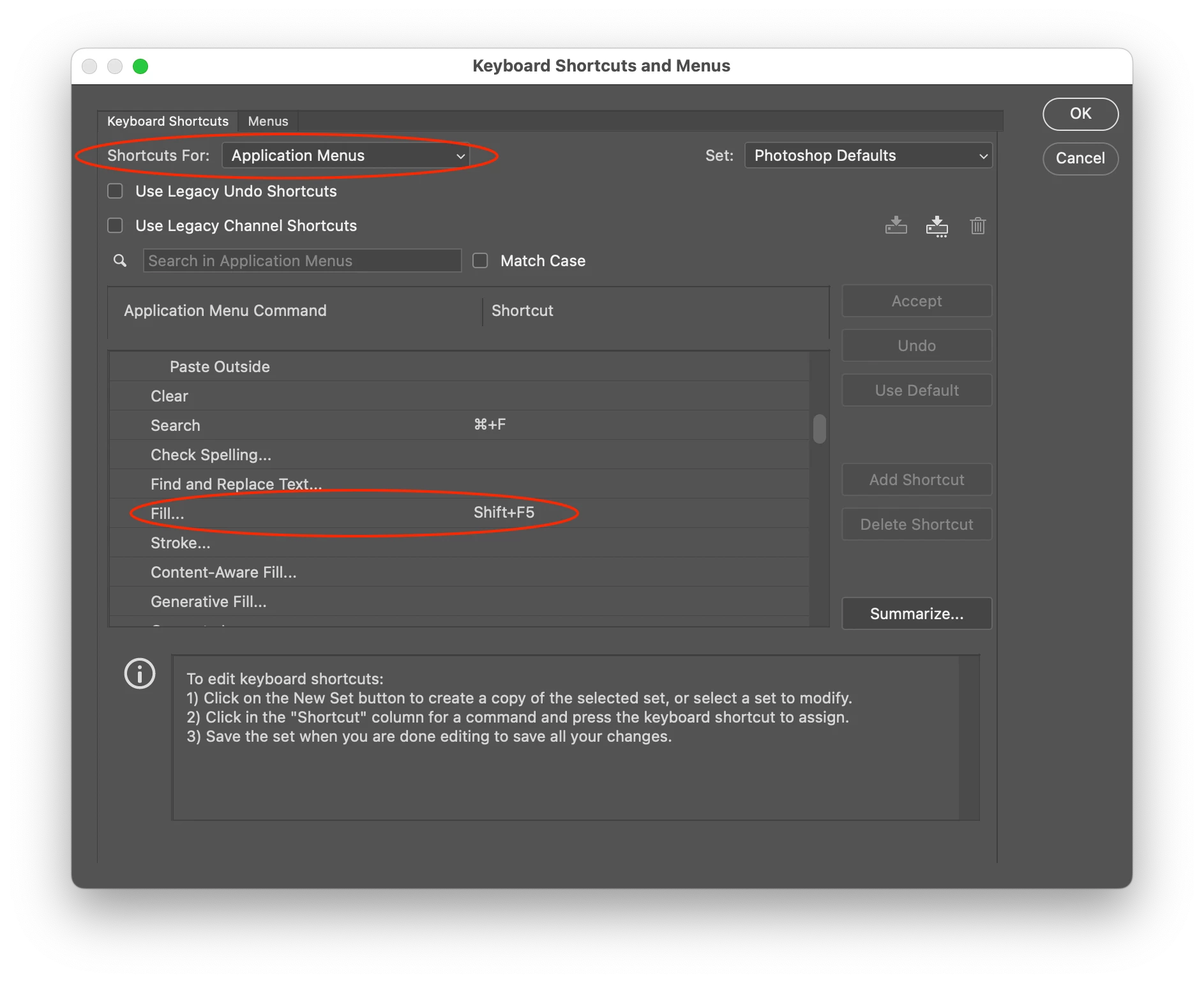
EDIT 2: Here are the scripts to directly fill with fore/back swatches (not Fill... with dialog):
// Fill with foreground color
#target photoshop;
var s2t = function (s) {
    return app.stringIDToTypeID(s);
};
var descriptor = new ActionDescriptor();
descriptor.putEnumerated(s2t("using"), s2t("fillContents"), s2t("foregroundColor"));
descriptor.putUnitDouble(s2t("opacity"), s2t("percentUnit"), 100.000000);
descriptor.putEnumerated(s2t("mode"), s2t("blendMode"), s2t("normal"));
executeAction(s2t("fill"), descriptor, DialogModes.NO);
// Fill with background color
#target photoshop;
var s2t = function (s) {
    return app.stringIDToTypeID(s);
};
var descriptor = new ActionDescriptor();
descriptor.putEnumerated(s2t("using"), s2t("fillContents"), s2t("backgroundColor"));
descriptor.putUnitDouble(s2t("opacity"), s2t("percentUnit"), 100.000000);
descriptor.putEnumerated(s2t("mode"), s2t("blendMode"), s2t("normal"));
executeAction(s2t("fill"), descriptor, DialogModes.NO);
https://prepression.blogspot.com/2017/11/downloading-and-installing-adobe-scripts.html
Enter your E-mail address. We'll send you an e-mail with instructions to reset your password.

 AdChoices