


Participant
August 12, 2025
解決済み

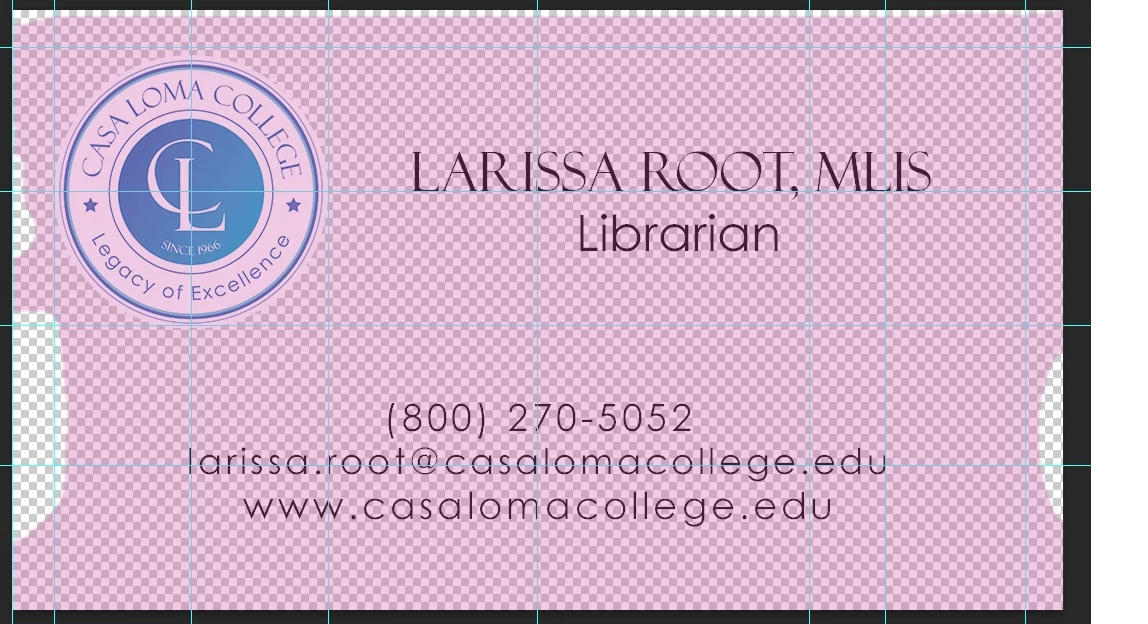
Does anyone know how to get rid of this colored mask that prevents me from editing the image?

  • August 12, 2025
  • 返信数 1.
  • 254 ビュー

When I click on my image. I get this strage mask that prevents me from editing it. Closing the program and opening it back doesn't work. It still comes up with this mask covering everything. Does anyone know how to remove it?
解決に役立った回答 ExUSA

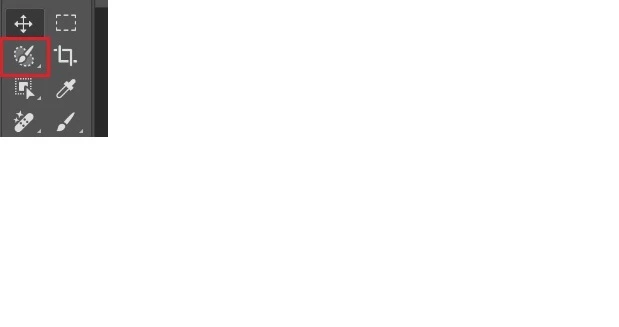
I found it. You have to deselect the brush tool.


That's the selection brush, and yes sometimes you'll see an indication when you have a specific tool selected (another example would be the crop tool, where you would have the crop indicators showing.)

返信数 1

Legend
August 12, 2025

If you press the Q key does it go away? If not, look at the Channels panel and see if the RGB composite channel is selected.

Participant
August 12, 2025

Hi, 


That's not it. When I try to remove one of the colors it changes the color of the objects in have in the image. And I can't

un-select RGB.

Participant
August 12, 2025

I found it. You have to deselect the brush tool.