Participant
November 28, 2024
解決済み

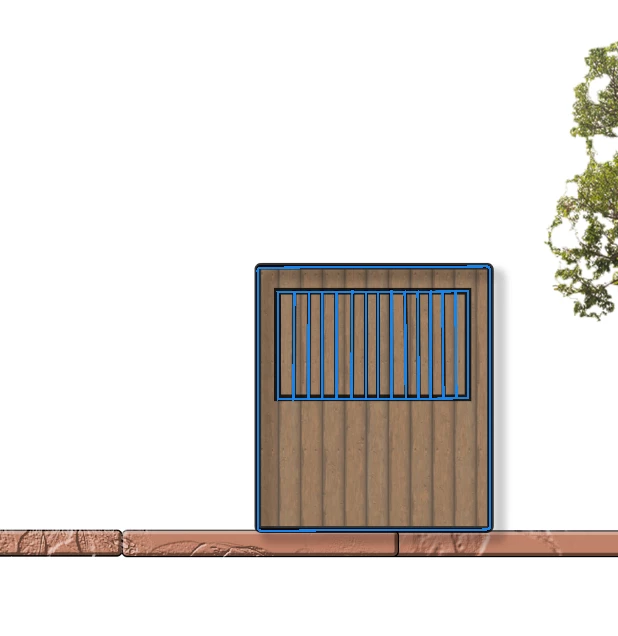
HELP! There's a bounding/selection box around an object and I can't get rid of it!

  • November 28, 2024
  • 返信数 1.
  • 309 ビュー

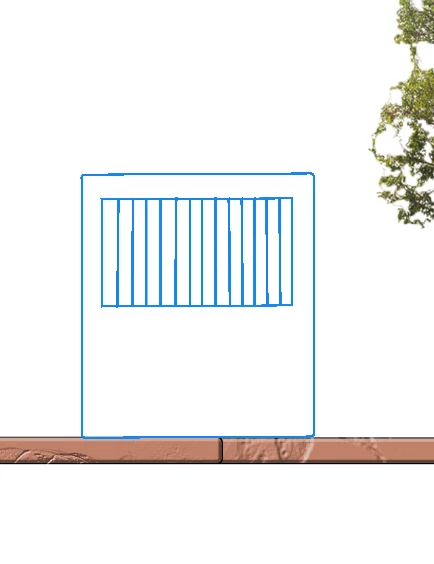
I'm working on a section drawing for a class and one of the objects I put in has a blue box around it as if it's selected, even though its not. I even deleted the layer and the box was still there and theres nothing underneath it. Please help me! 
このトピックへの返信は締め切られました。
解決に役立った回答 Stephen Marsh

With the move tool selected, look for the options in the cog/gear icon in the options bar at the top of the screen.


If you deleted the layer and the object is still there, have you checked the path panel?


The only other thing that I can think of is a GPU rendering native canvas issue, if you zoom out and in multiple times or view guides or grid on and off does it clear?

返信数 1

Stephen Marsh
Community Expert
Stephen MarshCommunity Expert解決!
Community Expert
November 28, 2024

With the move tool selected, look for the options in the cog/gear icon in the options bar at the top of the screen.


If you deleted the layer and the object is still there, have you checked the path panel?


The only other thing that I can think of is a GPU rendering native canvas issue, if you zoom out and in multiple times or view guides or grid on and off does it clear?