Also, the image you attached is exactly what I want except I want the whole ice sheet to get smaller because of the melting. This is pretty easy on the Antarctic side, but on the top it is difficult
Select the ice and copy to a new layer
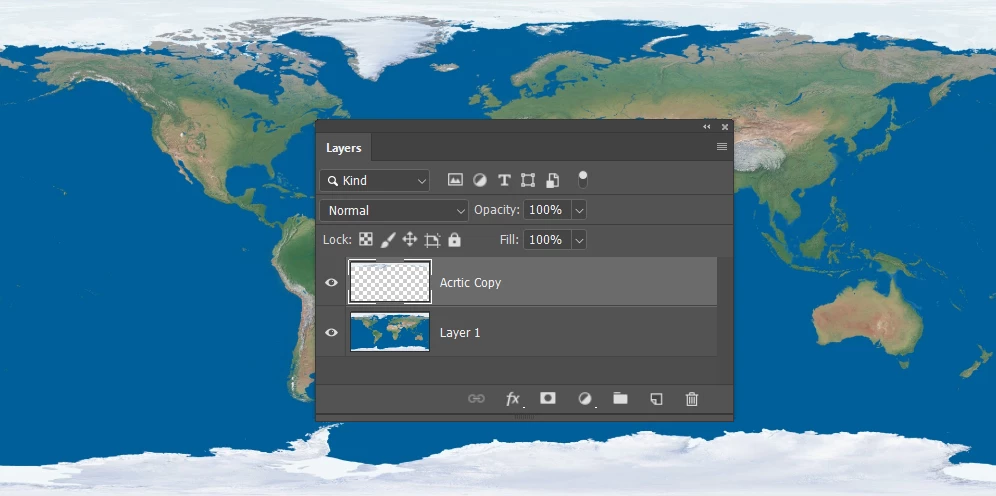
I'm going to ignore the land beneath the ice, and fill that area with sea blue on a new layer
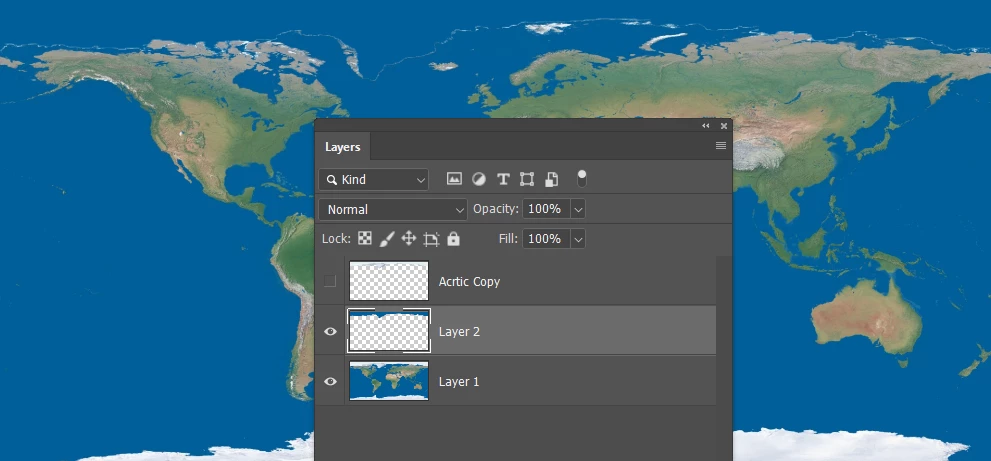
Ctrl click the ice layer and go Select > Modify > Contract (you decide how much)
Add a layer mask.
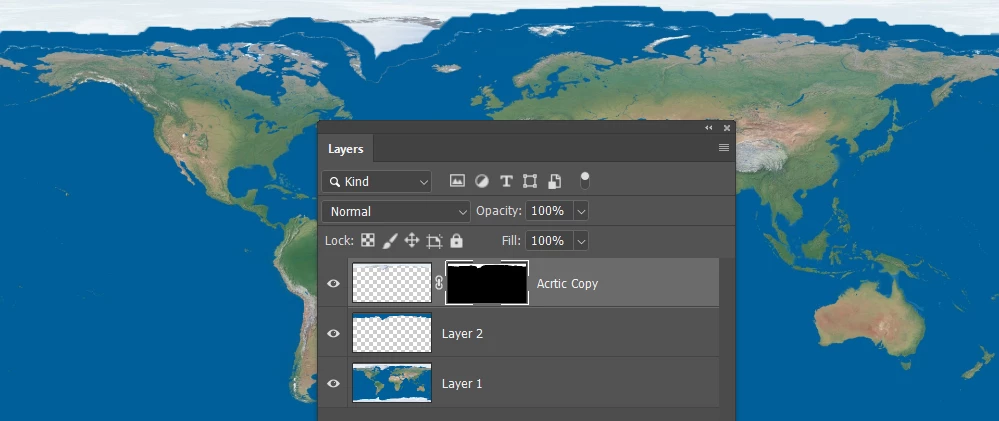
I used Alien Skin > Eye Candy 7 to do the drip and melt, but you can do it manually.
This is Eye Candy 7
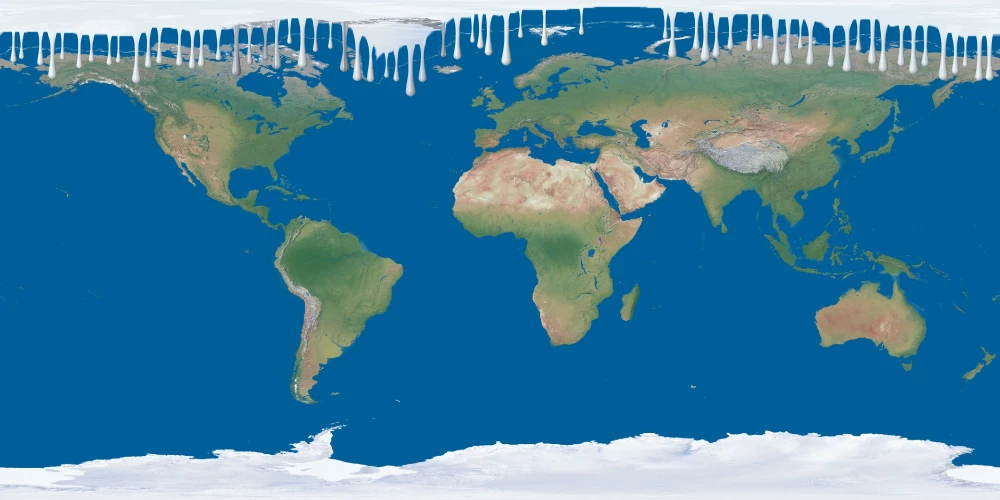
If I had to do it manually, and I wanted lots of drips, I'd make a brush preset.
Give it some size jitter, and increase spacing. Unfortunately, you can't use scatter because you can't scatter on the x axis without the y axis, so you'll have to live with regular spacing.
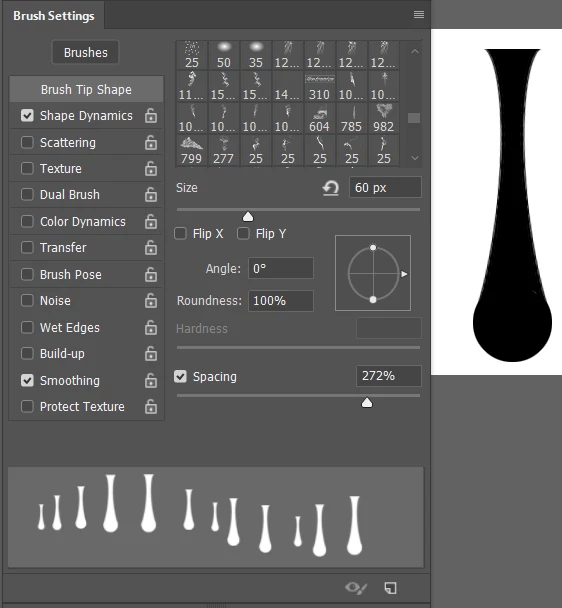
Sample the Arctic ice colour and brush thew drips on a new layer
You'll need to nude some of them up a bit by selecting and moving.

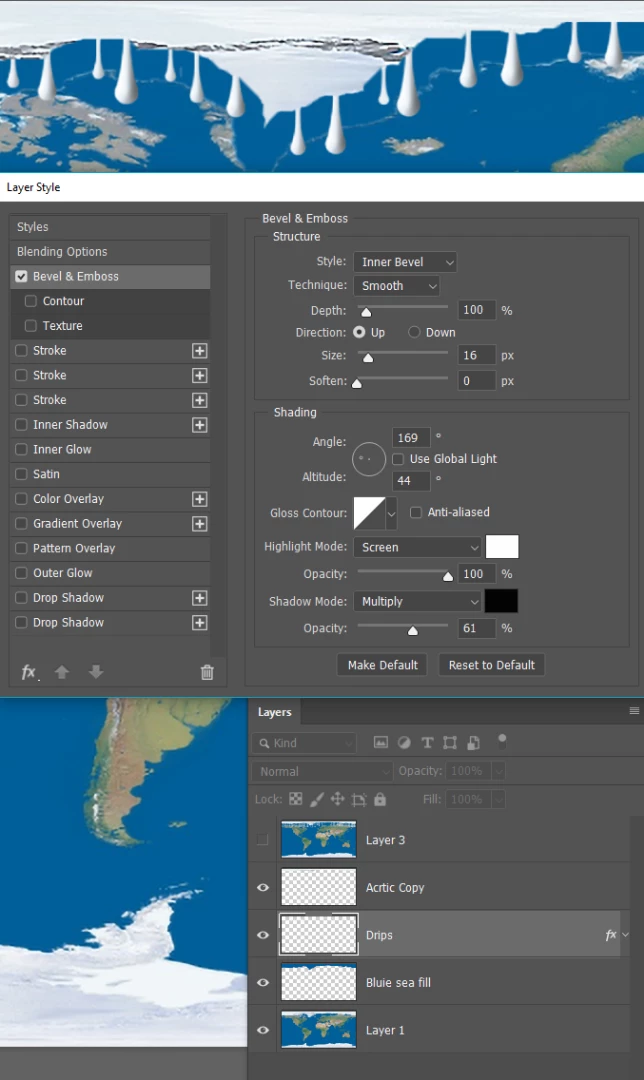
Then use Layer Style Bevel & Emboss to give thew drips some depth
The settings below are for a layer 1000 pixels wide.
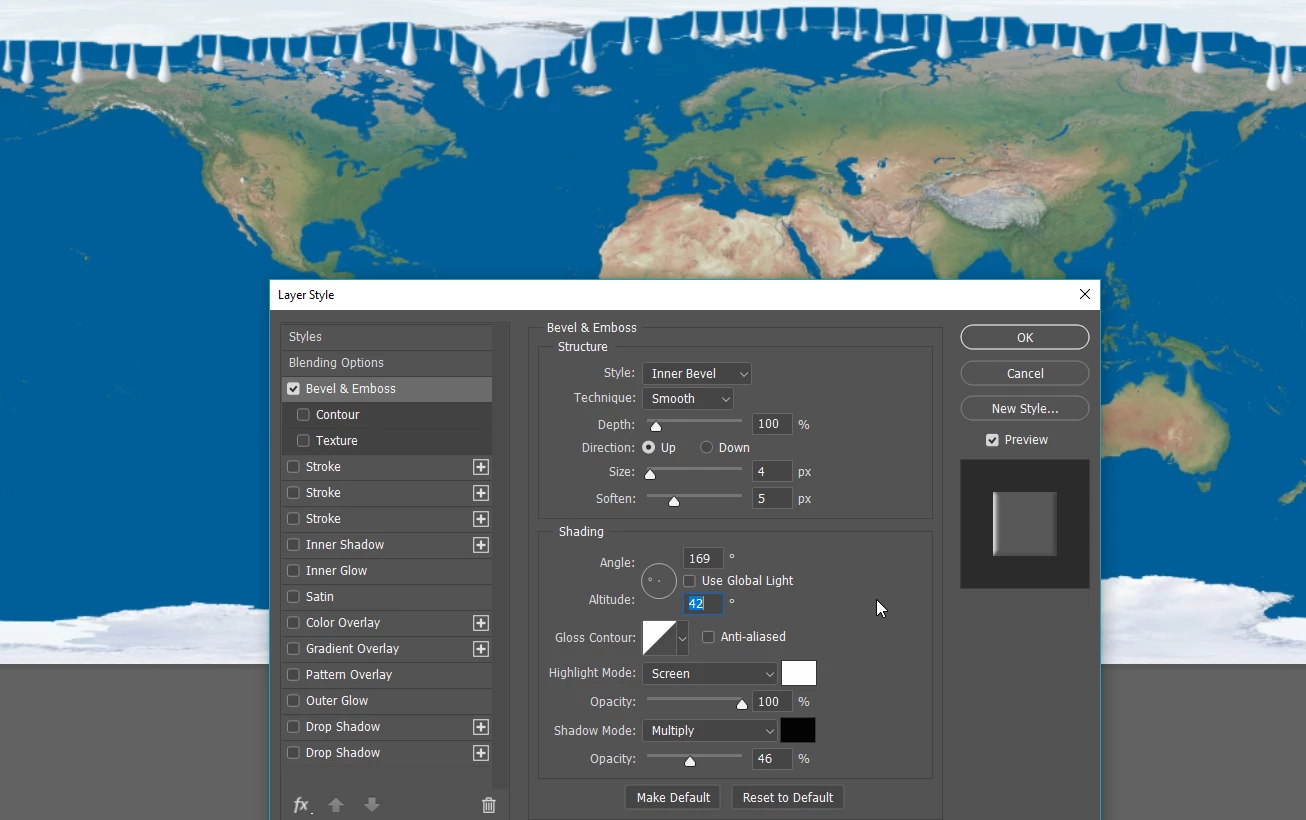
This is actual pixel size after increasing the image to 2000 pixels and using Smart Sharpen to harden the outlines.
I'v also move the drips below the ice layer.
I hope that helps, but ask if you need more help.



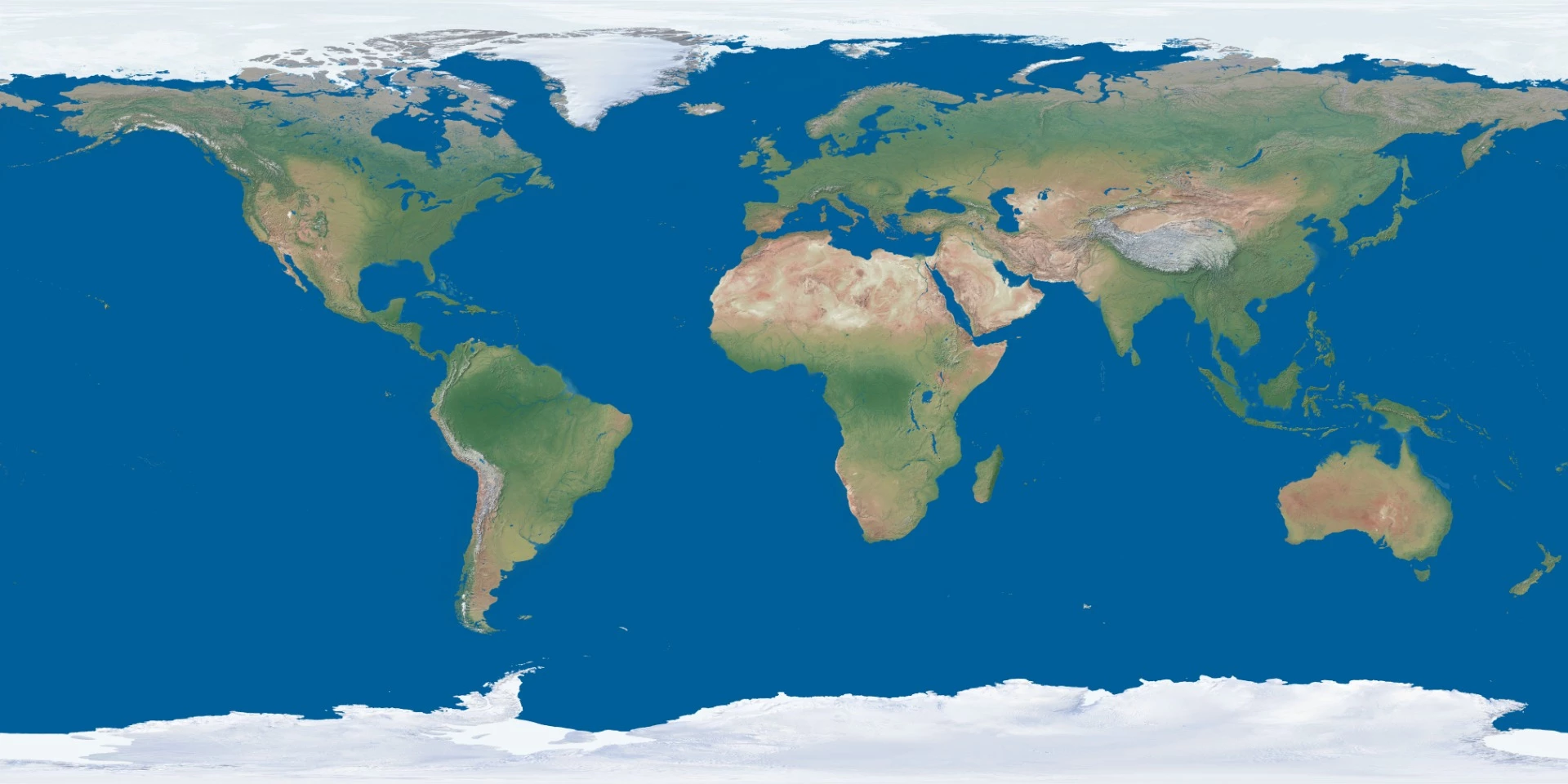
 I want to do something like the 2nd one, except I dont want to remove all the ice. I want to remove only some of it, as if it got melted. How can i do this?
 AdChoices