


ryanejezie
Participant
August 8, 2018
質問

How do I get a natural line color for the stained glass window filter?!?

  • August 8, 2018
  • 返信数 1.
  • 2679 ビュー

Hey!

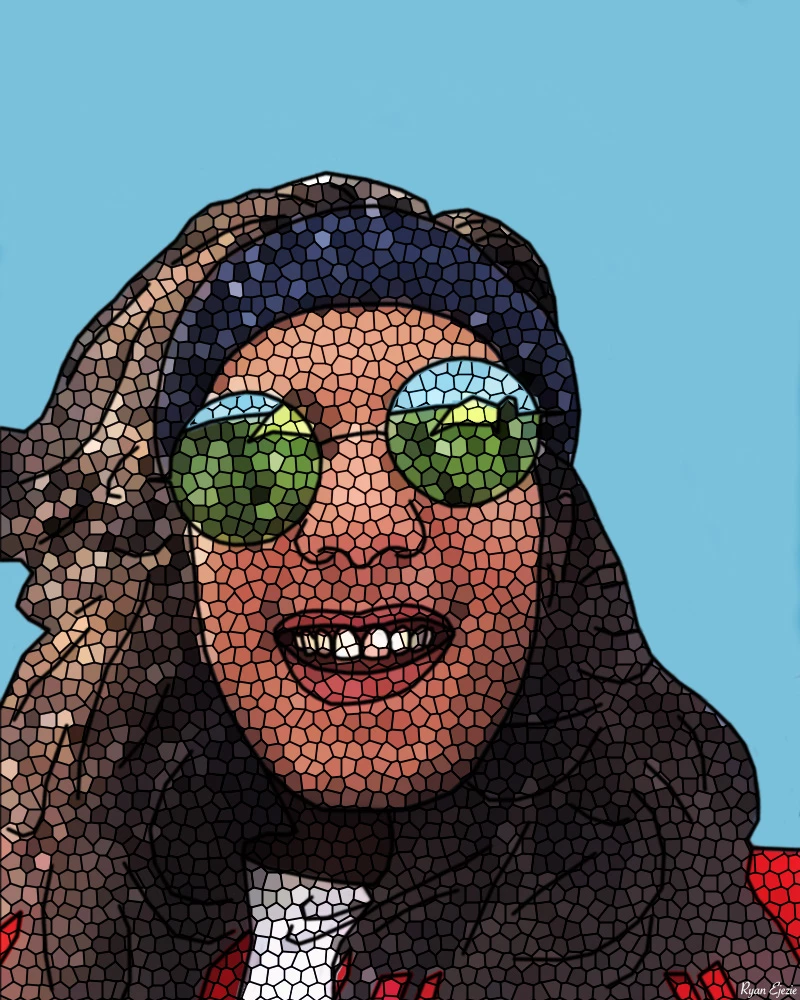
I've been trying to get the natural line color on the stained glass window filter. I already did it once by accident yesterday, but when I came back today to make some adjustments and was playing around with the colors, I changed it to black by accident. Now I know how to change the colors of the line, but how do I just revert it back to the natural colors.

Thanks for your help!

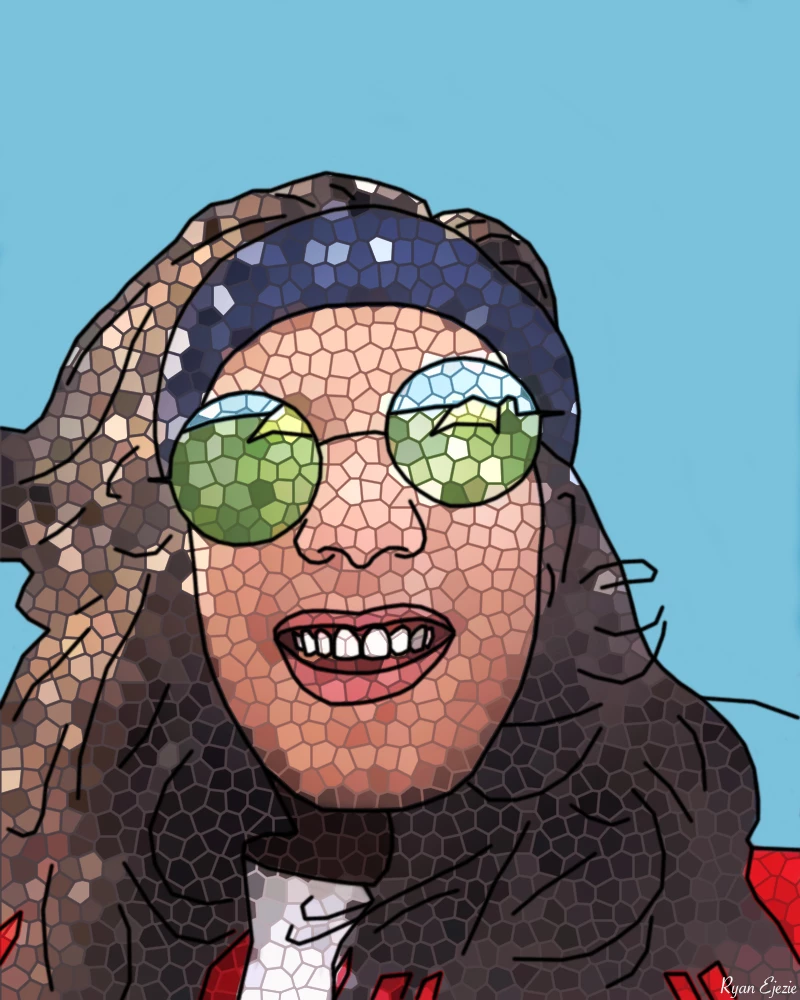
This is what I am trying to achieve with the lines...
This is where I am back at.. (Black lines which I do not want)
このトピックへの返信は締め切られました。

返信数 1

davescm
Community Expert
Community Expert
August 8, 2018

Hi

Filter Gallery > Stained Glass uses the foreground colour set before you open the filter when colouring the borders. So set your required colour first, then open the filter

Dave

ryanejezie
ryanejezie作成者
Participant
August 8, 2018

Hi Dave,

That's what I am trying to avoid.

If you see in the first image the lines match the natural colors. thus green lines in the glasses, blue lines in the headband. If you have any idea how to get it back to that, that would be great.

Thanks!

davescm
Community Expert
Community Expert
August 8, 2018

Hi

In theory Blend If should take out the black and allow you to blur a copy underneath. However, even splitting the sliders to soften the transition leaves artifacts on the edges (due to anti-aliasing) and extending the slider to overcome that impacts other parts of the image.

You could try this though:

Use the stained glass filter on a copy of the image, with the borders set to black,  and set the layer to overlay blend mode

Blur a copy of the image underneath the stained glass layer

This will increase saturation so you may need to add a Hue/Sat layer and turn down the saturation

Dave