


VedaGirl
Known Participant
January 19, 2022
質問

How To Make A Image More Clear Using Photoshop

  • January 19, 2022
  • 返信数 3.
  • 2645 ビュー

Good Evening, So I am editing a photo in photoshop and the photo isn't really clear and its kind of blurry so I was wondering if there was a way that you make a photo that isn't so clear to be clear and I have been watching youtube videos and googling but nothing seems to be working so if anyone knows how please tell me step by step below and thanks so much!


返信数 3

@mj
Community Expert
Community Expert
January 19, 2022

Hi VedaGirl,


Agree with @Bojan Živković11378569 . Can you post a sample of the image?


You need to get a handle on resolution, see https://guides.lib.umich.edu/c.php?g=282942&p=1885350


And an understanding of depth of field will also be helpful. See https://digital-photography-school.com/understanding-depth-field-beginners/


Whilst Photoshop is a very powerful image editor, remember it can only work with information that exists.


We'll wait out for your sample image.


Best

mj


Mohammed Jogie |
Adobe Certified Associate |  Expert | Instructor |
Adobe Community Professional | Creative Ambassador | User Group Manager |
Member International Society of Typographic Designers | Lifetime Friend International Council of Design | Interaction Design Association Local Leader |
Member Pan Afrikan Design Institute | Ambassador Visual Arts Network South Africa | Central Executive Committee Member Printing SA |
VedaGirl
VedaGirl作成者
Known Participant
January 19, 2022

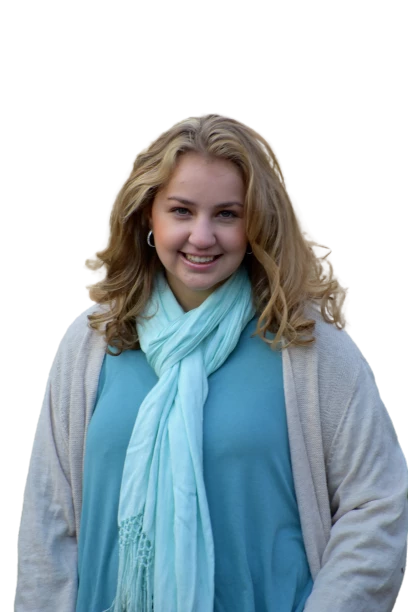
Thank you for responding to me so quickly I really apperciate it!, So down below is a image of my friend and I am trying to make her picture more clear and I have tried Fliter>Sharpen>Unsharpen Mask>, >Sharpen, >Sharpen More> as well as Add Noise>, >Reduce Noise, and basically anything in the Fliter section that looks like it would be helpful. I have also tried the fx features but nothing works. So I hope that this is helpful and I hope I can make the image more clear if not I'll think of something else.


Veda Fox
Bojan Živković11378569
Community Expert
Community Expert
January 19, 2022

It seems you missed Filter > Sharpen > Shake Reduction which is introduced for blurry photos. Sharpen More is not good bet. Basically you should try to sharpen in Filter > Camera Raw Filter before any Photoshop filter. So, try with Shake Reduction and Camera Raw Filter > Detail tab/section.

Bojan Živković11378569
Community Expert
Community Expert
January 19, 2022

Can you post sample image and describe which tools and options you are using to sharpen/bring details?


Very blurry image is almost impossible to improve, there isn't technology yet for such task.

lambiloon
Community Expert
Community Expert
January 19, 2022

Hi it all depends on picture we cant do 0 - 100 photoshop is only 60 -100 blurry to clear not possible...regards

Ali Sajjad / Graphic Design Trainer / Freelancer / Adobe Certified Professional