


Recreating lost/clipped highlights.
I will post at the bottom of this description one of the images in cause.
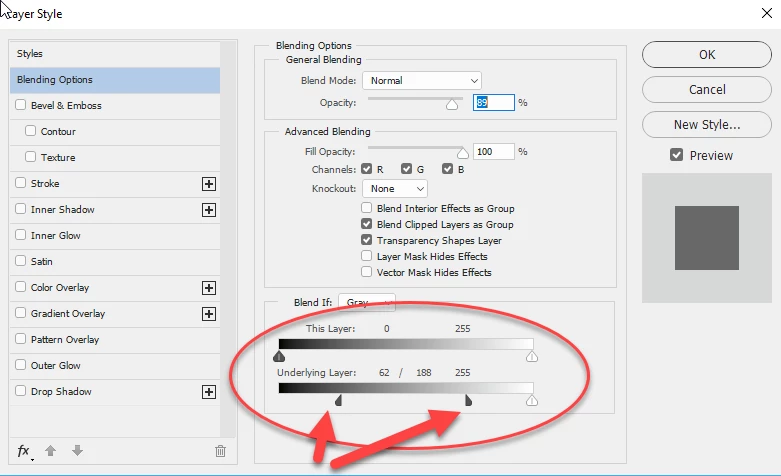
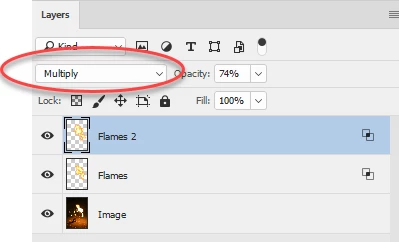
Photo was shot RAW, and in post-processing even dragging the exposure compensation slider down to -2 (maximum), and the Highlight Recovery slider to the maximum (100) , I cannot fill the white space in the middle of the flames. There is obviously lost information in there due to to dynamic range of the scene. Please help. I'll link one of the pictures. I am looking either for a tutorial on how to fill the whites inside the flames manually and blend them somehow to look as realistic as posible, or perhaps a tutorial on how to use some flames taken from google images and use portions of them, to fill the fire and do it in such a matter that the whole thing blends in.
If any of you see other solutions as well, I am open to anything.
I will link a photo with some expanations on it, and a clean version.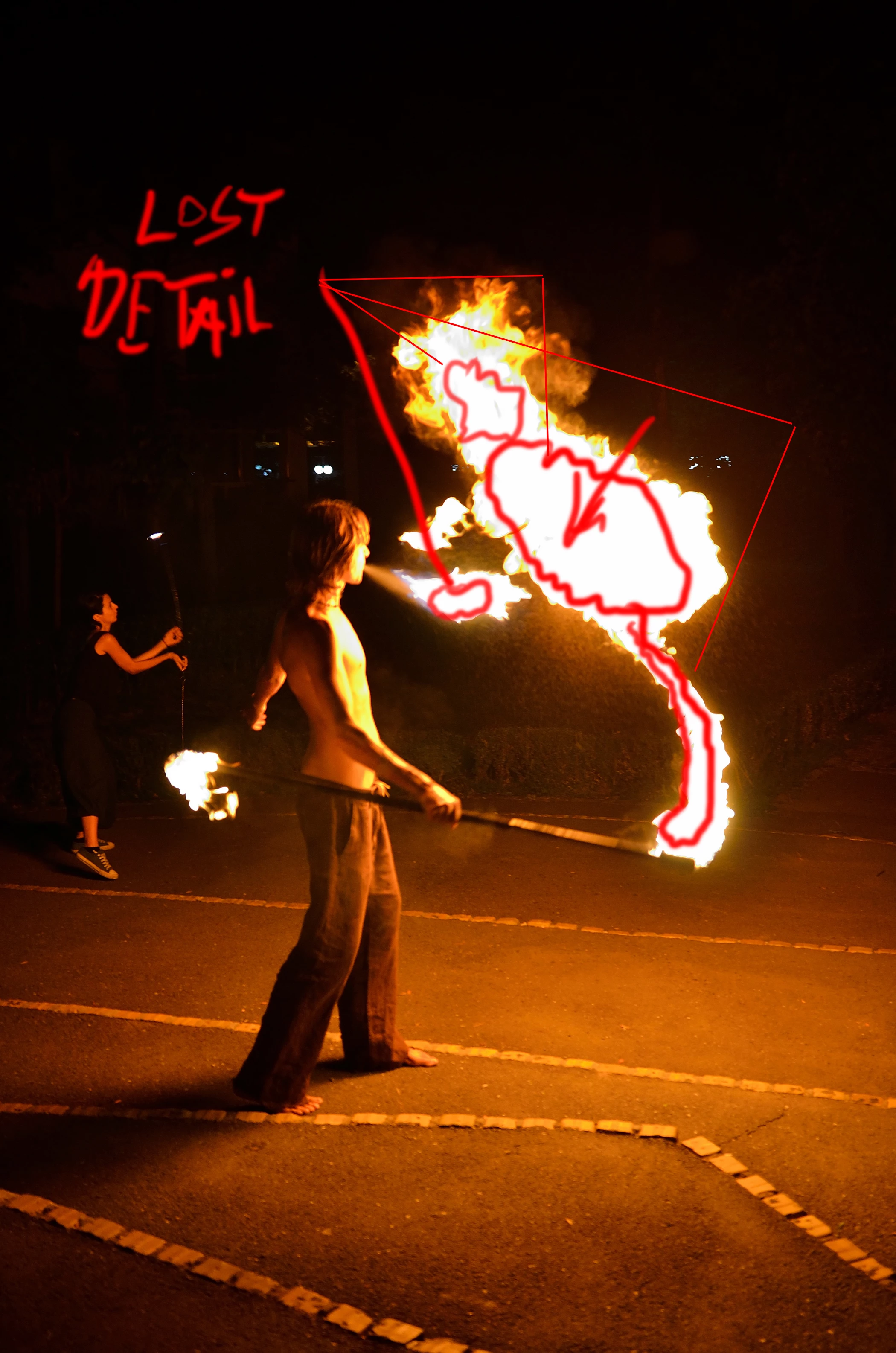
Link to the clean-image: UJO_5938.jpg - Google Drive
I appreciate very much any suggestion and person that is willing to take their time to guide me. Thank you in advance.

 AdChoices