Participating Frequently
February 17, 2018
Answered

Scale Brush but leave Brush Texture Scale as it is

  • February 17, 2018
  • 1 reply
  • 3380 views

Hi there

I have a brush with a perfekt scale of the texture.

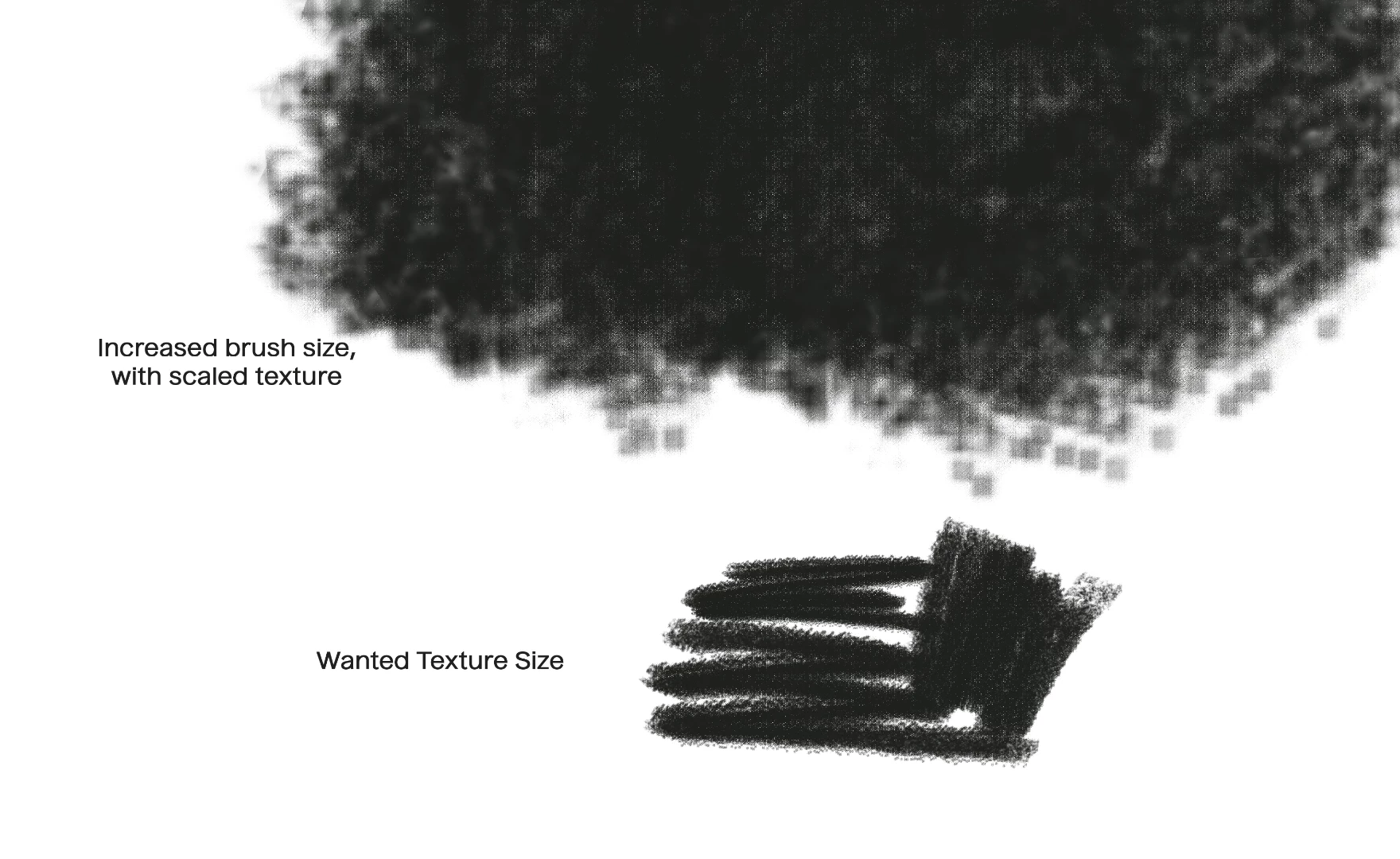
I now have to paint a larger area with the same brush. So I wanted to increase the brush size. Unfortunately the texture is scaling with it.

How can I leave the texture as it is, but just increase the area of applied color.

Maybe it helps if I add an image (below)

Thanks for the help and cheers

J
This topic has been closed for replies.
Correct answer davescm

If the texture is part of the brush image ( a brush just lays down a series of stamped images) then there is nothing you can do to prevent it scaling with the brush.

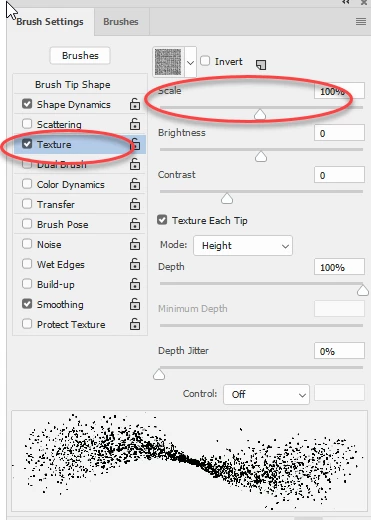
If the texture is separate (look in the brush panel to see if it checked) then you can adjust the scale slider

Dave

1 reply

davescm
Community Expert
davescmCommunity ExpertCorrect answer
Community Expert
February 17, 2018

If the texture is part of the brush image ( a brush just lays down a series of stamped images) then there is nothing you can do to prevent it scaling with the brush.

If the texture is separate (look in the brush panel to see if it checked) then you can adjust the scale slider

Dave

boldusainAuthor
Participating Frequently
February 19, 2018

Ok, that's what I found as well. I hoped there was another way. I did not want to change that slider all the time.

But thx anyway.

аннах62499154
Participant
June 21, 2019

Just use pattern stamp tool instead of a brush tool, no need to to change that slider manually