


Participant
March 11, 2024
質問

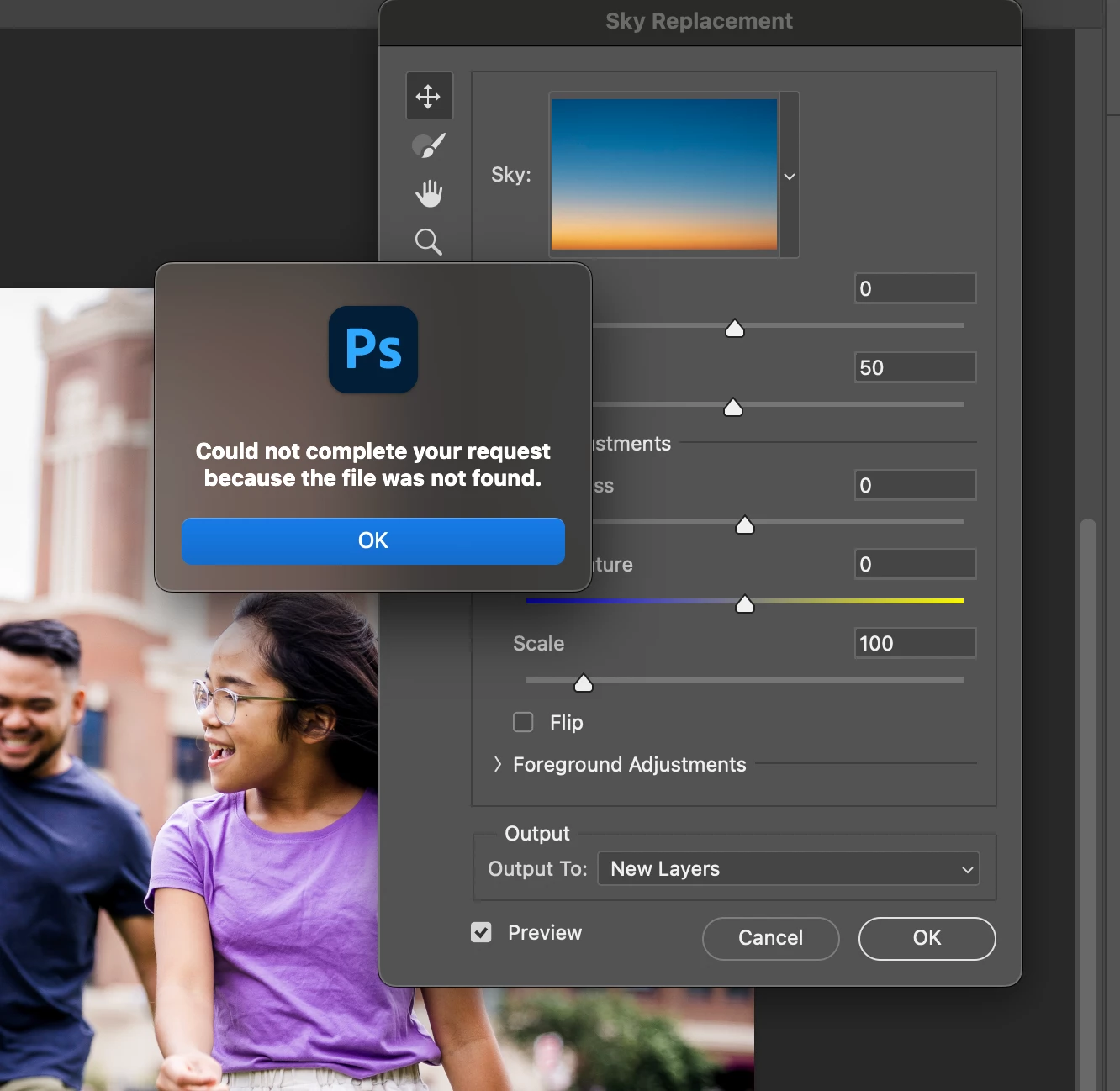
Sky Replacement - "Could not complete your request because the file was not found."

  • March 11, 2024
  • 返信数 1.
  • 128 ビュー


I'm running Photoshop 25.5.1 on a Macbook pro max m3. I'm getting this dialog every time I open the the Sky replacement tool "Could not complete your request because the file was not found." I've tried all the following of which I've seen in other forums. Nothing seems to work. 


  • I've uninstalled and reinstalled photoshop
  • Reset preferences in settings 
  • Tried deleting all the default skies in the cog of the sky image dropdown


このトピックへの返信は締め切られました。

返信数 1

kglad
Community Expert
Community Expert
March 11, 2024

in the future, to find the best place to post your message, use the list here, https://community.adobe.com/

p.s. i don't think the adobe website, and forums in particular, are easy to navigate, so don't spend a lot of time searching that forum list. do your best and we'll move the post (like this one has already been moved) if it helps you get responses.


<"moved from using the community">