


Participant
May 17, 2024
質問

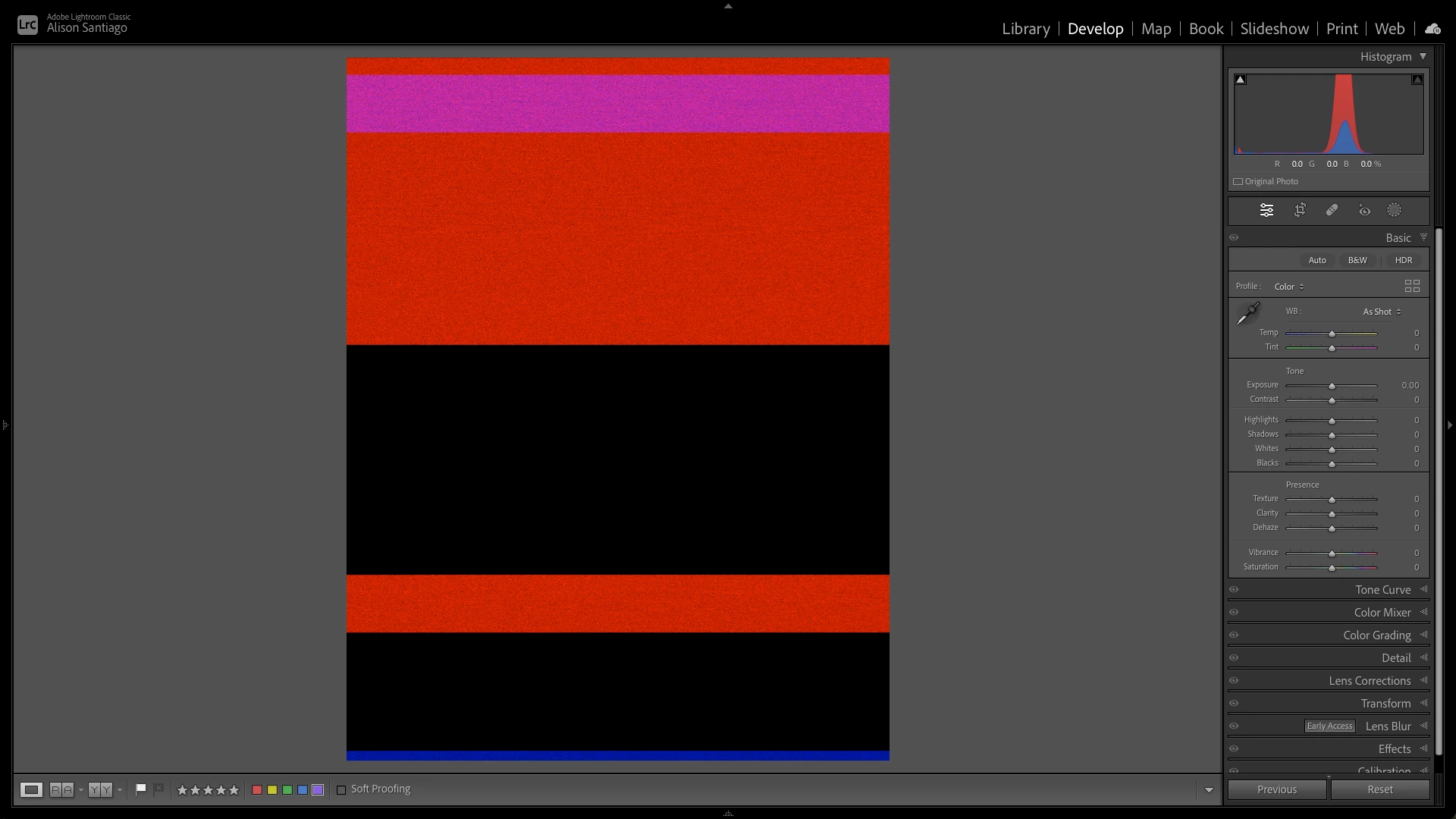
Why do my images get corrupted when saving from PS to LRC?

I send images from LRC to PS to edit and after completing my edits I save the file so it can be 'returned' to LRC for final adjustments and management. Recently my images returning from Photoshop are corrupted and I have reset my PS settings. I'm using a Macbook Pro M3 (OS Sonoma 14.4.1) and the latest LRC, PS, and ACR. Has anybody exprienced this and has a solution?
返信数 2

Stephen Marsh
Community Expert
Community Expert
May 18, 2024

Is this every image or just some?


Do you have an external drive that you can test with, if you are using the main drive in the laptop?


Not a direct answer, but you could try a 2-step approach... With the image from Lr opened, do your regular SAVE so that it automatically updates back in Lr. While the edited image is still open in Photoshop, do a SAVE AS/SAVE A COPY and save a backup file that isn't in the Lr catalogue to preserve the edits from Photoshop, just in case the first step corrupts. This can be automated if it becomes a bother.


Good luck!

Participant
September 13, 2024

Ive been having this problem repeatedly saving PS files to an external drive thye keep corrupting. Did you work out what the problem was? Was it a cable? 

D Fosse
Community Expert
Community Expert
May 17, 2024

Yes, that looks like file corruption and not a GPU failure - the histogram here doesn't look very promising either.


File corruption is always caused by failing hardware. You need to isolate and replace the failing component. Try to make a note of exactly when/where in the chain it happens.


If you save directly to an external drive, that's a prime suspect. Maybe not the drive itself, but worn/loose cables and connectors. External drives get kicked around a lot. Start by replacing all cables.


To be clear, Photoshop doesn't save "to Lightroom". It just saves to disk. So if it's corrupt when saved from Photoshop, that points to a disk failure.

dubuj
Participant
January 18, 2025

I was having the same problem for several months but couldn't find an answer until now.  I have always saved my files to a NAS so I don't have an external HD that I kick around, however, I decided to A) optimize the NAS and B) reboot it which fixed my problems.  Additionally, after the reboot as a test, I save a .PSD to my local HD and then to the NSA.  I then opened the NAS file in LR and was able to work on it.  I don't think saving it to the HD is required in the future, I just wanted to see where corruption might occur.