I do not do much animations only played a bit with them. I tried to use rotation in a Frame animation using tween between frames where I rotated a layer. That did not work. I was able to move a layer and tween work when there was no rotation in the move. The layer I tried to rotate was a normal raster layer. You seem to be trying to rotate a smart object layer in a video animation. Smart Object Layers Transform like normal layer via interpolation. I never tried rotating a normal layer or smart Object layer in a Video Time. The only video animation I have done were rotating 3d layer scene by rotating the scene objects. You may want to see if toy can male your Pointer smart object layer into a 3d postcard and see it that will rotate.
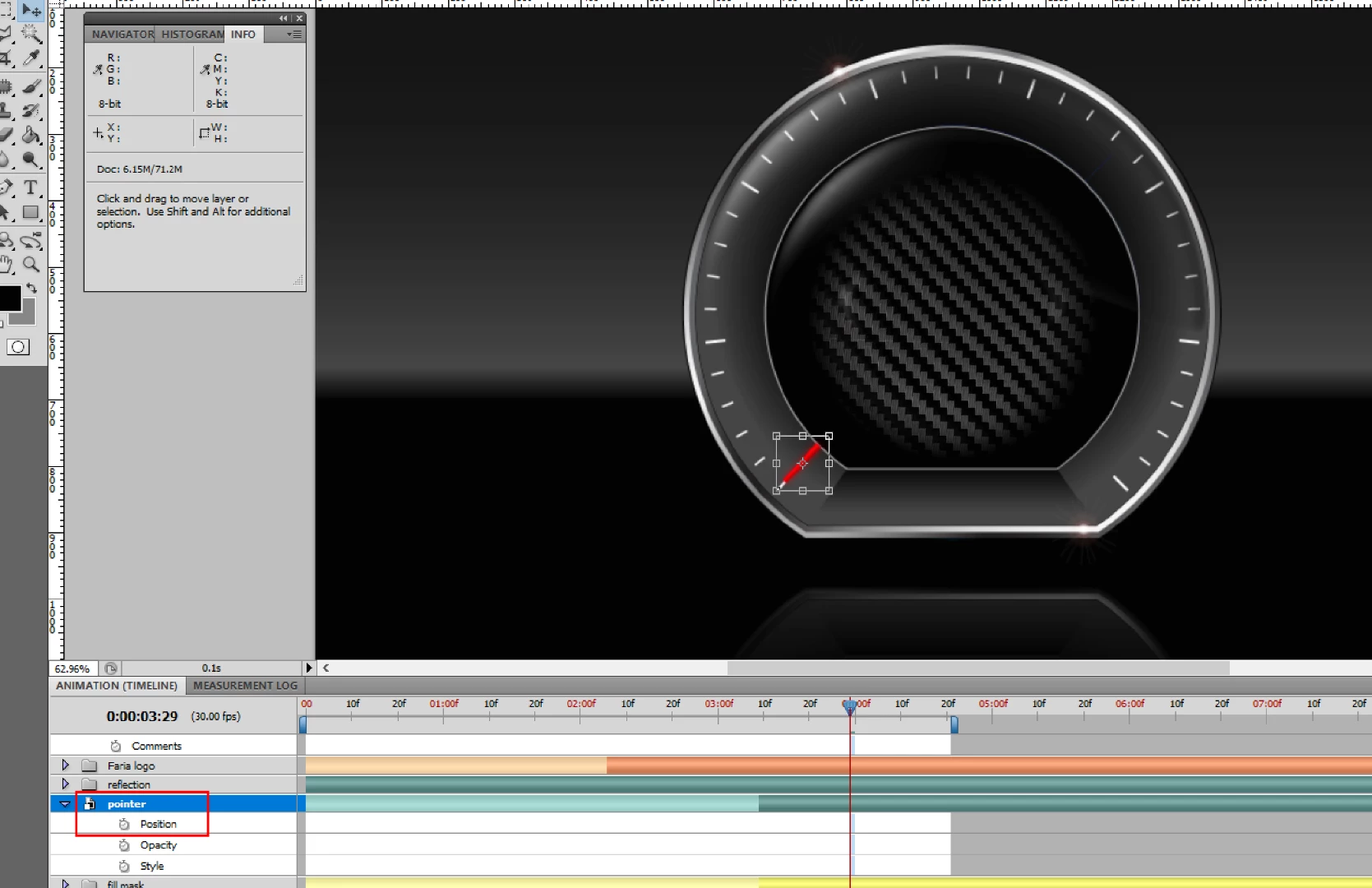
Did you click on the stopwatch icon to set a key frame to start the animation? I do not see any key frames indicators in your timeline. It would also help if you captured all of Photoshop UI so we could see things like you late palette and your layer structure.
JJMack
A
Anonymous
November 16, 2017
I have tried adding key frames. When I do move the object, the result is a complete move from the beginning of the animation. It does not move it only between the key frames.
Ultimately what I am trying to accomplish is having the red pointer rotate around the center logo. I would prefer not to have to do it in Frame animation.
Yes I did select the stopwatch. I added a key frame, moved the time scrubber forward then rotated my object. I placed an end key frame. When I do move the object, the result is a complete move from the beginning of the animation. It does not move it only between the key frames.
The is the first time you showed the key frames were created. Is the rotation the same at both key frames? Did you do a full 360 rotate? There may be a problem doing a 360 rotate. If you tried a 360 rotate try doing a 90degree rotate instead. See if that animates.



 AdChoices