











Connect with our global Photoshop Elements Community.
Recently active
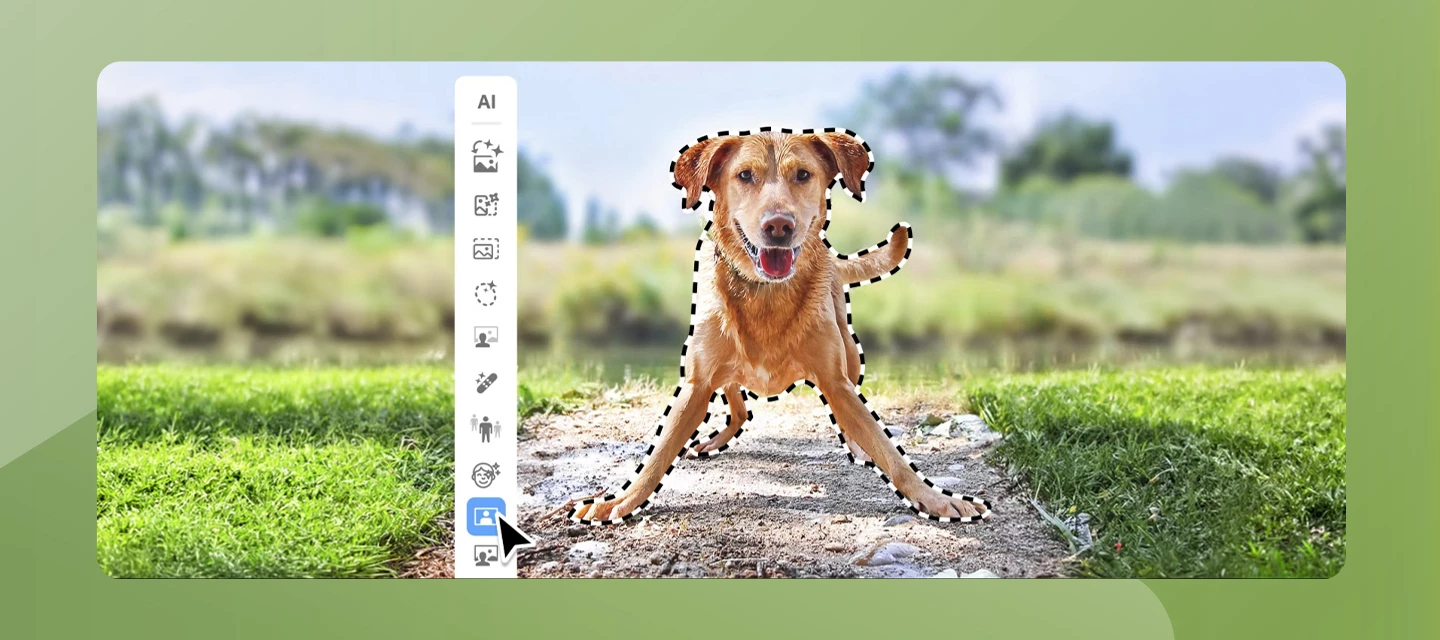
Adobe Photoshop Elements 2027 introduces a collection of AI-powered tools designed to make photo editing more intuitive, creative, and accessible for everyone. Whether you're enhancing old photos, expanding a cropped image, or experimenting with artistic effects, the latest release helps you achieve impressive results with fewer steps.A new AI Mode brings together popular AI-powered features into a single workspace, making it easier to discover and use intelligent editing tools. With Generative Expand, you can seamlessly extend the boundaries of an image to create a wider composition. Generative Upscale improves the clarity and detail of low-resolution photos, helping breathe new life into older images. New Creative Filters provide fresh artistic effects to transform your photos with just a few clicks. Photoshop Elements 2027 also introduces the AI Assistant (Beta), offering contextual guidance while you edit. The assistant helps you discover relevant features, learn workflows, and na
This problem seems to go back a long way. Out of the blue my printer doesn’t work with Elements 2026.Various forums show this problem goes back through lots of versions of Elements. Why is it so hard to solve? I need the printer for my work with Elements, I have tried all the suggestions, resetting preferences etc etc..It’s Elements that is the problem as all other programs work fine with my printer, but. finding a solution is another thing altogether. Seriously considering finally abandoning Elements after many years of using it for our archive work. I’ve nearly had enough.
Seems like when using a stylus pen for windows 11 and a tablet when pushing and trying to move it, nothing changes and it locks it into a left click until a mouse is used. Might want to test and check it out, and yes, everything is updated, but it still has the scrolling issue.
I’m trying to add a linear gradient to the image. Instead of a gradient from dark to light, I get the whole image darkened. I’ve tried restarting, selecting a different image, resetting the options for gradient tool. Nothing works. Been like it for the last month or so.
I have found the Preferences / Keyword Tags and Albums, and can see the options to manually or auto-sort, but the auto-sort doesn’t seem to do anything, and I cannot see how to manually sort them (either would fill my needs - if I could get them to work)
Each time a raw photo is edited, then saved (Save as... jpeg), the new jpeg image (shown in a version set) displays the wrong time in the organizer, exactly 4 hours earlier than the original. But when I bring up the file properties in windows explorer (properties -> details), that still shows the correct time the photo was taken. The cameras being used to create these photos are set to the correct time zone and date/time, as is my PC. Is this a known bug, or do I just need to change a setting somewhere?
I have Photoshop Elements 2026. It is painfully slow and very buggy. I asked online for help. 90 minutes later and 7 agents, all I got was passed from pillar to post and received aggressive responses. Amanda being the worst. Photoshop 2024 works perfectly. I just don’t understand why it is so difficult getting any help from Adobe and their staff.
I apparently have two Adobe accounts. Today, I upgraded Photoshop Elements but I was in the wrong email address. I didn't select Free Trial. Is there a way to cancel the purchase or switch it to the other account?
Photoshop Elements 2024 bietet native Unterstützung für Apple SiliconLeider habe ich nur die Intel Version installiert.Wo bekomme ich die Apple Silicon Version zum Download?
Manually Install Adobe Camera RAW (ACR)---Nicer to Look atLast updated on September 24th, 2026 The following is how to manually install the latest version (ACR 18.6) of Adobe Camera Raw (ACR) for Elements 2027. It is recommended to wait for Camera Raw updates within the product for issue fixes. You really only need to worry about the latest version if your camera requires it. The average user can basically ignore all of this and they will not even notice. PSE 2027 will prompt you to install ACR 18.4 the first time you try to use it (open an image in the raw format). For the vast majority of users they can do that._________________________________________________________________________________If you haven't been able to update the Camera Raw plug-in for Elements, follow these steps, Primarilly because your new camera needs a newer version of ACR to support RAW files: Download and install the latest Camera Raw version (to your computer) from https://helpx.adobe.com/camera-raw/kb/ca
As far as I know I have downloaded the latest camera raw software ?Thank you in advance for replying.Ken.
Last updated on April 6th, 2024 : Also Applies to Elements Organizer, Premiere ElementsThe following is a workaround to update Camera Raw within Elements. It is recommended to wait for Camera Raw updates within the product for issue fixes. If you haven't been able to update the Camera Raw plug-in for Elements, follow these steps, Primarilly because your new camera needs a newer version of ACR to support RAW files:Download and install the latest Camera Raw version from https://helpx.adobe.com/camera-raw/kb/camera-raw-plug-in-installer.htmlQuit all Adobe applications.On macOS, double-click the .dmg file to mount it.On Windows double-click the downloaded .zip file to unzip it.(Windows might unzip the file for you.) On macOS, double-click the .pkg file to start the installer. On Windows, double-click the resulting .exe file to start the installer.Follow the on-screen instructions. Once installed successfully, close the installer window. Na
using Photoshop Elements 2024 on Windows 10. Clone tool is not working, started yesterday. I get a message that says the opperation could not be compleated because no pixels were selected. tells me to alt click on source. I HAVE been doing that! repeatly. also, in addition to the message box coming up, I get my computers , I don't know what it's called - the area that tells a person what is on thier computer so something could be selected. It comes up too at the same time. I am wondering if Adobe is doing this delibertly to get me to purchase the 2025 version of Elements? ( I have gone to Preferences and clicked on reset at next launch. ) problem continues.
Photoshop may run slowly after a recent update because new features often increase GPU, RAM, and CPU usage, especially AI-powered tools and background Creative Cloud services. Many users also experience lag due to outdated graphics drivers, corrupted preferences, incompatible plugins, font issues, or changed performance settings after updating.Common fixes include:Updating GPU and graphics driversResetting Photoshop preferencesDisabling problematic pluginsTurning off GPU Compositing or Graphics Processor acceleration temporarilyIncreasing RAM allocation in Performance settingsClearing font cache and removing corrupted fontsUsing scratch disks with enough free storageReinstalling Photoshop if update files became corruptedSome Adobe Community and Reddit users also reported that recent updates introduced slower brush tools, delayed shortcuts, and startup lag tied to GPU settings or cloud background services.For official troubleshooting steps, optimization settings, and performance guides,
I have been using PE 2026 for over a year now, and been printing to my Epson ET2850 with no problems. Recently when pressing print from the print dialogue settings, it crashes back to the home screen and does not print. I have reset all the preferences and rebooted but this makes no difference. I have changed nothing that I am aware of in my set-up. Any advice would be greatly appreciated.
How do I remove a disconnected file from Photoshop Elements 2026 Organiser?I have deleted a file from its original location but Organiser still keeps referencing it and simply thinks it is disconnected.
How do I swap the background and letter colors, i.e. make the background whiteand letters black?
I’ve done quite a few “generative expands” using the new generative expand tool (I don’t care about keeping track of generative credits- I subscribe to photoshop go I get something like 375 credits a month-- currently I have 180 credits left and my roll over date is around september 26th) (Generative credits do not add up / roll over from one month to the next- your generative credit amount is reset each month).What I’ve noticed: The parts that are added tend to be a bit darker than the original part- it’s a nice looking dark area- compare it to a vignette effect.MY QUESTION: Are others noticing this darked effect when using the generative expand tool? Chena Hot Springs, November, 2004
Purchased Adobe Premiere Elements 2026, activated the code and downloaded software. When I try to open Photo Editor, the window says I have to download a 7 day free trial or purchase the software. What step did I miss? I uninstalled and reinstalled twice, spent hours on the Adobe help chat waiting for anything/anyone to answer - does anyone know how to solve this?
I got a old version of photoshop elements, its version 5.Can ibuy the upgrade to 2027 os is my version way too old.
I really need help. I’m so frustrated. I remember in a class using the elliptical marquee tool, but it’s never a perfect circle and I think I used the object selection tool? Basically, I need a circle with a hole in it to see the background. Please help
When a photo is edited using the Photoshop Editor, the Organizer displays a modified timestamp after saving. One hour is added to it. As a result, the edited photo appears in the wrong position within the Organizer. However, in Windows Explorer, the "Date Taken" field continues to display the correct time.If I delete the edited photo from the catalog and then re-import it, the photo is sorted into the correct position in the Organizer, and the actual capture time is displayed once again.Consequently, up until now, I have had to correct the time after every photo editing using the "Change Date and Time" button.How can I avoid this extra effort?For the past six months, I have been using:Elements Organizer 26.0.0.0Prior to this, I worked with Photoshop Elements 2021 and did not encounter this problem.Regards, Barbara
Photoshop Elements 2027 uses the same Presets folder in a User account as Photoshop Elements 2026.This not the Presets folder in the Application folder, but the Presets folder in Users Library on a Mac located inMacintosh HD/Users/UserName/Library/Application Support/Adobe/Adobe Photoshop Elements/Presets In previous Photoshop Elements versions 2025 and older each version had it’s own Presets folder.This could be an issue if some presets are not compatible with both PSE 2025 and 2026. This is on macOS 26.7 Tahoe running on a 2022 Mac Studio.Haven’t installed PSE 2027 on Windows yet, so can’t verify it’s the same.
I have a new computer and I’m attempting to download APE19. I got this error: “Update your browser To use Adobe services, please update your Adobe applications, operating system, and browser to the latest versions.”So, I then downloaded Adobe Creative Cloud and it’s still giving me that error and won’t allow me to download it.I don’t know what else to do. Any help is appriciated.
It’s a little earlier than usual this year. We normally have to wait until October. See my video review and “how to” demo on YouTube.
Remix with Firefly Community Gallery
Thousands of free creations to fall in love with and remix in Firefly.
Already have an account? Login
No account yet? Create an account
Enter your E-mail address. We'll send you an e-mail with instructions to reset your password.