

Pattie-F
Legend
October 20, 2020
Question

Swap skies in seconds

  • October 20, 2020
  • 13 replies
  • 50431 views


Use Sky Replacement to shorten your Photoshop editing workflow



Now, with Sky Replacement, it's easier than ever to create amazing landscape photos, even when your original photo has a boring sky. The Sky Replacement feature automatically isolates the sky in your image from the foreground so you can replace the sky in a matter of seconds. Machine learning models powered by Adobe Sensei do the masking and blending for you and then harmonize the foreground of your image with the chosen sky!


Give it a try by selecting Edit > Sky Replacement from the menu, and then choosing a new sky from our library or yours.   
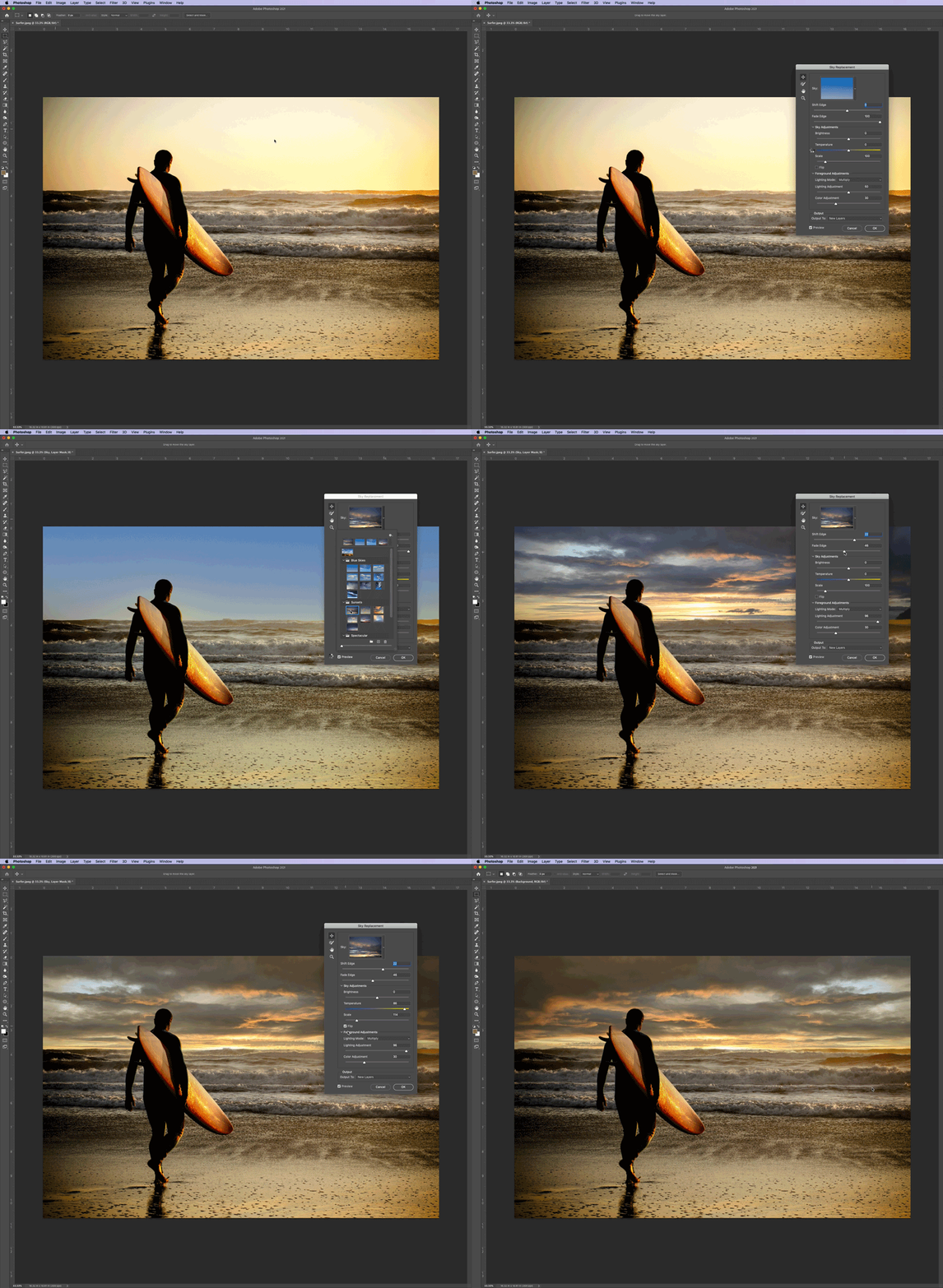


For more information and to learn how to use Sky Replacement, see Using Sky Replacement.

You can also check out this video for more details: Photoshop Sky Replacement Tips and Tricks.


This topic has been closed for replies.

13 replies

rs68255699
Inspiring
October 22, 2020

Hi,

I am from the Netherlands and have version 22.0, but no sky replacement in the Edit menu?

My Libraries window is called Bibliotheken (Dutch)... Photoshop is the English version (in the past I have changed it into Dutch).


Grtz

Reina

rs68255699
Inspiring
October 22, 2020

Ow... can't edit the post... My Photoshop was still opening in the older version. Problem solved!

Thanks.

Grtz

Reina

Participant
October 20, 2020

I can't even find the option in the Edit menu as you show. I just updated to the latest version as well, and still can't find it. Help? 

Pattie-F
Pattie-FAuthor
Legend
October 20, 2020

If you already updated to the new version, can you please go to Photoshop>About Photoshop and check that you are using 22.0.0?

It is possible you may have clicked on an old icon. Please let me know if it says 22.0.0 and does not show the menu item for Sky Replacement under the  Edit pulldown.


rickb81785763
Participant
October 20, 2020

How do I get skies from my Libraries into the Sky Replacement feature?


Pattie-F
Pattie-FAuthor
Legend
October 20, 2020

In this article, Using Sky Replacement, scroll down to Settings and options and  if you click on the symbol to the right of the sky image labeled item E, you will get another panel where you can click on item I (a plus symbol) and then select from your own images.

rickb81785763
Participant
October 20, 2020

Yes, that allows me to add one at a time. I have several hundred in my libraries. Is there a way to batch import them?