Participant
April 9, 2025
解決済み

Automation Blocks : change marker duration from 5 seconds to length of my clip

  • April 9, 2025
  • 返信数 1.
  • 1508 ビュー


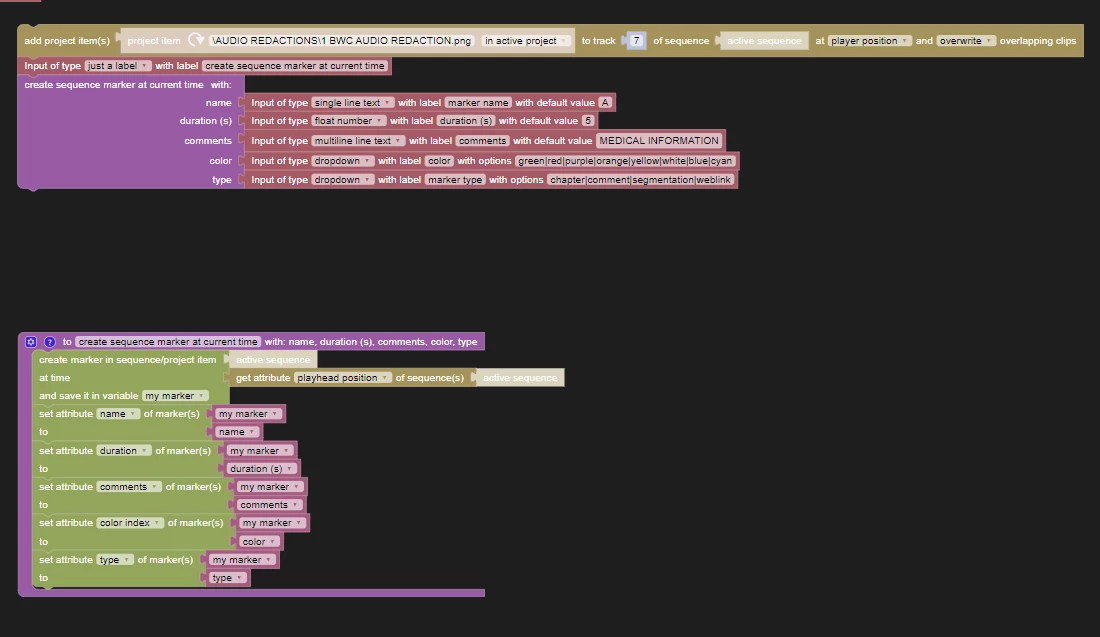
I have a script that inputs a project item, and a marker at the playhead, it gives me a default time of 5 seconds, how may I change the script to that the duration would be the same duration of the clip selected, instead of the default times.  Thanks for your help
解決に役立った回答 Mathias Moehl

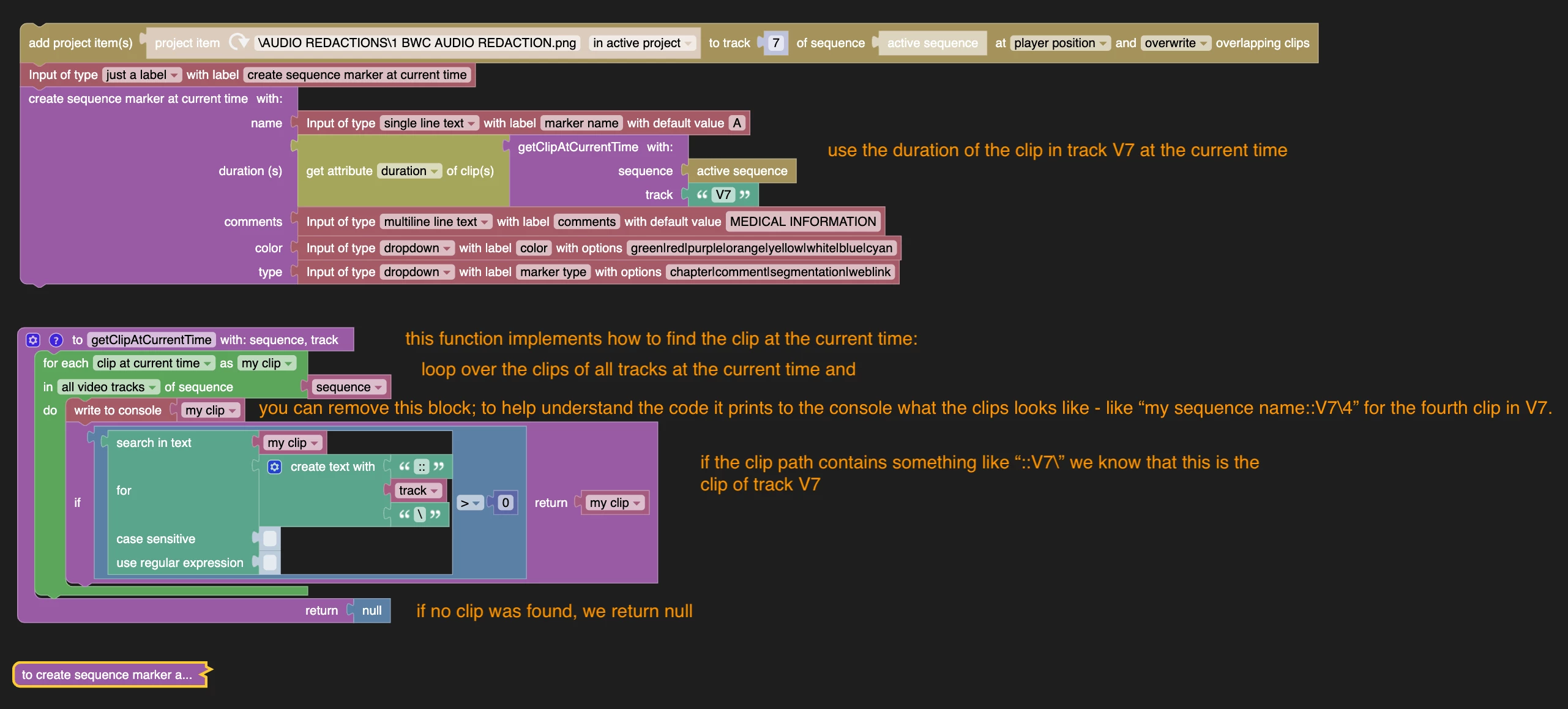
I added a function which retrieves the clip at the current time from a particular track. Then for the duration of the marker, we can use the duration of that clip.


返信数 1

Mathias Moehl
Community Expert
Mathias MoehlCommunity Expert解決!
Community Expert
April 10, 2025

I added a function which retrieves the clip at the current time from a particular track. Then for the duration of the marker, we can use the duration of that clip.


Mathias Möhl - Developer of tools like BeatEdit and Automation Blocks for Premiere Pro and After Effects
Participant
April 10, 2025

Thank you for your quick response, we are closer.  Is there a way to change the duration of the "add project item(s)"  to be the duration of the clip selected in video track 1.    It currently brings it in at the default 5 seconds, which makes the marker 5 seconds as well.

Mathias Moehl
Community Expert
Community Expert
April 11, 2025

Try the two changes marked in red.

This should retrieve the duration of the first selected clip in V1 (and stop with an error if there is no clip selected in V1).

Mathias Möhl - Developer of tools like BeatEdit and Automation Blocks for Premiere Pro and After Effects