


Participant
May 20, 2020
質問

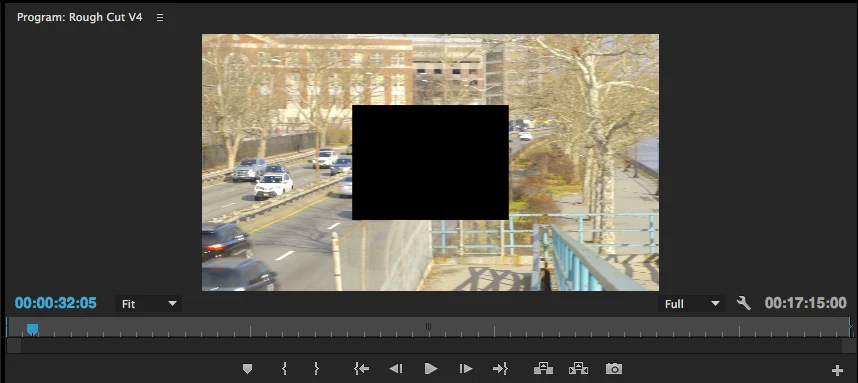
Black box in center of clips after linking media
  • May 20, 2020
  • 返信数 4.
  • 3071 ビュー

I'm working from an XML in Premiere Pro CC 2015. After linking the media (.mts files) I can review clips in the source monitor and they look fine. However, in the program monitor, when reviewing the sequence in my timeline, there is a black box in the center of every frame of every clip which fills about half the frame. It remains even afer rendering. How can I correct this? 


このトピックへの返信は締め切られました。

返信数 4

Participant
April 14, 2023

I had the same issue, I had several nests under a adjustment layer and a black video at bottom. I removed the black video on track one and the adjustment layer and that solved the problem. Not sure what Cassie's it but there your fix (using a Mac)

Participant
November 27, 2021

I encountered the same problem, and I figure it out that the black box could be the ERROR FROM THE ADJUSTMENT LAYER in the sequence. Turn off the layer of Adjustment layer to see if that is the problem.

Participant
June 20, 2021

Hey there, did you ever find a solution to this problem? Having the same problem trying to get color correction from a DaVinci XML to work...

Participant
February 3, 2022

Hey I'm having the exact problem with importing xml color grade file from davinci to premier pro timeline..any solution?

R Neil Haugen
Legend
May 20, 2020

You think there would need to be a masked area or picture-in-picture or something that would show in the ECP ...


Neil

Everyone's mileage always varies ...