


Exit
  • Global community
    • Language:
      • Deutsch
      • English
      • Español
      • Français
      • Português
  • 日本語コミュニティ
  • 한국 커뮤니티
1

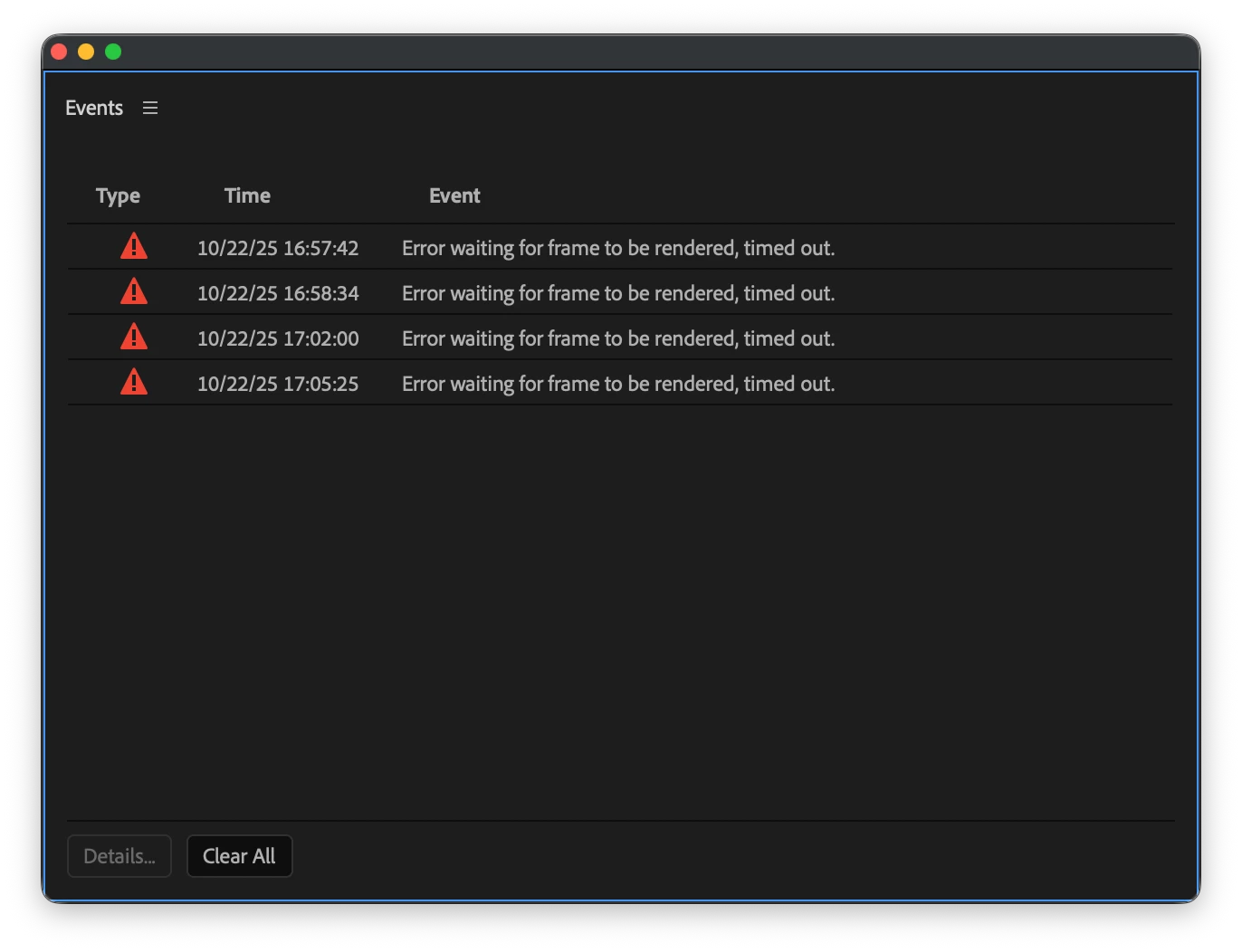
Error waiting for frame to be rendered, time out.
Community Beginner ,
Oct 22, 2025 Oct 22, 2025

Screenshot 2025-10-22 at 17.07.54.png

I cannot figure this problem out and it is driving me nuts, I generally cannot believe how many problems I have with adobes software and I waste so much time trying to fix it but i CANNOT find a solution for this.


I'm on a Macbook air M4, ios 26, using premiere pro 25.5. trying to use guasian blur mask tool with the tracking and i get this error every single time. I'm using bog standard 4k gopro footage and it has never done this before but for some reason it wants to now throw this error at me constantly. I have cleared my cache, reset my laptop, moved the file to a different location, renamed the file, tried nesting, tried an older version, tried reupdating, tried reinstalling, tried speeding the clip up and then reverting it to its normal pace, checked about variable frame rate and there isn't any. I cannot think of anything else, any input will be appreciated.

TOPICS
Crash , Editing , Error or problem
235
Translate
Report
Community guidelines
Be kind and respectful, give credit to the original source of content, and search for duplicates before posting. Learn more
community guidelines
Community Expert ,
Oct 22, 2025 Oct 22, 2025

Convert clip to prores and try again.

Translate
Report
Community guidelines
Be kind and respectful, give credit to the original source of content, and search for duplicates before posting. Learn more
community guidelines
Community Beginner ,
Oct 23, 2025 Oct 23, 2025

I will try this when I get back home, but just a quick question, why could this of happened? I never had this problem before hand with any other of my files, and they're the exact same frame rate and resolution from GoPro 

Translate
Report
Community guidelines
Be kind and respectful, give credit to the original source of content, and search for duplicates before posting. Learn more
community guidelines
Community Beginner ,
Oct 23, 2025 Oct 23, 2025

Just got back, converted to ProRes but no luck, problem still there

Translate
Report
Community guidelines
Be kind and respectful, give credit to the original source of content, and search for duplicates before posting. Learn more
community guidelines
New Here ,
Oct 23, 2025 Oct 23, 2025

Clear media cache files in Premiere Pro preferences and ensure your graphics card drivers are up to date.

Translate
Report
Community guidelines
Be kind and respectful, give credit to the original source of content, and search for duplicates before posting. Learn more
community guidelines
Community Beginner ,
Oct 23, 2025 Oct 23, 2025

I have mate, mentioned it in my post but problem resides 

Translate
Report
Community guidelines
Be kind and respectful, give credit to the original source of content, and search for duplicates before posting. Learn more
community guidelines
Adobe Employee ,
Oct 23, 2025 Oct 23, 2025

Hi Matt,


We're sorry to hear about this. Are you experiencing this issue specifically when using Gaussian Blur effect with GoPro media or with other effects as well?


Thanks,

Sumeet

Translate
Report
Community guidelines
Be kind and respectful, give credit to the original source of content, and search for duplicates before posting. Learn more
community guidelines
Community Beginner ,
Oct 23, 2025 Oct 23, 2025

Hi Sumeet,


i haven't tried the tracking with anything else, only guassian blur, but i have tried using videos from my iPhone to see if it was just a GoPro video problem but i had the same problem with it, wouldn't track for both iPhone or GoPro footage, baring in mind it previously worked perfectly fine and I haven't done anything to my laptop, I only ever use that laptop for editing my videos on, so nothing else has been installed etc etc

Translate
Report
Community guidelines
Be kind and respectful, give credit to the original source of content, and search for duplicates before posting. Learn more
community guidelines
Adobe Employee ,
Oct 24, 2025 Oct 24, 2025
LATEST

Thanks for the details! I'm unable to reproduce this issue at my end. Would you mind sharing a download link for a sample project with the media you are experiencing this issue with? It will help us diagnose it properly.


-Sumeet

Translate
Report
Community guidelines
Be kind and respectful, give credit to the original source of content, and search for duplicates before posting. Learn more
community guidelines