


Participant
May 16, 2022
解決済み

Fresh Windows 10 installation - prores raw does not decode

  • May 16, 2022
  • 返信数 3.
  • 1153 ビュー

Hello fellow community,


as the title says, I'm having trouble on a fresh windows 10 installation with decoding pro res raw. I went through the other topics, but there seems to be no easy fix known. As most of these topics are older than 12 months, let's give it another shot.


Error message when trying to decode pro res raw footage (same footage works on another windows and some mac machines): "ProRes RAW video decode issue.

ProRes RAW video could not be decoded. For more information, see adobe.com/go/proresraw <path/to/footage>".

The console log stays empty when I try to import pro res raw footage.

Are there any advices on how to improve the situation besides randomly reinstalling every component (which I did multiple times)?


I'm happy to try everything, it's a clean system installation, I don't mind if it gets wrecked in the process ;).


Kind Regards

Tim


System information:
Processor AMD Ryzen 9 5900HS with Radeon Graphics 3.30 GHz
Installed RAM 32,0 GB (31,4 GB usable)
System type 64-bit operating system, x64-based processor

GPU: Nvidia GeForce RTX 3070 Laptop GPU
Studio Driver Version 512.59
DCH Driver

Edition Windows 10 Pro
Version 21H2
Installed on ‎15/‎05/‎2022
OS build 19044.1706
Experience Windows Feature Experience Pack 120.2212.4170.0

Adobe Premiere Pro 2022
Version 22.4.0 (Build 57)

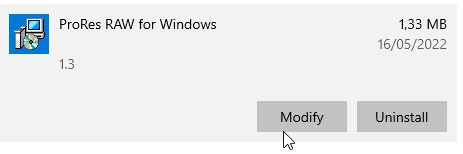
Apple Pro Res Raw


このトピックへの返信は締め切られました。
解決に役立った回答 tims92351572

Hello,


the problem is solved for me. Removing the nvidia DCH driver lead to windows auto-installing a rather obscurely old version of the nvidia driver (462.13), and that seems to work. I think what broke my old system was an auto-upgrade to a nvidia DCH version driver, though I have no evidence to support this theory.

Disclaimer: I am a software professional who does media work as a side business. Randomly removing drivers and installing other versions might break your system, especially if you don't know exactly, what you are doing. For those who have great backups or don't mind loosing their systems, try DDU (display driver uninstaller) to remove your drivers and install an old standard edition (not DCH) driver for your GPU. It seems to have solved the problem for me.


Kind Regards


Tim

返信数 3

tims92351572作成者解決!
Participant
May 20, 2022

Hello,


the problem is solved for me. Removing the nvidia DCH driver lead to windows auto-installing a rather obscurely old version of the nvidia driver (462.13), and that seems to work. I think what broke my old system was an auto-upgrade to a nvidia DCH version driver, though I have no evidence to support this theory.

Disclaimer: I am a software professional who does media work as a side business. Randomly removing drivers and installing other versions might break your system, especially if you don't know exactly, what you are doing. For those who have great backups or don't mind loosing their systems, try DDU (display driver uninstaller) to remove your drivers and install an old standard edition (not DCH) driver for your GPU. It seems to have solved the problem for me.


Kind Regards


Tim

Kevin-Monahan
Community Manager
Community Manager
May 21, 2022

Thanks for letting us know, Tim!

Kevin

Kevin Monahan - Sr. Community and Engagement Strategist – Adobe Pro Video and Audio
Inspiring
May 19, 2022

In the video link below I used Pro Res and BRAW files but H.264/265 also suffer from the same issue. Your computer may not have the same exact same issues as my computer but I wanted to let you know the last few Premiere Pro upgrades have had serious issues for many people. 

Kevin-Monahan
Community Manager
Community Manager
May 18, 2022
Kevin Monahan - Sr. Community and Engagement Strategist – Adobe Pro Video and Audio
tims92351572作成者
Participant
May 20, 2022

Hey Kevin,


thanks for your reply. I went through that multiple times, but there is no 'troubleshooting guide' or anything that would remotely help.


Kind Regards


Tim